
Alight Mobile review
 Analysis by Appsdrops
I’d use Alight Mobile as a personal benefits companion, not as a shared household organizer. That distinction matters when more than one person uses the same phone or when family members help each other handle paperwork. The app is made for access to benefits on the go, but the account and its information should still be treated as belonging to the individual employee or plan member. In my view, its usefulness comes from making benefits easier to check when needed—not from turning a household’s separate accounts into one combined view.
Useful when a benefits question comes up away from home
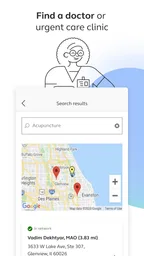
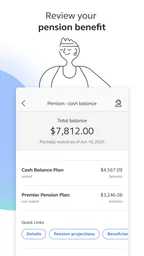
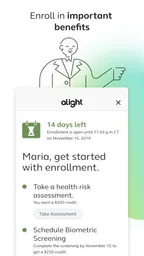
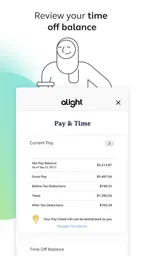
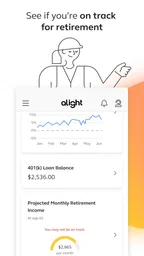
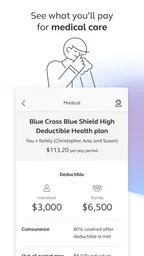
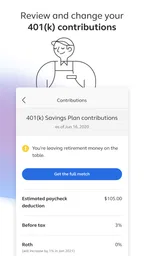
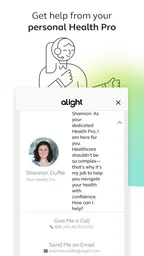
Alight Mobile is a free business app from Alight Solutions, LLC. Its purpose is practical: give users a mobile way to reach benefits-related information rather than making every task wait until they are at a computer. That can be handy when you are trying to answer a quick question during a work break, sorting out a household expense, or checking details before contacting a benefits administrator.
The value is most apparent when a benefits decision has to be made in context. Imagine you are at a pharmacy and want to check information connected to your benefits before deciding what to do next. A phone-based route can be more convenient than searching through old messages or waiting until you get home. I would still treat the app as a place to review and manage information, not as a substitute for understanding the terms of a plan or confirming an unclear decision with the appropriate benefits contact.
This is not a general-purpose finance app, nor is it a household budgeting tool. It belongs to the narrower world of employee benefits, where access often depends on an organization’s arrangements and the user’s own account. That focus is useful for someone who already needs Alight’s services, but it means the app is unlikely to be valuable to a person who simply wants to track spending, compare insurance plans across providers, or manage several family members’ benefits in one place.
One phone, separate benefits accounts
Shared-device use needs a little care. A partner or relative might borrow your phone, help you navigate an unfamiliar screen, or use the same device for their own everyday apps. I would not assume that this turns Alight Mobile into a shared account space. Benefits details are personal, so each person should use their own credentials and take responsibility for signing out or otherwise protecting access when the phone is shared.
A realistic household routine might be one person checking their own benefit information while another helps with a practical task, such as finding where a relevant detail appears. The helper can provide support without becoming the account holder. I would avoid saving passwords where someone else can reach them, and I would not leave a benefits screen open when handing the phone over. Those are simple habits, but they matter more here than they would in a shared entertainment app because the information is tied to a person’s work and benefits relationship.
If two adults in a household both have access through their own employers or plans, I would approach them as separate users rather than expect a joint household dashboard. Keeping accounts distinct also makes it easier to know whose information you are looking at before acting on it. When helping someone else, ask them to confirm the account and details themselves instead of relying on a screen that may belong to another family member.
Set expectations before relying on it
Before making Alight Mobile part of a regular routine, I would check that the person’s benefits are available through the service and that they can sign in successfully. The app’s general purpose does not mean every employer or plan presents the same experience. If a user cannot see what they expect, the useful next step is to check with the relevant benefits administrator or support channel rather than assume the app has replaced the organization’s normal process.
That setup boundary is especially important when someone else offers to help. A spouse may know the family’s day-to-day needs, but that does not automatically give them access to an employee’s account or make them the right person to make a benefits choice. I would keep the account owner involved in sign-in and decisions, and use the app together only when the owner is comfortable doing so. This avoids confusing convenience with permission.
I also would not plan around the app as the only way to reach important information. Mobile access is valuable, but a phone can be unavailable, a sign-in can require attention, or a user may prefer a larger screen for careful reading. For complicated choices, I find it sensible to use the app for quick access and then review the relevant plan material through the organization’s usual channels. The phone is a convenient starting point, not necessarily the best place for every detailed decision.
Coordination without merging accounts
For household coordination, the strongest approach is a simple division of responsibilities. The account owner checks their own information, then shares the relevant details with whoever needs to plan around them. That might help a couple coordinate a benefits-related appointment or understand which person should follow up on a work-plan question. It is less convenient than a shared family view, but it keeps ownership clear and reduces the risk of mixing up two people’s records.
One useful habit is to discuss a decision outside the app before anyone taps through a consequential step. A second person can help compare the household’s needs or remind the account holder to ask a question, while the account holder remains the one who reviews and confirms their own information. This is particularly helpful when benefits choices affect a family budget but are administered through one person’s employment.
I would not use Alight Mobile as a substitute for a shared calendar, document folder, or family task list. Those tools are better suited to coordinating who will call, what paperwork is needed, or when to revisit a decision. The app’s role is more focused: access to benefits information associated with the user. Keeping those jobs separate makes the household workflow clearer and avoids expecting one specialist app to solve every coordination problem.
Age, trust, and who should handle the phone
The app has an Everyone content rating, and it requires Android 12 or later. That rating describes the content context; it does not mean that every child should be given access to an adult’s benefits account. In a family, I would keep account use with the employee or plan member, while a parent or guardian decides whether and how to explain relevant household information to younger family members.
Trust is less about age labels than about access boundaries. If someone else needs to help with a task, the account holder can stay present and guide the process. I would be cautious about letting another person retain access simply because they sometimes help with a phone. Benefits information can be personal, and the person who owns the account should remain able to control when it is opened and what is shared.
For an older relative or someone who is not comfortable with apps, the phone can still be a useful aid if they want help navigating it. I would let them remain in control of their own account wherever possible, explain what is on screen in plain language, and avoid making choices on their behalf. If the task involves detailed terms or an important change, pausing to get help from the benefits administrator is more responsible than guessing based on a brief mobile view.
What the rating and history suggest
Alight Mobile has a 3.3 average from around 45,000 ratings, with roughly 3,900 written reviews. It has passed one million installs, so it is not an obscure utility, but the average rating suggests that I would approach it as a practical service app rather than expect a consistently effortless experience for every user. Benefits apps can depend on account access and the particular arrangements behind a user’s plan, so a smooth experience for one person does not guarantee the same path for another.
The app first appeared on October 6, 2020, and its current version is 7.3.1. That establishes that it is an ongoing mobile product, though version numbers alone do not tell me how well a specific user’s employer setup will work. I would install it because I have a clear need to access benefits through Alight, then judge it by whether it reliably helps with the tasks I actually need to complete.
When another option makes more sense
If your main goal is to compare plans from different providers, organize a family’s finances, or keep several relatives’ records together, a broader tool or the relevant provider’s own service may be a better fit. Alight Mobile is most compelling for someone whose benefits are connected to Alight and who wants a mobile route to them. It is not the app I would choose just because a household needs a shared place to store every member’s documents.
Likewise, someone who prefers to read lengthy plan information on a computer may find a desktop route more comfortable for careful review. I see the phone app as particularly suited to quick checks and access while away from home. If a question is complicated, sensitive, or tied to a decision with lasting consequences, I would use mobile access to orient myself and then take the time to verify the details through the appropriate plan materials or support contact.
Alight Mobile is free, which makes trying it a reasonable step when you already need its benefits access. Its business focus and personal-account nature are both strengths and limits: it can put relevant information closer at hand, but it does not replace the employer’s benefits process or provide a natural shared household workspace. I would recommend it to an Alight-connected user who wants convenient access and is comfortable keeping their account private.
For a household, my verdict is to use it as an individual tool that supports coordination, not as the coordination system itself. Keep each person’s access separate, involve the account owner in decisions, and use other tools for shared reminders and planning. With those expectations, the app can make benefits tasks easier to handle on the go without blurring whose information—or whose decision—it is.
What we like
- The interface is easy to navigate for beginners.
- Layer controls help organize complex edits.
- Built-in effects make quick visual adjustments simple.
- Projects can be refined with detailed editing tools.
- The app suits short-form social media content.
What could be better
- Some advanced tools may take time to master.
- Large projects can use substantial device storage.
- Performance may vary on older phones.
- Some features may require a paid plan.
- Export settings can be limited compared with desktop editors.





