
ADP Mobile Solutions review
 Analysis by Appsdrops
When I want to check a work detail without waiting until I’m back at a desk, a dedicated employee app can make the task feel much less cumbersome. ADP Mobile Solutions is built around that practical role: it gives employees a mobile way to handle self-service tasks connected to their workplace. That focus is also its main limitation. It is not a general business toolkit; what you can actually do depends on the services your employer makes available through ADP.
Self-service is the app’s central idea
ADP Mobile Solutions is a free business app from ADP, INC. Its defining capability is employee self-service on a phone. Instead of treating workplace administration as something that only happens on a computer or through a conversation with HR, it offers a mobile entry point for employees who need to look after work-related matters themselves.
That distinction matters. The app is best understood as a companion to an employer’s ADP setup, not as a standalone service that independently provides every employee feature. Your workplace’s configuration shapes what appears and what you can do. I’d think of it as a convenient front door to tools your employer has enabled, rather than as a complete, identical package for every person who installs it.
Its scale suggests it has become a familiar option for many employees: it has more than 10 million installs, an average rating of 4.6 from around 864,000 ratings, and about 88,000 written reviews. Those figures provide useful context, but they do not guarantee that every organization presents the same experience. In a workplace app, the employer’s setup is a major part of the product a person encounters.
What the mobile approach changes
The everyday benefit is less about doing something novel and more about avoiding unnecessary friction. If you need to check a work-related detail while away from a computer, a phone-based self-service app can be more convenient than logging in later or contacting someone for information you can access yourself. That is especially valuable for employees whose shifts, breaks, or work locations do not make desktop access easy.
I also appreciate the self-service model because it can make routine administration feel more manageable. When a task is available in the app, the employee can take the first step directly rather than relying on a manager or HR contact to act as a go-between. The important qualification is “when it is available”: the app’s purpose is clear, but the specific actions it supports are tied to the employer’s ADP services.
How I would use it during a normal workweek
Imagine finishing a shift and remembering that you need to check a work detail before planning the next few days. With a self-service app, the sensible first move is to open it and see whether your employer has made that information or task available. If it is there, you can deal with it on the spot instead of leaving yourself a reminder to search for it at a computer. If it is not available, the app cannot replace the workplace process that handles it.
That makes the app most useful as a quick check-in point, not necessarily as a place to spend a long time managing every part of your working life. I would use it for short, specific visits: open it with a question in mind, complete what the employer’s setup allows, then leave. This approach is practical on a phone and avoids expecting a mobile app to be as comfortable as a full desktop system for extended administrative work.
One useful habit is to distinguish between an app issue and an employer-setup issue. If a self-service option you expected is not visible, first consider whether your organization has enabled that function for your account. A missing option does not automatically mean the app itself is malfunctioning. That small distinction can save time before you reinstall, repeatedly search menus, or contact support about something your workplace controls.
Another sensible trade-off is to use the app for immediate access while keeping your usual workplace channel in mind for questions that require clarification or an exception. Self-service is efficient for tasks the system already supports; it is less suited to a situation that needs a person to interpret policy or resolve an unusual case. Treating the app as a shortcut for routine steps, rather than a substitute for HR or a manager, sets realistic expectations.
Where it fits better than the usual alternatives
The common alternatives are using a workplace portal on a computer, relying on email or messages, or asking a manager or HR contact for help. Each has a place. A desktop portal may be preferable when you need a larger screen or are handling several steps at once. Email is better when you need to explain a complicated situation or keep a written conversation. A manager or HR contact is the right route when the matter requires judgment rather than a standard self-service action.
The mobile app’s advantage is immediacy. It puts the employee-facing route in the device people already carry, which can be a real improvement over remembering to log in later. But convenience does not automatically make it the best route for every task. If a process involves detailed documents, careful review, or a question about what workplace policy means, I would choose a fuller portal or a direct conversation instead of forcing the task into a phone-sized experience.
That comparison is particularly relevant for employees who do not have regular access to a work computer. For them, a mobile self-service option may be more than a convenience; it can be the simplest available way to reach employer-provided tools. For someone who spends the workday at a desk and already uses a portal comfortably, the app may be more of a handy backup than a necessary change in routine.
The trade-offs I would keep in mind
The biggest limitation is dependence on the employer’s ADP arrangement. Installing the app does not, by itself, ensure that every self-service function will be available to every employee. A person evaluating it should ask whether their organization uses the relevant ADP services and what it has enabled. That is more useful than assuming the app will behave like a universal employee account with the same tools for everyone.
There is also a difference between access and resolution. A mobile app can make an available task easier to reach, but it cannot necessarily settle a question that depends on workplace policy, approval, or an individual circumstance. If you are expecting a complete replacement for conversations with HR, you may find the self-service model too narrow. I see it as a way to handle supported tasks more directly, not a promise that every employment question can be answered in-app.
Phone use has its own practical trade-off. A small screen is convenient for a quick check, but it is not always ideal for reviewing a lot of information or carefully working through a longer process. If I found myself repeatedly struggling to read or complete something on mobile, I would switch to a computer rather than assume that every task is better on a phone.
The app is free, rated for Everyone, and currently at version 26.44.0. It first appeared on April 1, 2013, and its minimum operating-system requirement is version 10. For most people deciding whether to try it, the more important question is still whether their employer’s ADP setup supports the work they want to do. The app’s age and current version are useful context, but they do not change that workplace dependency.
Who gets the most from it
I would recommend trying ADP Mobile Solutions if your employer already uses ADP for employee services and you want a convenient way to reach those services away from a desk. It is a particularly sensible fit for people with changing schedules, limited computer access during the day, or a preference for dealing with routine workplace tasks when they have a spare moment.
It is less compelling if your employer does not use the relevant ADP services, if you need a feature your workplace has not enabled, or if your main need is help interpreting a complex policy. In those cases, the app may not change much, and a workplace portal or direct contact may be more effective. I would also avoid choosing it solely because a large number of other people use it: the quality of your experience depends heavily on how your own organization has configured employee access.
Overall, I see this as a practical access point rather than an all-purpose work app. Its strength is making supported employee self-service easier to reach from a phone; its weakness is that the available experience is shaped by the employer and cannot replace human help when a situation falls outside routine options. If your workplace has set it up for the tasks you need, it can make small administrative errands easier to fit into a busy day. If not, a computer portal or a conversation with the right person is likely the better choice.
What we like
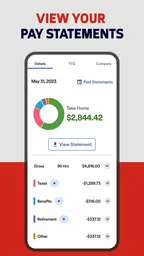
- Employees can check pay details from a mobile device.
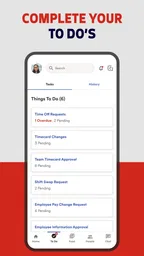
- The app provides access to work schedules and time records.
- Direct deposit information is available for eligible users.
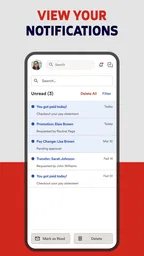
- Push notifications can help users stay aware of workplace updates.
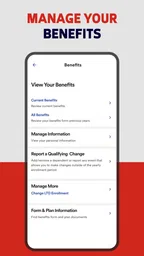
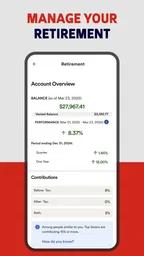
- A single app can cover several employee self-service tasks.
What could be better
- Available features depend on the employer's ADP setup.
- Some account issues may require help from an employer administrator.
- Signing in can require extra verification steps.
- Not every employer supports schedule or timekeeping features.
- App usefulness is limited for people whose workplace does not use ADP.





