



Super Mario Run review
 Analysis by Appsdrops
The clever part of Super Mario Run is that I don’t steer Mario with a virtual joystick. He runs forward on his own, and I tap to jump, with the timing and length of each tap shaping what happens next. That single choice makes this an unusually approachable action game, but it also changes what skill means: I’m reading the course and choosing moments, not constantly directing movement. I find it easy to pick up and surprisingly demanding to play well.
One tap turns movement into a timing puzzle
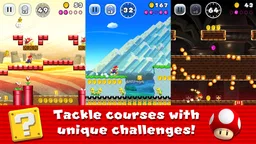
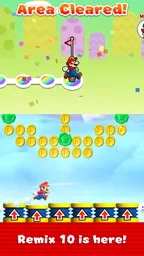
As a mobile action game from Nintendo Co., Ltd., Super Mario Run takes a familiar character and builds the play around short, focused runs. Mario keeps moving while I decide when to jump. A quick tap and a longer press produce different jumps, so a course is less about holding a direction and more about noticing what is ahead before it reaches him.
That distinction is important if you are deciding whether this will feel like a traditional Mario game. It preserves the quick reactions and playful momentum, but it isn’t a direct substitute for a console platformer where you choose Mario’s pace and direction. Here, the level’s forward flow is part of the challenge. I’m planning a jump, not exploring every stretch of ground at my own speed.
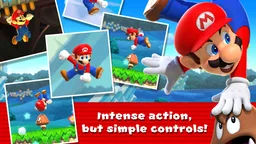
The automatic running also makes the basic controls friendly to newcomers. I can play with one hand, and there is no movement stick to obscure the action or require a period of adjustment. The catch is that simple controls don’t make every section forgiving. A tap a fraction too early can send Mario past a useful landing point, while waiting too long can leave little room to recover.
Reading a course instead of steering every step
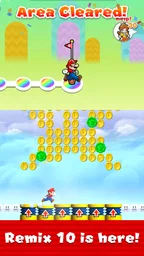
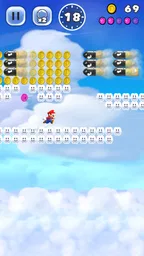
In practice, I get the most out of the control scheme when I look beyond the next obstacle. A row of coins can hint at a jump’s path, while gaps and raised platforms ask me to judge both the launch point and the duration of the tap. I treat a run as a sequence of small decisions: what is coming, where should Mario land, and is there a reason to take the riskier route?
This makes replaying a course useful rather than merely repetitive. After a mistake, I can remember the point where my timing failed and adjust on the next attempt. If I’m chasing a more demanding coin route, I may need to change the jump itself, not simply press the same button faster. That gives practice a clear purpose and helps explain why a level that looks straightforward can take several tries to master.
One practical tip is to resist tapping at every visible coin. A jump that collects one attractive group may place Mario badly for the next obstacle. I have better results when I prioritize a safe landing first and treat optional pickups as a route choice, not an automatic reward. The game’s pace encourages quick reactions, but a moment of anticipation is often more valuable than frantic tapping.
The one-finger format also suits brief breaks: I can play a run while waiting for a bus or sitting through a short pause, without needing to settle in for a long session. It is less suitable when I want to wander, stop and inspect the scenery, or take a leisurely route through a platforming level. The game keeps moving, and that forward pressure is central to both its appeal and its limits.
When the format shines—and when it doesn’t
My favorite situation for it is a spare few minutes when I want a game that starts quickly and gives me one clear thing to improve. A short session can be satisfying because the objective is immediate: read the next section, time the jump, and see whether the route worked. That focused rhythm is a better fit for commuting breaks than a sprawling adventure that asks me to remember a long chain of tasks.
It can also work well for players who find on-screen movement controls awkward. Instead of sliding a thumb across a virtual pad, I make discrete taps. That reduces the amount of control to learn, though it doesn’t remove the need for precision. Someone who is comfortable with touch games but dislikes fiddly directional controls may appreciate the difference.
On the other hand, if your favorite part of platform games is deciding where to go, slowing down to explore, or making tiny adjustments to a character’s position, this is probably not the best match. Compared with a conventional side-scrolling platformer, it offers less direct control over movement and more emphasis on timing. Compared with endless runners that focus mainly on survival and quick lane changes, Mario’s courses feel more like designed platforming challenges, but the automatic forward motion still defines the experience.
There is a tradeoff between accessibility and precision. The controls are easy to explain, yet a skilled run depends on understanding how each tap affects a jump and how that choice shapes what follows. I sometimes find the repeated attempts satisfying; at other times, a mistake feels frustrating because the game’s pace leaves little space to correct it. If you prefer games that let you recover by stopping or backing up, that friction may outweigh the convenience.
What to know before installing
The game is free to download, with in-app purchases listed at $9.99 per item. I’d approach it as a chance to try the central idea before deciding whether it fits my habits, rather than assuming that every part of the experience is included at no cost. The age rating is Everyone, which makes it broadly accessible, though younger players may still need help understanding purchases and deciding when a challenging course is worth another attempt.
Its reach is substantial: it has passed 100 million installs, with an average rating of 3.9 from around 1.7 million ratings. Those figures suggest that many people have tried it, but they don’t tell me whether its specific control style will suit you. The most useful question is whether you enjoy reacting to a moving course and refining timing, rather than whether you already like Mario.
The current version is 3.4.3, and it requires Android 7.1 or later. That gives Android users a simple compatibility check before downloading. The game was released on March 22, 2017, so it is a well-established mobile title rather than a new experiment. I’d still judge it by its play style: familiarity and longevity don’t make automatic running a perfect fit for every platform-game fan.
For someone who wants a quick game to dip into, the best approach is to focus on one course at a time and use each retry to test a specific adjustment. Try changing the timing of one jump rather than tapping more often throughout the whole run. That makes the challenge easier to understand and helps separate a genuinely difficult section from a route choice that simply needs a different approach.
Who gets the most from it
I’d recommend it to players who want Mario in compact sessions, newcomers who prefer a simple touch control, and anyone who enjoys mastering a route through repetition. It is especially appealing if you like the feeling of improving a clean sequence of jumps and don’t mind that the game controls the forward movement for you.
I’d skip it, or at least try it cautiously, if you want open-ended exploration, fully manual movement, or a platformer where you can pause and reconsider every step. The tap-to-jump idea is not just a convenience layered onto a standard game; it shapes the whole experience. Once I accept that, the design makes sense: courses become timing challenges, and success comes from anticipation more than constant steering.
My overall view is that Super Mario Run is a polished, distinctive option for short bursts, with a control scheme that is both its strongest feature and its clearest limitation. I like how quickly it gets me into a run and how a small change in timing can make a familiar section feel different. I wouldn’t choose it as my only platform game, but if you want a pocket-sized action game built around precise taps, it is worth trying and deciding for yourself whether that forward-running rhythm clicks.
What we like
- The first world is free to try before purchasing the full game.
- Simple one-handed controls make levels easy to play on the go.
- Short stages suit quick play sessions.
- Replay goals add challenge after completing a level.
- The colorful art and music feel true to the Mario series.
What could be better
- The full game requires a one-time purchase.
- An internet connection is required to play.
- Automatic running limits control over Mario's movement.
- Some levels can feel repetitive after several runs.
- Online features depend on Nintendo account services.







