Sniper Agent: Offline Shooter review
 Analysis by Appsdrops
I’d put Sniper Agent: Offline Shooter on my phone for a particular kind of session: a quick burst of action that doesn’t depend on having a reliable connection. It’s a free action game from Alda Games, and its offline focus is the most useful part of its pitch. That makes it appealing for a commute, a waiting room, or a trip where mobile data is patchy. My main advice is to treat it as a focused sniper game, not as a substitute for a sprawling shooter with a deep multiplayer scene.
Where a sniper session can get frustrating
Sniper games ask for patience in a way that many action games do not. A shot that feels rushed can be more irritating than a missed swipe in an arcade game, because the appeal depends on taking a moment to aim and choosing when to act. If you want constant movement and rapid-fire encounters, this style may feel slow. If you enjoy deliberate target-focused play, the slower rhythm can be the point.
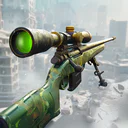
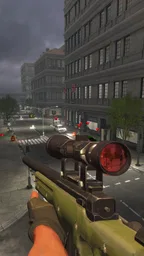
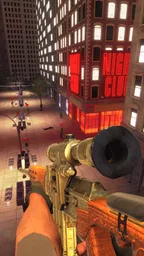
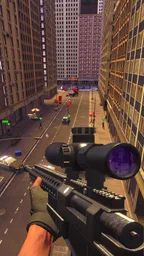
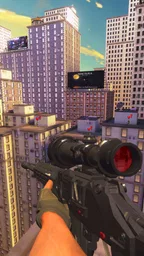
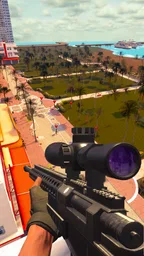
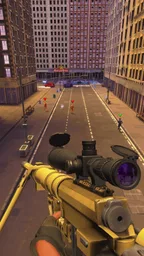
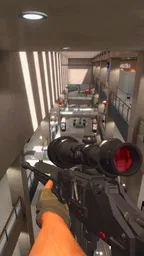
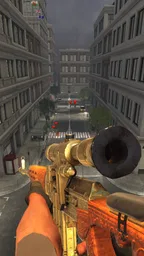
The game is described as a 3D first-person shooter, so screen control matters. On a phone, your hands cover part of the display, and a small adjustment can make a difference when lining up a shot. I’d start with short sessions and pay attention to whether the aiming response feels comfortable on your device. If it feels awkward, try changing how you hold the phone before deciding the game itself is the problem; a grip that works for a racing game may not work well for careful aiming.
Another expectation to manage is the word “offline.” It is a meaningful advantage when you want to play without a steady connection, but it does not automatically mean every first-run step or store-related action will work without internet access. I’d install and open the game while connected before relying on it for a flight or a long trip. That simple check can separate a genuine offline play session from the frustration of discovering that the phone still needs an initial setup moment.
Patience is part of the control scheme. I wouldn’t recommend it to someone who mainly wants a quick reflex test with uninterrupted movement. The sniper format rewards restraint, and that can make a short break relaxing for one player but oddly tense for another. It’s worth testing how the pacing feels before planning to use it as your default time-killer.
What to check before settling in
The game runs on Android 7.1 or later, and the current version is 1.11.1. If it fails to open or behaves inconsistently, I’d first check that the device meets that minimum and that the game has finished installing. A nearly full phone can also make ordinary app tasks feel unreliable, so freeing a little storage and closing other demanding apps are sensible first steps before blaming the game.
For a first session, I’d open it on a stable connection, let the initial launch complete, and try a small amount of play before going offline. Then I’d close and reopen it once to see whether the experience starts as expected. This is a practical travel check, not a guarantee about every device or every later update. It gives you a chance to discover a setup snag at home rather than when you have no signal and nothing else to do.
It is also worth checking the age rating before handing your phone to someone else. The game is rated Mature 17+, so I would not treat it as a casual children’s game just because its controls are simple to pick up. That rating is especially relevant for families sharing a device: decide who can access it in advance instead of relying on a last-minute screen handoff.
Although the game is free to download, it includes in-app purchases ranging from $0.99 to $199.99 per item. I’d look at purchase controls before letting a child or anyone else use the device, and I’d avoid tapping through checkout prompts without reading them. The broad price range makes it especially sensible to keep purchases intentional. You can try the game without paying upfront, but “free” should not be confused with “no purchase options.”
Recovering a session without making things worse
If a session stalls, I’d use a simple recovery sequence rather than repeatedly tapping the screen. Wait briefly, close the game normally if it responds, then reopen it. If it continues to misbehave, restart the phone and check that the operating system meets the stated minimum. These steps are deliberately basic: they can resolve common temporary device trouble without risking saved content through more drastic actions.
When aiming or input feels off, change one thing at a time. First clean the screen and adjust your grip; then try again in a calm moment. If the problem appears only while another app is active, close that app and retest. This helps distinguish an uncomfortable control setup from general device load. I would not assume that every missed shot points to a bug: in a sniper game, a tiny movement or rushed aim can produce the same feeling.
If the game works online but not in a place with no connection, test the offline behavior before your next trip and make a note of what happens at launch versus during play. That distinction is useful because “offline” can refer to the playing experience without guaranteeing that every supporting task is available at all times. If it opens and plays at home after you disconnect, you have a more reliable basis for deciding whether it suits your commute.
After an update, give the first launch a little time and avoid repeatedly interrupting it. The version number is 1.11.1, but I would not infer from that alone what changed or whether a particular issue was fixed. If a fresh install or update still leaves the game unusable, use the app store’s support route rather than deleting files or applying unofficial workarounds. Keeping troubleshooting conservative is especially important when you care about preserving progress.
When your phone or expectations are the real obstacle
Some problems that feel game-specific are really about the situation. A crowded commute, glare on the screen, or a phone being held one-handed can make fine aiming difficult. For a more comfortable session, I’d use both hands, reduce distractions, and choose a seat where the display is easy to see. If you only have a few seconds between tasks, a game built around careful shots may not be the right fit for that particular break.
Performance can also depend on what else the phone is doing. If the device is hot, low on battery, or running several demanding apps, close what you do not need and let it cool before testing again. I would avoid drawing a sweeping conclusion from one bad session in poor conditions. Try the same short play session later with fewer apps open; if the issue remains, you have a clearer reason to investigate the game itself.
There is a broader genre trade-off, too. Compared with a fast arena shooter, a sniper-focused game puts more emphasis on waiting and precision than on constant movement. Compared with a large online shooter, an offline-oriented option is easier to fit into places with weak service, but it may not satisfy someone seeking a social competitive routine. I’d choose based on the setting: this is more practical for solo downtime than for players whose main reason to play is teaming up with friends.
The game’s popularity is substantial, with more than 10 million installs, an average rating of 4.5 from around 558,000 ratings, and about 3,300 written reviews. Those figures suggest it has reached a broad audience, but they cannot tell you whether its pacing or touch controls will suit your hands. I’d use them as context, not as a substitute for trying a short session yourself.
A practical verdict for the right kind of player
I think Sniper Agent: Offline Shooter makes the most sense for someone who likes focused first-person action and wants the option of playing away from a dependable connection. The concrete everyday use case is easy to picture: I’d open it during a long wait, play a short stretch, and put the phone away without needing to find a network. Its narrow focus is a strength when that is what you want, and a limitation when you want variety or a social shooter.
I’d skip it if you dislike measured aiming, want a constant stream of movement, or need a game whose suitability for younger players is not a concern. The Mature 17+ rating deserves real attention, and the in-app purchase range calls for sensible purchase controls. If you are deciding whether to install it, check your device version, try it while connected first, and see whether the aiming feels natural in your usual grip.
Alda Games released it on May 26, 2025, and the game remains free to start, with optional purchases. My recommendation is conditional but positive: give it a try if solo, deliberate sniper action fits the way you use your phone. Just don’t expect offline play to solve every setup issue, or assume a high rating means the genre will click for you. A brief test in the conditions where you actually plan to play is the fairest way to decide.
What we like
- Offline missions make the game playable without an internet connection.
- Sniper-focused gameplay offers a clear alternative to fast-paced shooters.
- Short missions suit quick play sessions.
- Weapon upgrades add a sense of progression.
- Simple controls are easy for newcomers to learn.
What could be better
- Repeated mission objectives can make later stages feel familiar.
- Precision aiming may feel awkward on small screens.
- Upgrade progress can require considerable time.
- Limited enemy variety may reduce replay appeal.
- The game may include ads that interrupt play.







