





Real Bus Simulator : Bus Games review
 Analysis by Appsdrops
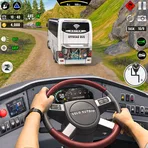
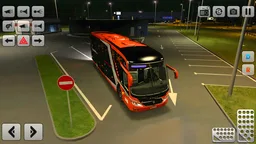
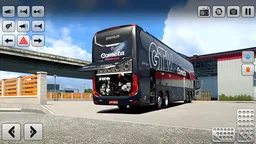
I would treat Real Bus Simulator: Bus Games as a casual driving game to pass around on a shared phone, rather than as a serious bus simulator. Its appeal is easy to understand: you take the driver’s seat, practise handling a coach, and aim to complete the trip without turning a short play session into a complicated project. In my view, that makes it a reasonable pick for a household where people want to try a driving game in turns, provided everyone understands that sharing the device is not the same as sharing a carefully managed game account.
Taking turns at the wheel
On a shared device, the simplest way to enjoy a bus game is often to keep the play session self-contained. One person can try driving, hand over the phone, and let the next person see how they fare. That works particularly well here because the central idea is recognizable without a long explanation: steer a large vehicle and get to grips with bus-driving play. I would use it as a short, informal challenge rather than assume that every player will want to maintain a long-running personal record.
A realistic everyday scenario might be a family waiting for food or a friend’s turn during a quiet evening. The game can give one person something to practise while another watches, then switch drivers when the phone changes hands. The useful household rule is simple: agree on who is playing and avoid treating another person’s session as disposable. If a device is shared, changing players can also mean changing what is visible on screen, so I would not hand it over while private notifications or other personal content are open.
The best shared-device fit is casual turn-taking, not a promise of separate household profiles. I would not assume that the game separates each player’s progress or purchases just because different people use the same phone. If that distinction matters, check the device and app-store account arrangements before letting others play, and keep purchase approval with the account holder. That is sensible for any game on a shared device, especially one with optional in-app purchases.
Set expectations before the first drive
My first recommendation is to decide what “a good turn” means before passing the phone over. For a younger player, it might simply be exploring the driving feel; for an older player, it could be trying to handle a route more carefully. A shared device can make those expectations unclear: one person may want a quick try, while another expects to keep playing. Agreeing on a natural stopping point avoids turning an easygoing game into an argument over who gets the next go.
I would also keep the first session low-pressure. A bus is a larger, less nimble vehicle than a car, so the appeal is partly in learning to make deliberate movements rather than darting around. Instead of handing the game to someone and expecting an immediate polished run, let them get comfortable with the basic feel. The practical lesson is to make small adjustments and leave room to correct them. That approach is more useful than rushing through a drive just to finish first.
For adults setting up a shared phone, the important boundary is not a special in-game household feature; it is control of the device and store account. The game is free to download, while optional purchases range from $0.99 to $29.99 per item. I would therefore check that purchase authentication is handled by the adult account holder and explain that free access does not mean every optional item is free. That small conversation is clearer than discovering a purchase prompt while someone else is playing.
What the driving focus does well—and where it may not suit you
As a strategy game built around coach driving, the experience is more appealing to someone who enjoys thinking ahead than to someone looking for instant action. A useful way to approach a drive is to focus on control first: watch how the vehicle responds, make measured corrections, and try to avoid treating it like a small car. That is a practical habit for this specific premise, and it gives players a goal beyond simply tapping through a session.
One non-obvious trade-off is that the same deliberate pace that can make bus driving satisfying may feel slow to a player who prefers racing. If the main attraction is rapid competition, dramatic combat, or a deep management layer, I would choose a different kind of game. This is a better match for someone curious about handling a coach and willing to learn through repetition. The game’s identity is grounded in driving, so expectations should stay close to that rather than drift toward a full transport-management simulation.
Compared with many driving alternatives, a bus-focused game has a different kind of challenge: the vehicle’s size encourages patience and planning instead of quick, tight manoeuvres. That makes it a potentially calmer option for a short break, but it can also make mistakes feel more noticeable to players who are used to nimble arcade cars. I would suggest trying it when you have a few uninterrupted minutes to learn the controls, rather than judging it during a rushed handover where nobody has time to settle in.
A second useful tip is to make turns observational as well as competitive. One person can drive while another notices where the driver starts correcting too late or makes movements too sharply. Then the next player can test a more measured approach. It is a simple way to make the shared session more engaging without inventing a formal multiplayer mode or assuming that the game offers household coordination tools. The value comes from the people sharing the phone, not from a feature I would claim is built into the game.
Shared-device coordination without confusion
When several people use one device, progress and responsibility can become muddled. Before a session, I would tell the next player whether they are simply trying the game or continuing from the same device state. That prevents someone from assuming they have a personal save or that another player’s choices will remain untouched. I would also avoid making claims about separate accounts or individual progress unless I had checked those arrangements directly on the device being used.
For coordination, a clear handoff works better than a vague “play until you’re done.” Pick a natural stopping point, pass the phone with the game in a state the next person is happy to use, and let the next driver decide whether to continue or start fresh where possible. If the household shares one app-store account, purchases and account activity belong to that setup, not automatically to the person holding the phone. Keeping the adult in charge of purchase decisions is a straightforward way to avoid surprises.
There is also a practical difference between playing together and playing at the same time. The premise lends itself naturally to spectators taking turns offering advice, but I would not choose it on the assumption that it provides a particular multiplayer or family-sharing system. If simultaneous competition is the household’s main goal, a game designed around that format is likely a better fit. If the goal is to compare driving attempts and trade the device back and forth, this game’s straightforward subject is easier to coordinate.
Age, trust, and the right household fit
The game is rated for Everyone, which makes its stated age context broad. I would still make the decision based on the individual child and the family’s normal device rules. A general age rating does not replace a parent’s judgement about screen time, spending, or whether a child is ready to use a shared account. Since optional purchases are available, it is particularly sensible for an adult to explain that prompts may involve real spending and to keep control of approvals.
Trust matters in a different way when a device belongs to several people. A child borrowing a parent’s phone may see notifications, account details, or other personal material unrelated to the game. I would close or silence anything private before handing over the device, and I would make sure the child knows not to approve a purchase or change account settings without asking. Those boundaries are about responsible shared-device use; they should not be mistaken for dedicated parental controls inside the game.
Solo Studio Inc is the developer, and the game has a 4.7 average from around 74,000 ratings, with more than 50 million installs. Those figures suggest that many players have tried it, but they do not tell me whether it will suit a particular household’s taste. I would use them as context, not as a substitute for matching the game to the person who will actually play. Someone who likes coach-driving themes and gradual skill-building has a clearer reason to try it than someone choosing solely by popularity.
Compatibility and practical expectations
Real Bus Simulator: Bus Games is free, runs on Android 6.0 or later, and is at version 7.1. Its listed release date is August 28, 2023. For a shared household device, the minimum system requirement is worth checking before download, especially if the phone is older and used by several people. I would also leave enough time for the first launch and a proper trial instead of installing it in the middle of a rushed handoff.
The number of optional purchase items matters more than the headline price if children or guests will use the same app-store account. Each item is listed in a range from $0.99 to $29.99. I would not let a new player explore purchase prompts unsupervised, and I would not assume that a free game has no spending decisions attached. This is a practical household consideration, not a reason to avoid the game outright: an adult who manages approvals can keep the boundary clear.
As for who should skip it, I would point fast-paced arcade fans toward a racing game, and players who want detailed fleet planning toward a management-focused alternative. People who strongly prefer separate personal saves on a shared device should also check how the game behaves on their own setup before making it a regular household activity. The game seems most worthwhile when the driver itself is the attraction and everyone is comfortable taking turns without expecting a full suite of family-account features.
My household verdict
I would recommend Real Bus Simulator: Bus Games to a household looking for an accessible bus-driving game that people can sample in turns. Its central activity is easy to explain, and the slower, more deliberate feel gives players a reason to practise rather than simply rush. It can work as a small shared pastime, especially when one person drives and another watches or offers a tip, but I would keep expectations modest about account separation and household-specific features.
For me, the deciding question is whether the people sharing the device enjoy careful vehicle handling. If they do, this is a sensible free option to try, with optional purchases kept under adult control. If they want fast races, simultaneous play, or individual account boundaries guaranteed by the game itself, I would look elsewhere. My honest household recommendation is to install it for a short, supervised trial, agree on turns and spending beforehand, and keep it only if the bus-driving pace feels enjoyable to everyone who will use the phone.
What we like
- Offers a focused bus-driving experience for simulator fans.
- Provides a chance to practice maneuvering a large vehicle.
- Can be played in short sessions between other activities.
- Gives players a virtual way to explore bus routes.
- May appeal to players who enjoy vehicle-based games.
What could be better
- Driving controls may take time to get used to.
- Repeated routes can make sessions feel predictable.
- Large vehicles can be difficult to steer in tight spaces.
- The simulation may not suit players seeking fast-paced action.
- Performance can vary depending on the device.







