




Obby Keyboard: Gugugaga Prison review
 Analysis by Appsdrops
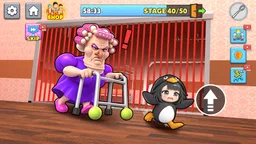
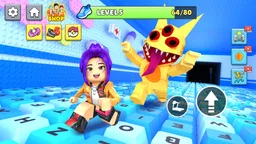
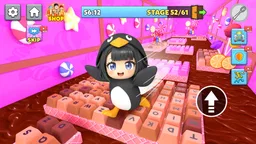
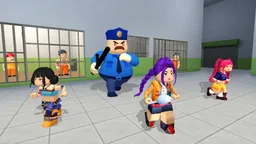
I can see Obby Keyboard: Gugugaga Prison working best as a quick, shared-device diversion: one person takes a turn, hands the phone over, and the next player tries the same obstacle-course challenge. Its Halloween-flavoured prison premise gives the action a playful, slightly oddball identity, while the “Obby Keyboard” name suggests a game built around brisk, accessible play rather than a deep campaign. I’d consider it for short breaks or casual play with someone nearby, not as the household’s main game for long sessions.
Why it suits quick shared turns
On a family tablet or a phone passed around among friends, a game needs to be easy to approach without a long explanation. This one’s central idea is straightforward: escape a spooky prison setting through an obby-style action game. That makes it easier to introduce than a complex strategy game, where a new player may need to learn menus, resources, and a stack of rules before getting to the fun.
The useful shared-device pattern is to keep turns short and let each player discover the challenge firsthand. I’d avoid giving someone a running commentary on every move; watching a player work out an obstacle is part of the appeal. If one person is much more experienced, they can demonstrate the basic idea, then pass the phone over rather than steering every attempt. That keeps the game from becoming a performance for the most confident player.
There is a trade-off: an obstacle-course game can feel less welcoming if a player expects a story-heavy adventure or a slow, relaxed puzzle. Its appeal is more immediate action than elaborate world-building. For a mixed group, I’d frame it as “try this escape challenge” rather than promise a lengthy story or a shared multiplayer session. That sets expectations and helps avoid confusion about what kind of game everyone is taking turns with.
A realistic use case is waiting for a meal to finish or filling a few minutes while people are together. One player can make an attempt, then hand the device to someone else; nobody needs to commit to a long appointment just to participate. If the group is sharing one screen, agree on a simple turn order before starting. That small bit of coordination prevents the familiar argument about whose turn it is, especially when younger players are involved.
Setting sensible boundaries on a shared device
I’d treat the game as a guest on a shared device, not as something that should automatically take over the device’s settings or routine. Before handing over a phone, make sure the person using it knows how to return to the home screen and that they are not being asked to use someone else’s account for unrelated activity. This is ordinary device hygiene, not a special feature of the game.
For younger household members, it helps to decide in advance whether the device is available only in a common room, whether play is limited to a short break, and who gets to hold it next. Those rules matter more than trying to turn a casual game into a reward or punishment. A clear handoff also reduces accidental taps in other apps when the device changes hands.
I would not assume that the game provides family profiles, a timer, or a built-in turn system. Instead, use the household’s existing approach to shared screen time: an adult can manage the device itself, and players can agree on when to stop. If the phone is also used for school, work, or calls, keeping play to a defined window is a practical way to avoid the game interrupting those responsibilities.
There is another small but useful distinction between taking turns and sharing an account. Passing the same device for a casual attempt does not mean that every player needs to change ownership settings or hand over personal credentials. For a household that prefers separate accounts and carefully separated activity, that boundary is worth maintaining regardless of how simple the game looks.
Coordinating turns without making play a chore
On a shared screen, I’d use a simple rotation rather than letting the fastest player keep restarting until they succeed. A fixed order gives each person a chance and makes the game feel more like a group activity. If someone is waiting, they can watch and offer a single helpful suggestion, but too many instructions can turn a light challenge into a frustrating lesson.
It also helps to agree on what counts as a turn. Does a turn end after one attempt, or after a player decides to pass the phone? Either approach is fine; the important part is choosing before the game becomes competitive. For younger players, a short, predictable turn is usually easier to manage than an open-ended “play until you’re done.” For a pair of adults, taking turns whenever someone reaches a natural stopping point may feel less rigid.
When the device is not physically shared, coordination changes. I would not assume that two people can join the same run or exchange progress simply because both have the game. If your main goal is to play together at the same time, choose a title whose shared-play arrangement is explicit and central to its design. This game is easier to recommend for nearby turn-taking than for a household seeking a coordinated online session.
One practical tip is to let the person holding the device choose the pace. A child who wants to experiment may enjoy trying different approaches, while an adult who is only filling a spare moment may prefer a quick attempt. Avoid taking over the controls to “help” unless asked; on a game whose draw is navigating an obstacle challenge, that can remove the part the other player came to do.
Age context and deciding whether to trust it
The game is rated Everyone 10+, so I’d use that age context when deciding whether it fits a child, rather than treating its cartoonish Halloween theme as automatically suitable for every age. The prison-and-escape framing is playful, but household comfort levels differ. A parent or guardian should make the call for younger players, especially if the child is sensitive to spooky imagery or prefers gentler themes.
The rating is a useful starting point, not a complete substitute for knowing the player. Some ten-year-olds are comfortable with a spooky action setting; some younger or older players may not be. If you are unsure, take a look at the game together before making it a regular choice. That is a better way to judge tone than relying on the word “Halloween” alone.
It is a free action game from T.Game Studio, and it has an average rating of 3.7 from around 7,300 ratings, alongside 46 written reviews. Those figures suggest a game with a substantial audience but mixed enough feedback that I would approach it with measured expectations. I would not treat popularity as proof that it suits every player, nor would I read a middling average as a reason to reject it before trying its particular style.
It has reached over 10 million installs, which makes it a familiar option in its corner of mobile action gaming. The current version is 1.2.4, it was released on June 2, 2024, and it requires Android 7.1 or later. Those details are useful when checking whether an older household device can run it; they do not tell you how smoothly a specific phone will perform, so I’d still use the app store’s compatibility information for the device in question.
Where it sits among mobile action games
Compared with a combat-focused action game, the appeal here is the escape-and-obstacle framing rather than building a loadout or mastering a roster of characters. Compared with an open-ended sandbox, it is a more directed choice: you enter a themed challenge rather than making your own activities. That makes it easier to offer as a short “have a go” game, but less suited to someone who wants extensive freedom or a long-running world to shape.
It also differs from a conventional puzzle game. A puzzle usually rewards pausing to reason through a solution; an obby-style challenge is better approached as action and movement. If a player dislikes timing and quick reactions, a calm logic game may be a more comfortable shared-device option. Conversely, someone who finds menus and lengthy tutorials off-putting may appreciate a premise they can understand quickly.
The “keyboard” element in the title may lead some people to expect a typing game or a utility keyboard. I would not choose it on that assumption: it is a game, and its central framing is an escape challenge. If what you want is typing practice, a keyboard app, or a conventional puzzle about letters, look elsewhere. Matching the title’s first impression to the game’s action focus can save a household from downloading it for the wrong reason.
As a practical choice, I’d keep it in the rotation for people who like brisk obstacle challenges and playful spooky settings. I’d skip it for players who want a substantial narrative, quiet cooperative play, or a clearly shared online mode. That is not a failing so much as a question of fit: the game’s strongest use is a quick, self-contained action diversion, especially when the device is nearby and turns can be passed around.
My household verdict
My recommendation is cautious but positive for the right household. Obby Keyboard: Gugugaga Prison makes sense as a free, casual action pick for a shared phone or tablet when everyone understands that they are taking individual turns. The spooky escape premise gives it a memorable hook, and its accessible framing can make it less intimidating than a game loaded with systems to learn.
I’d set expectations before installing: it is not a substitute for a family game built around simultaneous cooperation, nor would I choose it to satisfy someone looking for a deep story or a relaxed puzzle. Keep the device handoff simple, agree on a stopping point, and let each player handle their own attempt. Those small choices make shared use smoother without pretending the game itself manages household boundaries.
If your household enjoys action challenges and can take turns without competing over the device, it is worth considering. If the main need is age-specific reassurance, a calm experience, or coordinated multiplayer, another option will be a better fit. For a short break with a spooky obby theme, though, I can see why someone would keep it ready for the next spare moment.
What we like
- The keyboard's prison theme gives messages a playful look.
- Obby-inspired visuals appeal to fans of the game genre.
- A themed layout can make everyday typing feel more personal.
- It offers a quick way to refresh your keyboard's appearance.
- The focused theme is easy to recognize among keyboard styles.
What could be better
- The theme may not suit users who prefer a simple keyboard.
- Decorative visuals can make key labels harder to notice.
- Its appeal may fade for users who do not enjoy obby games.
- The themed design may not match every phone's appearance.
- Keyboard themes may offer less flexibility than full customization apps.







