Draw Block Gladiator review
 Analysis by Appsdrops
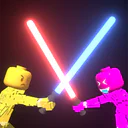
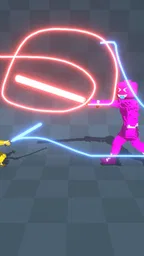
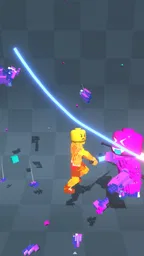
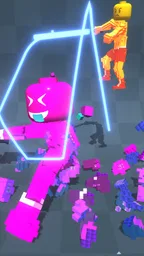
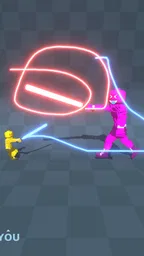
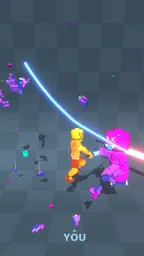
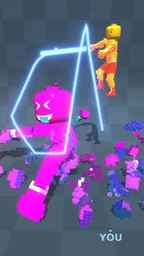
I like action games that turn a spare minute into a small test of judgment, and Draw Block Gladiator has a clear hook: you draw a shape to help your fighter deal with an opponent. The appeal is not a complicated control scheme or a long list of moves. It is the moment of deciding what to draw, then seeing whether that idea works. That makes this a quick, tactile sort of game, best approached with curiosity rather than expectations of a deep combat simulator.
In my view, the drawing mechanic is the reason to try it. Instead of relying on the usual sequence of taps and swipes to attack, you make a mark that becomes part of the action. The concept gives each encounter a little puzzle-like pause: what shape might be useful here, and how much effort is worth putting into it? If you enjoy experimenting with simple controls and immediate feedback, it is an easy game to understand. If you want precise character control, extensive strategy systems, or a story-led adventure, its central idea may feel too slight.
How a round feels: draw, act, adjust
The most useful way to approach the game is to treat each drawing as an experiment, not as an art exercise. Make a deliberate, uncomplicated shape, watch what happens, and change one thing on the next attempt. That gives you a clearer sense of how your choices affect a fight than making a complicated sketch and trying to guess which part mattered.
This is also what makes the game approachable for a short break. You do not need to learn a lengthy command list before trying to act. The main interaction is visible and intuitive, so I can imagine handing the phone to a friend and explaining the premise in a sentence. Still, “easy to understand” is not the same as “automatically satisfying”: the fun depends on whether you enjoy testing ideas and accepting that a rough drawing may not produce the result you hoped for.
One practical habit is to keep your first attempt modest. A simple shape is easier to repeat and compare than an elaborate one, especially when you are still learning what the game responds to. If an attempt goes poorly, avoid changing the whole approach at once. Adjust the drawing in a small way and see whether the outcome changes. That turns a casual game into a lightweight problem-solving loop without making it feel like homework.
For an everyday use case, this suits a short wait when I want something more engaging than scrolling but do not have time to settle into a long session. I can focus on a quick encounter, test an idea, and put the game down without needing to remember a complicated plan. The trade-off is that anyone who wants a steady, lengthy campaign may find this style less compelling; the attraction is the repeatable drawing challenge, not a broad narrative journey.
What to check before you settle into a routine
When I start a drawing-based game, I first pay attention to the basic feel of the controls: whether a line is easy to make, whether I can draw without rushing, and whether the action is clear enough to learn from. These are not hidden options or guaranteed settings; they are simply the details worth noticing as you play. If the controls feel awkward on your device, a more conventional action game may be a better fit than trying to force this one into a style it does not aim to offer.
It is sensible to look through whatever options are available on your device and in the game before playing for a long stretch, especially if you prefer a particular sound or control setup. I would not assume that a specific accessibility toggle, control mode, or customization feature exists. The safe approach is to check the actual menus rather than plan around a feature you have not seen. That small step can tell you whether the experience suits your preferences before you invest much time.
Also consider the setting in which you play. Drawing is a more physical interaction than simply tapping a button, so a cramped commute or a phone held in one hand may not be the most comfortable situation. At a desk or while seated, it is easier to make a controlled gesture and notice what happened. That is a useful trade-off to keep in mind: the interaction is the game’s distinctive strength, but it can be less convenient than standard button-based action when your hands are occupied.
Repeatable habits that make experiments clearer
Experienced play here is less about finding a secret shortcut and more about making your attempts comparable. I would keep a mental note of the broad idea behind a drawing—compact, tall, curved, or otherwise simple—and change only one feature at a time. That makes it easier to tell whether a different outline helped, rather than attributing success or failure to several changes at once. It is a small discipline, but it makes repeated encounters feel more purposeful.
Another helpful habit is to avoid overworking a sketch. When the central mechanic is drawing, it is tempting to assume that more detail means more power or control. I would resist that assumption and start with the clearest shape I can make quickly. If the result is disappointing, then try a different outline. This keeps the learning loop brisk and reduces the frustration of spending extra effort on a drawing whose effect is hard to interpret.
There is also value in knowing when to stop repeating the same idea. If a shape produces an unsatisfying result more than once, treat that as a reason to test a different approach rather than simply drawing it with more care. The game’s premise invites creative input, but creativity works best when paired with observation. In practice, that means noticing the result, making a modest adjustment, and avoiding the belief that every failed attempt needs a more elaborate version of the same sketch.
This is where it differs from the usual action-game alternative. A conventional brawler tends to reward timing, movement, and memorized attacks; this game foregrounds the shape you draw. Players who like direct control over every movement may prefer that familiar format. I find the drawing approach more playful, but less predictable: it is a better match for someone who enjoys seeing an idea translated into action than for someone who wants exact, repeatable command inputs.
Where the concept has limits
The same simplicity that makes the game easy to pick up can also limit its appeal over time. If you want many distinct systems to master, detailed character development, or the sense of a large world unfolding, a drawing-centered action game may not provide the variety you are looking for. Its core loop asks you to make a mark and learn from the result. That can be satisfying in short bursts, but it may not sustain players who need frequent changes in goals or mechanics.
It is also not an ideal choice for someone who dislikes experimentation. A player who expects each input to behave like a precise button command may find the open-ended drawing idea less comfortable. The useful mindset is to regard each round as a chance to test a hypothesis, not as a test of artistic skill. If that framing sounds tedious rather than fun, a more straightforward action title will probably be a better use of your time.
For younger players, the age guidance is Teen, so I would check that rating against the standards of the household rather than assume the simple visual interaction makes it suitable for everyone. The game is free, which makes trying it less of a commitment, but free access alone does not guarantee that its style will suit you. I would judge it by whether the drawing itself feels enjoyable after a few rounds, not by how quickly the premise can be explained.
Draw Block Gladiator is an action game from KAYAC Inc. It was released on March 16, 2023, and its current version is 112. It is listed for devices running Android 7.0 or later. The game has a 4.6 average from around 34 thousand ratings, with over 10 million installs. Those figures suggest that the idea has found a substantial audience, but they are best treated as context; the more important question is whether you enjoy the game’s specific draw-and-see approach.
Who I would recommend it to
I would suggest giving it a try if you like compact action games, playful touch interactions, or learning through small experiments. It is particularly suited to players who are happy to repeat a simple loop while refining their decisions. The most useful approach is to begin with uncomplicated shapes, pay attention to the result, and change one aspect at a time. That gives you a fair chance to discover what you enjoy without turning every round into an elaborate project.
I would skip it if your ideal action game depends on precise movement, extensive progression, or a strong story to keep you invested. I would also look elsewhere if you need a game that is comfortable to play while multitasking with one hand. A traditional action title is likely to feel more controlled in those situations, while this one is at its best when you can give the drawing a little attention.
Overall, I see Draw Block Gladiator as a light, distinctive choice rather than a replacement for a full-scale action game. Its strongest point is that the central interaction gives ordinary encounters a personal, experimental twist. Its limitation is that the same mechanic has to carry much of the experience. If drawing a simple idea and watching it shape a fight sounds amusing, it is worth trying; if you are looking for broad systems or precise combat mastery, choose a different kind of action game.
What we like
- Simple controls make battles easy to pick up.
- Block-based drawing gives each gladiator a distinct look.
- Quick matches suit short play sessions.
- Combat rewards timing and careful movement.
- The premise offers a playful twist on gladiator fights.
What could be better
- Repeated battles can make the gameplay feel predictable.
- Drawing options may feel limited for creative players.
- Small screens can make detailed designs harder to create.
- Progress may take time if rewards are earned slowly.
- The game may not appeal to players who prefer realistic combat.







