






Dinosaur Universe review
 Analysis by Appsdrops
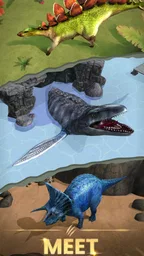
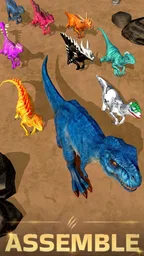
I approached Dinosaur Universe as a quick-action game for filling small breaks, rather than something that demands a long, uninterrupted session. Its appeal is easy to grasp: dinosaurs, a changing prehistoric setting, and battles built around survival. What takes longer to judge is whether that simple pitch holds your attention once the novelty wears off. My view is that it works best when you treat each visit as a focused burst of play and pay attention to how the game feels on your device, instead of expecting a deep, carefully explained strategy campaign.
Getting into a battle without wasting a short session
In the opening stretch, I would focus on learning the basic rhythm before worrying about optimization. Notice what the game asks you to do repeatedly, how quickly danger builds, and which moments make you pause to react. That first pass gives you a useful baseline: later, you can tell whether a change in approach is helping or whether you are simply reacting more confidently because the controls have become familiar.
As an action game from Supercent, Inc., Dinosaur Universe is aimed at players who want direct engagement rather than a long setup before anything happens. That makes it an easy choice when you have a few minutes on a commute break or are waiting for something to finish. I would still start a session when I can give it my attention; action games are less satisfying when you are repeatedly interrupted at the moments that require quick decisions.
A practical first-session routine is to play one stretch without trying to rush, then take a moment to identify what caused the most trouble. Was it the pace, the controls, or losing track of what was happening? That small review is more useful than repeating the same approach immediately. It also helps separate a genuine difficulty spike from the ordinary awkwardness of learning a new action game.
The game is free to download, which makes it straightforward to try without committing to a purchase up front. It also has in-app purchases, with items listed from about 33 cents to about $130 each. I would decide whether to spend only after seeing how much I enjoy the normal play loop. If you are installing it for a child, the Everyone age rating is a helpful starting point, but I would still check the device’s purchase controls before handing it over.
What to check before settling into a routine
Before you play for longer, check that the game feels comfortable on your screen and that your device has enough room for a smooth session. I recommend trying the controls in a low-pressure moment rather than waiting until a difficult encounter. A touch layout that feels fine while standing still may feel less natural when you are moving and reacting at once, so give yourself a few minutes to learn the feel of it.
It is also worth checking the game’s available settings rather than assuming the defaults are ideal. I would look for options that affect sound, display, or control comfort if they are present, then change only one thing at a time. That makes it easier to notice what actually improved the experience. I am not suggesting a particular hidden control scheme: the useful habit is to inspect what the installed version offers and avoid inventing complexity where the game does not provide it.
For a repeatable test, play a short session with the default setup, then another after any comfort adjustment. Ask whether you can read the action clearly, hear useful cues without turning the volume uncomfortably high, and keep your hands relaxed. These are small checks, but they matter in a game whose appeal depends on responding to action rather than spending time in menus.
The game requires Android 7.0 or newer, and its current version is 62.0.0. If you are helping someone install it, check the operating system first; that is more useful than troubleshooting a download on an unsupported device. On a shared phone or tablet, I would also confirm who is signed into the relevant app-store account before any purchase, since free-to-start does not mean every optional item is free.
Habits that make short play sessions more useful
Once the basics feel familiar, I find it helpful to use a simple start-and-stop routine. Begin with a clear goal for that visit, such as getting comfortable with the action or seeing whether a particular approach feels manageable. Stop when you have answered that question instead of extending the session just because the game is still open. This keeps a compact action game enjoyable and makes it easier to spot whether you genuinely want to return.
Another useful habit is to change one decision at a time. If you alter your play style, your control settings, and your session length together, you will not know which change made things easier. A cleaner comparison is to keep the setup steady and adjust your in-game approach, then test a settings change on a later visit. That is a modest experiment, but it can prevent aimless repetition.
For everyday use, I would keep the game for breaks when I can finish a short stretch without needing to put the phone down unexpectedly. If I have only a minute, I would choose something with no pressure to react; if I have a little more time and want active engagement, this is a better fit. That distinction sounds obvious, but it prevents the common frustration of opening an action game during a moment when attention is already divided.
Players who enjoy dinosaur settings may also be weighing this against creature-collection games or slower survival adventures. Those alternatives can be better if the main pleasure is planning, collecting, or building over time. Dinosaur Universe is the more natural pick when you want action to be the center of the experience. I would not choose it expecting a management-heavy game or a quiet exploration tool; the action framing is the point.
Where the experience can feel limited
The same directness that makes the game easy to approach can also narrow its appeal. If you need a substantial story, extensive tactical choices, or a strongly social experience to stay interested, the basic battle premise may not be enough. I would treat it as an action game first, not as a broad dinosaur encyclopedia or a deep simulation. That expectation helps, but it cannot make a simple loop feel complex for someone who wants more layers.
There is also a practical trade-off around in-app purchases. The range runs from very small amounts to a comparatively large top price, so I would not make a purchase simply because a session has become frustrating. First consider whether you still enjoy the game without spending and whether the item solves a problem you actually have. If the fun depends on buying your way past an obstacle, that is a good reason to pause rather than keep paying.
In a crowded action category, many games compete through multiplayer modes, elaborate progression, or precise control. I would compare Dinosaur Universe with those alternatives according to what you want to do during a break. If you want a match against other people or a demanding skill test, another action title may suit you better. If you want dinosaur-themed action that is easy to try and does not ask for an upfront purchase, this one has a clearer case.
Its public reception suggests that plenty of players have given it a try: it has a 4.4 average from around 178,000 ratings and more than 10 million installs. I take those figures as a sign of broad reach, not proof that every player will enjoy the same things. A popular game can still be the wrong fit if you dislike its pace, prefer a story-led adventure, or want a more demanding control system.
Who I would recommend it to
I would recommend it to someone who likes dinosaurs, wants action in short sessions, and is happy to learn a game through play rather than expecting a long tutorial to explain every nuance. It is also a reasonable trial for a family looking for an Everyone-rated game, with the usual reminder to supervise optional purchases. If a child uses the device, setting purchase restrictions before play is a more dependable safeguard than relying on the game’s free download alone.
I would suggest skipping it if you mainly want quiet exploration, a detailed narrative, or a game that rewards long-term planning more than quick reactions. It may also be a poor match if you are easily frustrated by action that demands attention while you are multitasking. In those cases, a slower dinosaur adventure or a puzzle game would be a better use of your time, even if the theme is less immediately exciting.
On iOS, I would check the current App Store entry for device compatibility before deciding, as platform requirements can differ. On Android, the stated minimum is version 7.0, so older devices may not be suitable. Either way, I would install it when you have time to test the controls, rather than judging it during a rushed first launch.
Overall, Dinosaur Universe is most convincing as an accessible dose of dinosaur-themed action, not as an all-purpose game for every mood. My advice is to try the free version, learn the basic rhythm, make only practical comfort adjustments, and decide after a few focused sessions whether its battles keep you interested. Its 62.0.0 release and established player base make it easy to find in the mobile-game landscape, but the deciding factor is still personal: if quick action is what you want, it is worth a look; if you need deeper systems or a slower pace, I would choose something else.
My verdict: this is a good pick for brief, active play when dinosaurs and straightforward battles sound appealing. Keep expectations centered on action, be deliberate about optional spending, and use a different game when you want story, strategy, or a more relaxed pace.
What we like
- Explore a prehistoric world filled with different dinosaur species.
- Unlock new dinosaurs as you progress through the game.
- Simple controls make it approachable for younger players.
- A third-person view helps keep the action easy to follow.
- The free-to-play format lets players try the game without paying upfront.
What could be better
- Progress may require repeated missions to unlock more content.
- Combat can feel repetitive after extended play.
- Some upgrades may take time to earn through regular play.
- In-game ads or purchases may interrupt the experience.
- Performance may vary across older mobile devices.







