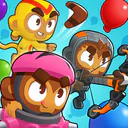
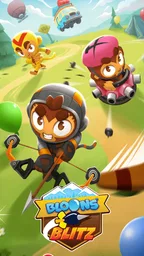
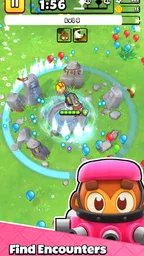
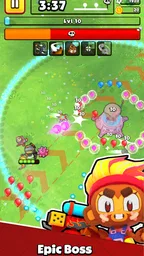
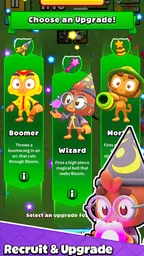
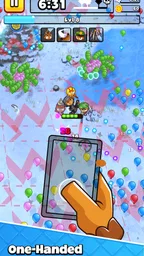
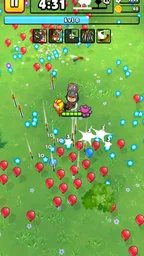
Bloons Blitz review
 Analysis by Appsdrops
I’d approach Bloons Blitz as a quick-action game that asks one simple question: can you keep a team of monkeys going when the Bloons start pressing in? That premise is easy to grasp, but deciding whether it suits you depends on what you want from an action game. If you enjoy lively, readable challenges and the satisfaction of reacting under pressure, it looks like a natural fit. If you want a slow campaign, a detailed story, or a game that never asks for additional spending, you may want to look elsewhere.
When getting started feels less simple than it should
The first hurdle for many players is not necessarily difficulty; it is knowing what kind of session they are stepping into. Bloons Blitz is an action game from ninja kiwi, and its focus is survival against the Bloons rather than a promise of a broad, narrative adventure. I’d go in expecting the appeal to come from responding to a changing threat and trying to do better, not from exploring a large world or following a long story.
That distinction matters when choosing a game for a short break. A focused action challenge can be satisfying in a few minutes, but it may not be the right way to unwind if you want something entirely calm. The central pressure is part of the point: you are there to keep the monkey team in the fight. Players who like to concentrate on timing and moment-to-moment decisions will likely get more from that setup than someone who prefers to make progress at a leisurely pace.
Another common point of friction is expectation. The familiar Bloons name may lead people to assume the game will play exactly like another entry they have tried. I would avoid that assumption. Treat this as its own action experience, and judge it by whether its pace and survival focus suit you. That is a more useful starting point than expecting every familiar element from the wider series to appear here.
The game is free to install, which makes trying it a low-commitment choice, but that does not mean every possible expense disappears. Optional in-app purchases range from $0.99 to $19.99 per item. I’d decide in advance whether you are happy to play without spending, especially if the device is shared with a younger player. A clear household rule about purchases is more practical than discovering an unexpected checkout screen during an enthusiastic session.
The audience rating is Everyone, so the game is intended for a broad age range. Still, age suitability and personal preference are different questions. A child who enjoys fast action may take to it, while a player who dislikes pressure can find the same pace frustrating. I’d let the intended player try a short session before treating the rating as a guarantee that the style will suit them.
Check the device before blaming the game
Before installing, check that your device meets the minimum operating-system requirement of 10. If the game is unavailable or will not install, confirming the system version is a sensible first step. Also make sure there is enough free space for the install and that the device has a stable connection while downloading. These are ordinary checks, but they can save time when a problem happens before the game has even opened.
If you are using a family device, check who is signed in to the app store and whether purchases are managed appropriately. Because the game includes paid items, it is worth sorting out purchase controls before handing the device to a child rather than relying on a quick explanation after the fact. That small preparation makes the free-to-start nature of the game easier to manage.
For anyone comparing store versions, the current release is version 1.4.0. I’d use the app store’s own update controls rather than looking for an unofficial installation source. Keeping the installed version current is a straightforward troubleshooting step if the game behaves unexpectedly, and it avoids the confusion of trying to diagnose an old build against a newer one.
How I’d recover a session that goes wrong
If a session stalls or the game closes, I would start with the least disruptive checks: close the game, reopen it, and see whether the problem repeats. Then check the device’s connection and whether an update is available. If the issue occurs only once, it may be a temporary interruption rather than a reason to reinstall. Reinstalling should be a later option, not the first reaction, because removing an app can affect local information or access in ways that vary by device and game.
When a purchase is involved, keep the receipt and use the app store account that made the transaction if you need to review it. I would not repeat a purchase simply because a confirmation took longer than expected. First check whether the item appears after reopening the game and whether the transaction is visible in the store account. That sequence reduces the chance of paying twice while trying to solve a delay.
A useful habit for a game built around survival pressure is to separate a bad run from a technical failure. If the session ends because the challenge overwhelmed you, that is part of the game’s intended loop; restarting immediately with a different plan may be more rewarding than assuming something broke. If controls stop responding, the app freezes, or the same error persists after reopening, then it makes sense to check updates and device stability instead.
I’d also pay attention to the conditions around a failure. Does it happen every time, only on one connection, or after the device has been running for a long time? Those details help distinguish a repeatable app issue from a temporary device or network hiccup. They are also the most useful details to have ready if you decide to contact support through an appropriate official channel.
When the problem may be somewhere else
Not every frustrating session means Bloons Blitz is malfunctioning. A weak or interrupted connection can affect downloads or other online-dependent activity, while a device short on storage or running low on resources can make apps less reliable. If other games or apps are also behaving poorly, I’d investigate the device first. If only this game repeatedly fails under the same conditions, then an update or game-specific support route becomes more relevant.
Likewise, a player who feels stuck may be meeting a genuine difficulty wall rather than encountering a bug. In survival-focused action, small decisions can have a larger effect than they first appear to, but I would not claim a particular strategy guarantees success. Instead, pay attention to what happens just before a run goes wrong, change one approach at a time, and see whether the result improves. That makes experimentation more useful than changing everything at once.
There is also a practical difference between the game being free and the experience being completely free of friction. Paid items are available, so a player who wants to avoid any spending should make that preference clear from the beginning and decline optional purchases. If the presence of purchasable items itself spoils the experience, a one-time paid action game with no such purchase path may be a better match.
Who will enjoy the action, and who should pass
I’d recommend giving it a try if you like compact action games, can enjoy repeating a challenge, and find it satisfying to keep a team alive against mounting pressure. It also suits someone browsing for a free game to sample before deciding whether the style clicks. Bloons Blitz has an average rating of 4.1 from around 4.1 thousand ratings, with more than 500 thousand installs, so there is a sizable audience for it; those figures are context, not a guarantee that every player will enjoy the same things.
For an everyday use case, imagine waiting for a friend or taking a brief break between tasks. A focused survival game can fill that gap more neatly than a sprawling role-playing game that expects you to remember a plot or manage a long session. I would still choose it only when I have enough attention to react. If I am tired and want to play without thinking much, a puzzle or idle game is likely a better fit.
Compared with the usual alternatives in action games, its appeal is the direct team-versus-threat premise rather than a realistic combat setting or a story-heavy campaign. That makes it easier to understand what the session is about, but it also narrows the appeal: players looking for exploration, social competition, or an extended narrative should choose a game designed around those priorities. The best comparison is not “which action game has the most content?” but “do I want a concentrated survival challenge right now?”
It may also be a poor choice for someone who strongly dislikes repeated attempts. The satisfaction in this kind of experience often comes from learning through play, and that process can feel like repetition if you want steady, story-driven progress. I would not recommend it as a substitute for a calm game or a deep strategy title; its value depends on enjoying the immediate pressure of keeping the team going.
My practical verdict
Bloons Blitz is worth trying if the idea of defending a monkey team against the Bloons sounds fun and you want an accessible action game to sample. Ninja kiwi is the developer, the game is free to download, and optional purchases are available, so I’d pair the easy entry point with sensible spending boundaries. Its Everyone age rating makes it broadly accessible, but the energetic action is still a matter of taste.
My main advice is to check the operating-system requirement before installing, keep the game updated, and treat repeated failures differently from a run that simply ends badly. If a technical issue persists, look first at connection, storage, and updates; if the challenge itself is the problem, decide whether learning through retries is enjoyable to you. That distinction will tell you more than a quick rating check can.
Overall, I’d put it on the shortlist for players who want a direct, replayable action challenge and are comfortable with a free game that offers purchases. I’d skip it if you need a purely relaxed experience, dislike retrying, or want a long-form story. Its strongest reason to try it is the focused survival premise; its clearest reason to pass is that the same pressure will not suit every mood.
What we like
- Quick rounds make it easy to play during short breaks.
- Simple controls are approachable for new tower defense players.
- Bloon types add variety to each wave.
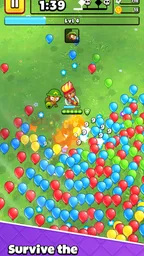
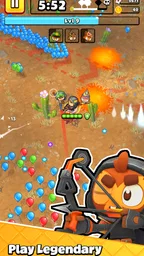
- Bright visuals make the action easy to follow.
- Unlockable upgrades give players goals to work toward.
What could be better
- Later waves can become difficult without stronger upgrades.
- Repeated rounds may feel repetitive over time.
- Busy effects can make the screen hard to read.
- Progress may depend on spending time collecting rewards.
- The game may not appeal to players who prefer slower strategy.







