




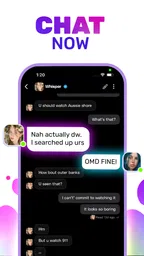

Wizz App - chat now review
 Analysis by Appsdrops
Finding a new person to chat with can be fun, but a social app works best when its basic experience feels comfortable and easy to follow. Wizz is built around meeting people and starting conversations, with a simple promise: swipe, meet, and chat with real people. I’d describe it as a discovery-focused social app rather than a place to quietly browse updates from people I already know. Whether that approach feels welcoming depends not only on who you meet, but also on how comfortably you can navigate the experience.
Meeting people through a straightforward social format
The central idea is easy to understand. You look through people, make a choice, and move toward a conversation. That familiar swipe-based format gives Wizz an approachable starting point, especially if you already know how social discovery apps tend to work. I like that the purpose is apparent right away: this is about connecting with people, not learning a complicated set of tools before you can participate.
The app is free to download, and it is rated for teens. It has attracted more than five million installs, so it has reached a substantial audience. Those details make it relevant to people looking for a social app with an active, discovery-oriented feel, though popularity alone cannot tell you whether its style will suit your needs. The most useful question is whether browsing and starting chats feels comfortable for you.
Its average rating is 3.1 from around 62,000 ratings, alongside roughly 11,000 written reviews. That mix suggests a broad range of user reactions rather than a universally loved experience. I would treat those figures as context, not a promise: social apps are particularly dependent on personal expectations, the people you encounter, and how you prefer to communicate.
Readability and navigation
Swipe-based discovery is conceptually clear: consider a person, make a decision, and continue. This can reduce the effort of figuring out the app’s overall purpose. For someone who finds dense menus or multi-step social features tiring, a focused interaction model may feel easier to grasp than an app that tries to do everything at once.
Still, a simple concept is not the same as an accessible interface for every person. Readability can depend on text size, contrast, spacing, and how much information appears on screen at once. People who use magnification, have low vision, or find busy screens difficult may need to judge the actual display on their own device. I would not assume that the swipe-first format automatically makes every screen effortless to read.
The conversation side also asks users to move from browsing into social interaction. That transition may feel natural if you enjoy meeting people quickly, while others may prefer a more gradual introduction or more context before beginning a chat. The app’s basic premise is clear, but personal comfort with a fast-paced discovery style will vary.
Motor and sensory considerations
Swiping is a physical gesture, so the format may be convenient for people who are comfortable with touch controls and repeated hand movements. It can also present friction for someone with limited dexterity, tremors, fatigue, or difficulty making precise gestures. A person’s experience may depend on their device and how they interact with it; a gesture that feels effortless to one user can be demanding to another.
People who rely on assistive input may also want to check whether the app’s main actions work well with their preferred controls. The key interaction is presented as swiping, so it is sensible to consider whether equivalent actions are comfortable using a keyboard, switch control, voice input, or other accessibility tools. I can’t treat the general swipe concept as proof that every alternative input method will work equally well.
Sensory comfort matters too. Social discovery can involve moving through profiles and shifting attention between people and conversations. That may be engaging for users who enjoy quick changes, but tiring for someone who is sensitive to visual motion, prefers predictable layouts, or needs more time to process what is on screen. Taking breaks and using the app at a comfortable pace can help, but the experience still depends on how well its presentation suits the individual.
Using a social app in different situations
Not everyone opens a social app in the same setting. Some people browse at home with time to focus; others check in briefly between activities or while sharing space with friends and family. Wizz’s meet-and-chat purpose makes it suitable for people who want social discovery in short visits, but a conversation may naturally ask for more attention than a quick swipe.
That distinction is worth considering if you have limited time, are often interrupted, or need to keep your attention on another task. A short browsing session may fit into a spare moment, while replying thoughtfully can be harder when you are distracted. I’d use the app when I can give a conversation a little room rather than treating every interaction as something to rush through.
Privacy and social comfort can also vary by context. A person may feel differently about starting a chat when they are alone than when other people can see their screen. The app’s social nature means it is sensible to think about where and when you feel comfortable using it, particularly if you prefer to keep conversations personal. That is a general consideration for social apps, not a claim about a particular Wizz setting.
Age is another part of situational access. The app is rated Teen, so its intended audience includes younger users. For teens and families, a rating can be a useful starting point when deciding whether an app fits household expectations, but it should not replace an individual conversation about online socializing. Being thoughtful about who you communicate with and what you choose to share is important in any environment centered on meeting people.
Where the experience may still feel limiting
The clearest strength is the simplicity of the idea, but a swipe-first format is not a perfect match for every communication style. Some users prefer to learn more before deciding whether to connect; others may not enjoy making repeated quick choices. If you want a slower, more structured way to meet people, the basic discovery approach may feel too brisk.
Accessibility is not just about whether an app can be opened. It also involves whether people can read the content, understand the available actions, and complete them using the methods that work for them. Because the main concept centers on swiping and chatting, users with motor, visual, cognitive, or sensory needs may want to try the experience carefully and see how it feels on their own device. It would be misleading to infer universal accessibility from a straightforward social concept alone.
Social comfort is another possible barrier. Starting conversations with unfamiliar people can feel exciting to some and stressful to others. The app’s purpose is to help people meet and chat, so users who are shy, easily overwhelmed by social interaction, or cautious about online introductions may prefer to set their own pace. There is no need to treat a fast connection as the only successful way to use a social app.
There are also optional in-app purchases, with individual items priced from $0.99 to $49.99. That is worth knowing if you prefer to avoid spending inside free apps. I’d keep the distinction clear: downloading the app costs nothing, while some purchases may be offered within it. Anyone managing a budget, or helping a teen manage spending, should consider that before using the app regularly.
A practical way to decide
If the idea appeals to you, I’d approach Wizz as a social discovery app whose main appeal is meeting people through a familiar swipe-and-chat format. Give yourself time to see whether the pace feels natural, whether the screen is comfortable to read, and whether the gestures work well with your preferred way of using a phone. Those small checks are more useful than assuming that a popular app will automatically suit everyone.
It can also help to think about what makes an online conversation feel manageable. You might prefer a quiet moment, a brief first visit, or a clear personal boundary around what you share. For users who find rapid social interaction tiring, taking a slower approach is entirely reasonable. The app’s core idea is about connecting, but you remain in control of how much attention you give it and when you participate.
Wizz is free to download, has a Teen rating, and is listed as version 10.1.0, with Android support from version 8.0. It was released on September 1, 2022, and is developed by Wizz. Those practical details help establish whether it is relevant to your device and age group, while the actual fit still comes down to your comfort with its social style.
An inclusive verdict
My overall impression is that Wizz makes its purpose easy to grasp: it is a place to meet people and start chats, with swiping as the recognizable route into discovery. That clarity can be a real advantage for users who want a direct, social experience without a complicated premise. Its large audience may make the idea appealing, but the mixed average rating is a reminder that personal experiences differ.
For inclusive use, the picture is more individual. The format may suit people who enjoy touch gestures, quick choices, and lively social interaction, while others may encounter barriers related to reading comfort, motor control, sensory preferences, attention, or conversational pace. I would not label the app accessible for everyone based on its simple concept; instead, I’d encourage users to see how it works with their own needs and device.
In the end, Wizz is worth considering if you want a free social app centered on meeting and chatting with new people and are comfortable with swipe-led discovery. It is less likely to be an ideal fit if you need a slower interaction style or depend on particular accessibility options that you have not checked in practice. For me, its strongest point is the clear social purpose, while its biggest question is whether that fast, gesture-driven approach feels welcoming in your everyday situation.
What we like
- Quick profile browsing makes it easy to discover new people.
- Built-in chat lets users start conversations without sharing a phone number.
- Age-based matching helps connect users in a similar stage of life.
- Profile prompts give conversation starters beyond a basic greeting.
- Blocking and reporting tools help users respond to unwanted interactions.
What could be better
- Some features may be limited unless you pay for a subscription.
- A steady internet connection is needed for chatting and browsing profiles.
- Profile photos and personal details may be visible to other users.
- Not every match will reply or share the same conversation goals.
- Users should be cautious about scams and requests to move chats elsewhere.





