

Bigo Live - Live Streaming App review
 Analysis by Appsdrops
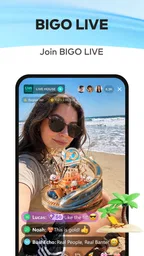
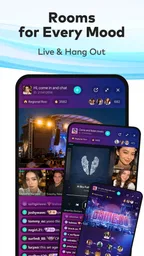
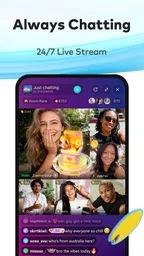
Bigo Live is easiest to understand when you treat it less like a conventional social feed and more like a collection of live rooms. You can drop into broadcasts, watch people interact in real time, or start a stream of your own. I find that immediacy appealing: a live conversation can feel more spontaneous than scrolling past posts that were made hours ago. The trade-off is that the experience depends heavily on who is broadcasting when you open the app, and whether that style of socializing suits you.
What keeps the first week interesting
The early appeal is simple: there is almost always something to explore. Bigo Live is a social app from Bigo Technology Pte. Ltd., and its focus on live video gives it a different rhythm from familiar platforms built mainly around photos, short clips, or text updates. Rather than waiting for friends to post, you can browse live activity and decide whether to stay, move on, or join the conversation.
That can make the app an easy way to fill a spare moment. If I have ten minutes between errands, I can watch a stream without needing to catch up on an entire feed. A host’s personality and the live chat can make a room feel lively quickly. The format also gives creators a direct way to meet an audience: going live puts their presence at the center, rather than asking viewers to discover a post later.
There is a learning curve, though. Live rooms can move quickly, and a newcomer may need time to work out which broadcasts are worth watching and how much to participate. I’d begin by browsing quietly, paying attention to the kinds of hosts and conversations I actually enjoy. Following every interesting-looking stream at once can make the experience feel noisy before you have found your corner of it.
One practical tip is to think of a visit as choosing a room, not opening a feed that must be completed. Give a broadcast a little time, then leave if the conversation is not for you. That small change in expectation helps: the app is more enjoyable when browsing is deliberate rather than an attempt to keep up with everything happening live.
Watching and participating are different commitments
Watching is the lower-effort option, while going live asks you to become part of the event. If you are curious about streaming, I would start with a clear idea of what you want to talk about and how long you want to stay on air. A focused session is easier to manage than opening a broadcast with no plan and feeling obliged to keep it going. For viewers, the corresponding choice is whether to engage in chat or simply observe; both can be valid ways to use the app.
That flexibility is useful, but it does not make the app a substitute for every kind of social connection. It is oriented around live presence and audience interaction, not necessarily the quieter, asynchronous check-ins many people use to keep in touch with close friends. If your main goal is messaging a small circle, a dedicated messaging app is likely a more comfortable home base.
Why it may still fit after the novelty
The harder question is whether live video remains worth opening after the first burst of curiosity. For me, its lasting value depends on finding a repeatable reason to return: a few hosts whose streams I genuinely enjoy, a community I like visiting, or a reason to broadcast regularly. Without that, the app can feel like an endless succession of rooms rather than a social routine.
This is where Bigo Live differs from the usual alternatives in social media. A short-video app is often better when I want quick, polished entertainment that I can pause and resume. A conventional social network can be better for following friends’ updates at my own pace. Bigo Live’s strongest case is the live exchange itself: the possibility of being present while something unfolds and interacting with the people involved.
It may be especially appealing if you enjoy discovering creators in real time or want to practice speaking to an audience. It is less compelling if you prefer carefully edited content, predictable viewing, or communication that does not depend on a host being online. Those are not flaws so much as boundaries of the format; they matter when deciding whether it deserves regular space on your phone.
For a realistic everyday use, imagine winding down after dinner and wanting company without arranging a call. You could browse a few streams, stay with one conversation that feels welcoming, and leave when you are ready. That works best as a casual visit. If you are looking for a private, reliable conversation with a particular person, messaging or a direct call is the better tool.
The upkeep behind a useful routine
Live apps ask for more attention than passive feeds. A room can change in tone from one visit to another, and what seems engaging one evening may not be what you want the next day. I would keep my use intentional: choose a time to browse, follow only creators I expect to revisit, and avoid treating every notification or live moment as something I have to respond to. That makes it easier to turn an initially absorbing app into a manageable habit.
Creators face a different kind of maintenance. Going live is not just uploading a finished clip; it means being present and responding while an audience is there. If you are considering streaming, think about whether you enjoy improvising and interacting in the moment. Someone who prefers to make content privately, edit it, and publish on their own schedule may be happier with a video-sharing platform that does not center on live performance.
For viewers, the most useful habit is to curate by taste rather than volume. Notice what makes a stream enjoyable—its topic, pace, or the host’s style—and use that as a guide when deciding what to watch next. This is more effective than bouncing rapidly between rooms just because each one is live. It also gives you a clearer sense of whether the app is offering something distinctive or simply occupying time.
There is a money consideration as well. The app is free to download, but it includes in-app purchases, with listed items ranging from seven cents to $399.99. I would treat spending as entirely optional and set a personal limit before buying anything, especially if live interaction makes it tempting to support a host in the moment. Enjoying a broadcast does not require turning that feeling into a purchase.
Where fatigue can set in
The same immediacy that makes live streaming exciting can also make it tiring. There is no guarantee that a room will match your mood, and the pace of live interaction can feel demanding if you only wanted something quiet in the background. Switching between streams may bring variety, but too much browsing can become a task in itself. When that happens, I would close the app rather than keep searching for a perfect room.
Another possible source of fatigue is the performance aspect. Hosts are presenting themselves in real time, and viewers may feel pressure to respond, stay, or contribute. If you prefer social spaces where you can read without being noticed or participate only when you have something specific to say, live rooms may not always feel relaxing. Starting as a viewer and joining conversations selectively is a sensible way to see how comfortable the format feels.
Audience size and activity can also shape the experience in ways that are not always predictable. A busy room may be energetic but harder to follow; a quieter one may make conversation easier but offer less movement. I would not judge the whole app by one broadcast. At the same time, if several visits leave you feeling overwhelmed or underwhelmed, that is useful evidence that its live-first style may not match what you want from social media.
Bigo Live is rated for Teen audiences. That makes it important to use good judgment about what you watch and share, particularly in a format where people are broadcasting and interacting live. I would be thoughtful about personal information and about the difference between a public-facing stream and a private conversation. Those precautions are sensible for any live social platform, but the real-time nature of this one makes them especially worth keeping in mind.
How much staying power it has
The app has substantial reach: it has passed 500 million installs, with an average rating of 4.5 from around 6.5 million ratings and roughly 102,000 written reviews. Those figures suggest that many people find the format worth trying, but they cannot tell you whether the available streams will fit your interests. I’d use your own first few visits to answer that more personal question.
It was released on March 10, 2016, and version 6.56.1 is the current version. It requires Android 7.0 or later. Those details are useful when checking compatibility, but they do not change the central decision: this is a good fit when live discovery and real-time interaction are what you want, not merely because it is a familiar social category.
My long-term verdict is that Bigo Live can earn a lasting place, but only for people who enjoy live company enough to make it a deliberate habit. I would recommend trying it if you like meeting creators in real time, watching informal broadcasts, or experimenting with streaming yourself. I would skip it—or keep it as an occasional diversion—if you want a calm, carefully curated feed, private conversations with friends, or content that is equally satisfying whenever you open it.
After the novelty fades, the best reason to keep it is not the number of rooms available; it is having a few that you genuinely look forward to returning to. If you find those, the app offers a kind of spontaneous social presence that static posts cannot quite reproduce. If you do not, there is no need to force a routine. A few intentional visits should make clear whether live interaction adds something meaningful to your day.
What we like
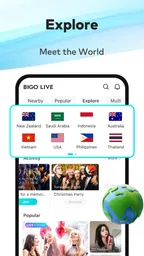
- Users can discover live rooms across a wide range of interests.
- Viewers can interact with streamers through live chat.
- The app supports one-to-one video calls.
- Users can follow creators and receive updates when they go live.
- Live broadcasts can help creators build an audience in real time.
What could be better
- Some features may require in-app purchases.
- Live content can vary widely in quality.
- Public broadcasts may expose personal information if users are not careful.
- The app may use substantial mobile data during streaming.
- Frequent notifications can become distracting.





