

Threads review
 Analysis by Appsdrops
I’d consider Threads when I want a social feed built around short written posts and conversation, rather than a place where photos and videos do all the work. It is a social app from Instagram, and its central appeal is easy to understand: follow people, share a thought, and join discussions as they unfold. Whether it earns a place on your phone depends less on its basic idea than on whether the people and topics you care about are active there.
What to decide before you join
The first question I’d ask is what I want from a social network. If I’m looking for quick opinions, jokes, commentary, or a back-and-forth with creators and friends, Threads makes sense. If I mainly want a carefully arranged photo portfolio or a private messaging tool, I’d choose something designed more directly for those jobs.
That distinction matters because a text-first feed rewards participation. A good post can start a useful conversation, but the experience can also feel noisy when replies pile up or a topic takes over the feed. I find it works best when I arrive with a reason to check in—following a handful of people whose interests overlap with mine—rather than expecting the app to supply a perfect stream from the start.
Threads is free to download, though it offers in-app purchases priced from $0.99 to $131.99 per item. I’d treat the free experience as the sensible starting point and check what any purchase is for before spending. Its Teen age rating is also worth considering for families: the app is a social space where users encounter other people’s posts and conversations, so it is better approached with the same thoughtful boundaries as other public-facing networks.
The app has an average rating of 4.0 from around 2.7 million ratings, alongside roughly 39,000 written reviews. It has passed 500 million installs, which suggests that finding a broad range of conversations is a realistic reason to try it, even though popularity alone does not guarantee that your particular community is there. Instagram is the developer, and the current version is 454.0.0.54.79.
Why the conversation format can feel different
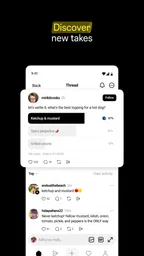
In my view, the strongest reason to use Threads is that it gives short written posts room to lead. On an image-led network, a caption can feel like an accessory to a picture; here, the thought itself is the main event. That makes it a natural place for a quick observation, a question that invites replies, or a running commentary on something happening in your area of interest.
A useful way to test the app is to follow people who explain things, not only accounts that post punchlines or announcements. Their replies often reveal whether a conversation is genuinely helpful or just busy. I also like to treat the feed as a discovery surface rather than a complete record of what everyone I follow has said: when a post matters, opening the discussion and reading the surrounding replies gives me more context than judging it from a snippet.
One practical workflow is to use Threads in two passes. First, skim the feed for topics worth your attention; then return to a promising discussion and read it more carefully before replying. That small pause helps avoid reacting to a post without seeing the context, especially when a short message is easy to interpret in more than one way. It also makes the app more useful for learning how a community talks, instead of simply collecting posts.
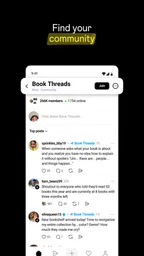
For example, imagine I’m waiting for a bus and want to ask other readers for a book recommendation. I can write a brief question, then check back later to see what people suggest and which replies develop into a useful exchange. That’s a better fit for Threads than composing a polished photo post, and it can be more inviting than sending the same question to a large group chat where it may get buried among unrelated messages.
Where it fits beside other social apps
Compared with image-led social platforms, Threads is the option I’d reach for when the idea matters more than the presentation. It can complement a photo-focused account: one is useful for showing a finished image, while a text conversation is better for explaining a process, asking for reactions, or following up on a topic. I wouldn’t expect it to replace a visual portfolio if the main reason people follow me is to see my work.
Compared with a short-message service built around rapid public updates, Threads may suit someone who already has an Instagram-centered social circle and wants another place for written conversation. That connection can lower the effort of starting, but it does not automatically mean every friend will post there or that every discussion will be a good match. I’d judge it by the actual accounts and replies I encounter, not by assuming an existing audience will move over in full.
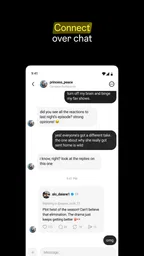
It is also not a substitute for a private messenger. A public or broadly visible discussion has a different feel from a one-to-one chat: it is more discoverable and can invite responses from people outside a close circle. If I’m sharing personal details, coordinating something sensitive, or expecting a guaranteed reply from one person, I’d use a private conversation instead.
For news and fast-moving events, Threads can help me see how people are reacting and what questions they are asking. But a stream of posts is not the same as a verified news briefing. When accuracy matters, I’d check claims against reliable reporting or primary sources rather than treating a confident reply as proof. This is an important trade-off of conversational feeds: speed and variety are useful, while context and verification still take work.
The trade-offs that affect everyday use
The main friction is that a social feed is only as good as the people and subjects it surfaces. If the posts I see are repetitive, or the conversations I care about are elsewhere, the app may feel like another feed to maintain rather than a new source of value. I’d give it a focused trial: follow a small set of accounts, interact with topics I genuinely want more of, and see whether the feed becomes more relevant. If it remains a poor fit, there is little reason to keep checking it out of habit.
Another trade-off is that short posts can flatten complicated subjects. A quick exchange is excellent for brainstorming or collecting different viewpoints, but nuanced advice can be hard to assess when it is split across replies. I try to distinguish between a conversation that is enjoyable and one that is dependable. For decisions involving health, money, or other important matters, I would use the discussion as a starting point, not as the final authority.
It can also take time to decide what belongs on which platform. If I already share on Instagram, I might wonder whether a thought should go there, here, or nowhere at all. My rule of thumb is simple: use Threads for an idea that benefits from replies; use an image-led service when the visual is the point; and use a private channel when the audience needs to be limited. This keeps cross-posting from becoming a chore and makes each app feel more purposeful.
Before committing, I’d also think about how much attention I want to give a public conversation. Replies can be enjoyable, but they can pull me into arguments or extended browsing when I only meant to check one update. Setting a deliberate stopping point—such as reading a particular discussion rather than endlessly refreshing the feed—helps preserve the useful part without letting the app dictate the whole break.
Switching without making it another obligation
Trying Threads does not require me to abandon every other social app. I’d install it, follow a few people whose posts I already value, and use it for one clear purpose, such as asking questions or following a topic. After that, I’d compare the quality of the conversations with the time spent checking the feed. If it adds a kind of interaction I was missing, keeping it is easy to justify; if it duplicates what I already get elsewhere, I can step back.
The cost of switching is mostly attention and social momentum. A new feed takes effort to shape, and familiar contacts may not be active in the same way. To reduce that friction, I’d avoid trying to recreate every follow from another network on day one. A smaller, intentional set of accounts gives me a clearer sense of whether the app’s conversation style suits me, and makes it easier to notice what is genuinely new rather than merely more.
Because the app is free to start, that trial need not involve a subscription decision. I’d still review any in-app purchase carefully and avoid assuming that paying will solve a feed that lacks the people or discussions I want. The most valuable part of this kind of network is the quality of its interactions, not a purchase made before I know whether the community fits.
Who I’d recommend it to
I’d recommend Threads to someone who enjoys writing short posts, following public conversations, and responding to people beyond a close group of friends. It is especially appealing if Instagram is already part of your social routine and you want a separate-feeling place for ideas and replies. With its broad install base, there is a reasonable chance of finding active discussions, although the best test is still whether your own interests are represented.
I’d be less enthusiastic if you want a quiet, chronological archive of updates, a polished visual showcase, or a dependable private inbox. I’d also skip it if I already feel overwhelmed by feeds and have no specific conversation I want to join. In those cases, a photo-first service, a private messenger, or simply fewer social apps may serve me better.
My recommendation is to try it with a purpose rather than treating it as an automatic replacement for another network. Give the feed a carefully chosen starting point, use replies to explore conversations instead of scrolling indefinitely, and judge the app by whether it helps you connect with people and ideas you actually care about. When that happens, Threads can be a worthwhile social companion; when it does not, its familiarity and scale are not enough on their own to make it essential.
What we like
- Easy Instagram sign-in makes getting started quick.
- Familiar accounts help users find people they already follow.
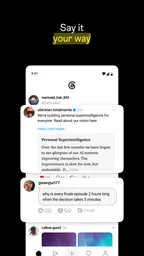
- Text posts support photos videos links and voice notes.
- Reply controls let users manage who can join a conversation.
- Custom feeds make it easier to follow selected topics.
What could be better
- An Instagram account is required to create a profile.
- The feed can show posts from unfamiliar accounts.
- Some features may vary by region or account.
- Frequent notifications can become distracting.
- Post discovery may feel limited compared with larger networks.





