
Video downloader - Story Saver review
 Analysis by Appsdrops
Video downloader - Story Saver is an Android social app for people who want to keep a video or story for later rather than rely on finding the post again. I’d describe its appeal simply: it offers a focused way to save and repost social video, with a first-use goal that is easy to understand. It is free to install, though it also offers in-app purchases, so I’d check the purchase details before confirming anything. If you’re new to this kind of tool, the important part is learning a sensible, respectful workflow—not just tapping download and assuming every clip will be available.
What to expect from a story-saving app
The app sits in the social media utility space, rather than trying to be another place to watch an endless feed. Its purpose is practical: help with saving video and story content and making it possible to repost. That narrow focus is useful when you have a specific post in mind, but it is not a replacement for the social app where the original content was shared.
At a glance, the scale of its audience is notable: it has passed 50 million installs and holds a 4.7 average from around 1.5 million ratings. Those figures suggest that many people find the basic idea useful, but they don’t guarantee that every post or source will work the same way. Social platforms change how content is shared, and a saving tool can only be as convenient as the available sharing route and the content’s access settings.
I’d approach the first session with one specific item in mind, rather than expecting a universal downloader. A story saver is most useful for a clip you’re allowed to keep, a creator’s video you want to revisit, or material you need to pass along with appropriate credit. It is less suitable for collecting everything you see or treating private posts as if they were public files.
Respect for the creator matters: saving something for personal reference is different from reposting it as your own. Before sharing a saved clip, I’d ask whether reposting is welcome, keep attribution clear, and avoid redistributing content that was shared privately or under restrictions. That small habit makes this kind of tool more useful and avoids turning convenience into a problem for someone else.
Who is likely to find it useful
I can see the app working well for someone who regularly encounters short videos they want to review later, or who needs a straightforward way to keep track of story content they have permission to reuse. It may also suit people who share social clips with friends and want to avoid searching through a feed a second time. The key benefit is reducing that “where did I see that?” friction.
If you mainly want to browse, edit, caption, or organize a large personal video library, a dedicated media manager or editor may be a better fit. The app’s purpose is narrower than those tools. Likewise, if your priority is viewing stories exactly as the original platform presents them, using that platform directly is usually the clearest choice.
Getting started without making it complicated
Video downloader - Story Saver is developed by Video Downloader Story Saver. It is rated for Everyone, and the current version is 3.30.1. The app requires Android 7.0 or later, which is worth checking before you install it on an older device. Its release date was October 13, 2023, but for a new user the more practical question is whether the device and the source content fit the task you have in mind.
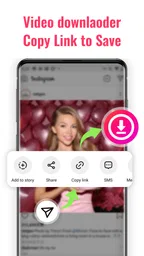
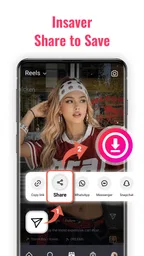
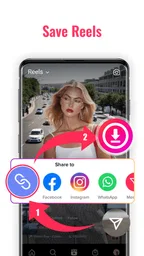
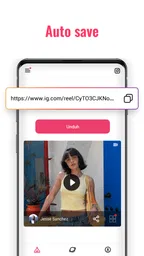
After installing, I’d start by opening the social app where the content appears and looking for its share or copy option. Then I’d return to the saver and follow the route it presents for bringing that item in. This is a safer first test than trying to save a random post: choose a short, publicly accessible clip that you are permitted to keep, and see whether the handoff is clear before relying on it for something important.
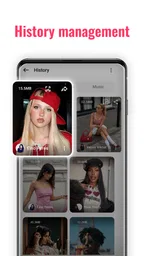
There is no need to begin by saving several items at once. A single test makes it easier to tell whether the process succeeded and where the result went. Once you locate the saved item, note the destination shown on your device and check that the file plays as expected. This small check is especially useful if you plan to share it later; a thumbnail or completed-looking screen is not as reassuring as opening the actual saved video.
Your first useful save: a realistic example
Imagine a friend shares a short public clip with a recipe technique you want to try over the weekend. Rather than assume you’ll remember the account name, you can use the available sharing route to bring the clip into the saver, complete the save, and then open the result to confirm it is usable. Later, you can refer to the clip while cooking without hunting through the original feed. If you share it with someone else, send it with context and credit rather than presenting it as your own work.
That sequence also offers a simple troubleshooting method. If the item does not arrive, go back to the original post and check that you selected the content itself, not a profile or unrelated page. Try the share route again and give the app one clear item to process. If the source is restricted or the post is no longer available, repeatedly retrying is unlikely to be a productive use of time; use the original platform or ask the creator for a shareable copy instead.
Common points of confusion
The word “story” can make it sound as though every story from every account will be available for saving. I would not make that assumption. Access depends on the source and the way the post is shared, and private or otherwise restricted content should stay within the boundaries set by its owner. A downloader is not a reason to bypass someone’s privacy choices.
Another easy misunderstanding is confusing saving with reposting. Keeping a clip for personal reference does not automatically give permission to publish it again. If you do repost, get permission where appropriate, preserve credit, and consider whether the original creator intended the material to travel beyond its first audience. When those conditions are unclear, sharing the original post through the platform is usually the more considerate option.
It is also worth distinguishing a free install from a promise that every part of the app is free. The app is free to download, while optional in-app purchases range from $0.09 to $119.99 per item. I’d review any purchase screen carefully and avoid approving an item just to get past a prompt unless I understand what is being charged for. The range is broad enough that a quick pause before confirming is sensible.
Finally, a saved clip is not necessarily a permanent archive. The original post may be removed, and files on a phone can be moved or deleted as storage is managed. If a video matters, check that it is present where you expect it and consider making a separate backup using the tools you already trust. I would not rely on a social saver as the only copy of important personal material.
How it compares with the usual alternatives
The most obvious alternative is to use the source social platform’s own save or bookmark option. That is often better when you only want to find a post again, because it keeps the item tied to its original account and avoids creating another file to manage. The trade-off is that a bookmark may not provide an offline copy, and the post can still disappear or become inaccessible.
A phone’s built-in screen capture or recording tools are another fallback, but they are less tidy for this specific task. They can capture interface elements along with the video and may require trimming afterward. A dedicated editing app offers more control once you have a clip, but it adds steps if all you need is to keep a permitted video. This app’s value is in serving that narrower save-and-repost workflow, not in replacing those other tools for every situation.
For occasional use, I would compare the effort of the app with the effort of simply bookmarking the post. For repeated, permission-based saving, a dedicated saver can be more convenient. If the content is sensitive, restricted, or belongs to someone who has not agreed to redistribution, neither convenience nor technical availability is a good reason to copy or repost it.
Making the next use smoother
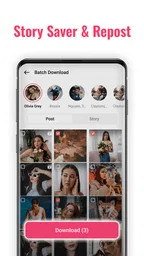
Once the first save works, I’d make a habit of checking each file immediately and keeping only the clips I genuinely expect to use. That prevents a pile of unnamed videos from becoming harder to search than the original feed. A useful personal routine is to save, verify playback, note the creator or source, and then decide whether the file deserves a place in your own organized media storage.
If the next step is reposting, treat it as a separate decision rather than an automatic extension of saving. Confirm that the creator is comfortable with reuse, preserve their identity in the caption or accompanying message, and choose a sharing method that does not mislead viewers about who made the clip. When you only want to show a friend something, sending the original post can be both simpler and fairer.
The app’s scale and strong average rating make it a familiar option in its niche, but I would judge it by a small practical test on the kind of content I actually use. If the handoff is clear and the saved result works for your permitted use, it can be a handy shortcut. If you need broad media-management features, dependable access to restricted posts, or a way to repost without considering permission, this is not the right tool.
My overall recommendation is measured: Video downloader - Story Saver is worth trying when you want a focused helper for saving and responsibly sharing social video. Start with one public, permitted clip, confirm where it lands, and be mindful of the optional purchases and the creator’s rights. For that straightforward use case, it can make a small everyday annoyance—losing track of a useful story or video—much easier to handle.
What we like
- Saves videos directly to your device for offline viewing.
- Makes it easy to keep stories before they disappear.
- Offers a straightforward workflow for saving media.
- Can help organize saved clips in your phone gallery.
- Useful for viewing content when an internet connection is unavailable.
What could be better
- Downloaded content can take up significant storage space.
- Some platforms may restrict downloading or sharing their content.
- The app may request access to photos and media on your device.
- Download availability can vary depending on the source platform.
- Respect creators’ rights and get permission before reusing saved content.





