






Text Free: Calling & Texting review
 Analysis by Appsdrops
Text Free: Calling & Texting is built around a practical idea: give people a way to text and make calls using a Wi-Fi voice line. That focus makes it relevant for everyday communication, but it also raises an important question: how comfortably can different people use it in different situations? In my view, the app’s appeal is its straightforward purpose, while its real usefulness depends on whether its text-and-call approach fits your needs, devices, and surroundings.
Communication that keeps the basics in view
Text Free is a social app from Pinger, Inc, presented as a service for unlimited calls and texts, including group texting over Wi-Fi. It is free to download, with optional in-app purchases ranging from $1.99 to $99.99 per item. It has reached more than 10 million installs, and its average rating is 4.5 from around 129,000 ratings. Those figures suggest broad interest, though they cannot tell you whether the app will suit your particular communication habits.
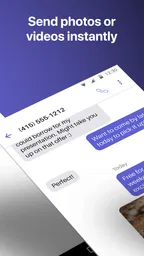
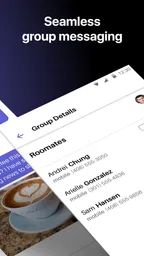
The main draw is easy to understand: a voice line that supports calls and texts, with Wi-Fi use as part of the pitch. For people who want one place to handle both kinds of communication, that clear purpose is a useful starting point. Group texting also speaks to a familiar need—keeping several people in the same conversation—rather than asking users to learn an unfamiliar communication format.
That simplicity can matter for accessibility. An app is easier to approach when its central job is apparent and users do not have to interpret a long list of unrelated tools before getting started. Still, I would not treat a concise product description as proof that every screen is equally easy to read, understand, or operate. The most helpful way to assess Text Free is to look at the everyday tasks it is meant to support and consider how those tasks fit different abilities and contexts.
Readability and navigation
Texting and calling are familiar activities, which gives Text Free an approachable foundation. Many people already understand the basic rhythm of opening a conversation, reading a message, and responding, or placing a call when typing is inconvenient. That familiarity can reduce the learning burden, especially for someone switching from another communication app or looking for a focused way to stay in touch.
Messages also serve a different purpose from calls: they can be read at a chosen pace and revisited, which may be useful when a person needs more time to process information or cannot listen to audio. Group text conversations can help people coordinate with several contacts in one thread, rather than relying on a string of separate exchanges. These are meaningful strengths of the communication format, not guarantees that every person will find the interface comfortable.
For readability, the details of the device and the individual setup matter. A person with low vision may rely on larger system text or display adjustments; someone who finds dense conversation threads tiring may prefer shorter exchanges and clear message wording. I would approach Text Free with those practical habits in mind and check how its screens behave on the device being used. It is better to judge the actual text, contrast, spacing, and navigation than to assume that a familiar messaging concept automatically makes every view accessible.
Navigation matters just as much as legibility. A user who can read a screen comfortably may still have difficulty locating a control, understanding whether a message is part of a group conversation, or moving between calls and texts. The app’s focused call-and-text identity gives it a clear conceptual map, but people should still take time to learn the route to the actions they use most. If someone provides support to a new user, walking through a typical message and call can help reveal whether the layout feels intuitive to that person.
Text Free is rated for Everyone, and its listed minimum operating system is version 9. That broad age classification makes it suitable for a wide audience in the store’s terms, but age suitability and accessibility are not the same thing. Children, older adults, and people with different cognitive or sensory needs may each benefit from a calm introduction to the app and from deciding together which communication tasks are most important.
Motor and sensory considerations
Texting and calling offer different ways to communicate, which can be valuable when a person’s abilities or circumstances change during the day. Someone who finds speech difficult or prefers not to talk may favor written messages. Someone who finds extended typing tiring may prefer a call when speaking is comfortable. Having both formats in one communication-focused app can give people a choice rather than forcing every exchange into one mode.
That choice is not universal access by itself. Typing can be challenging for people with limited dexterity, tremors, pain, or fatigue, while calls may be difficult for people with hearing loss, speech differences, auditory processing needs, or discomfort with voice conversations. A group text can make it easier to share one update with several people, but a busy thread may also produce a lot of information to follow. In practice, the most inclusive approach is to choose the format that works for the person and the moment, rather than expecting one feature to solve every barrier.
Motor access also depends on the precision and effort required to operate controls. A person who taps with limited accuracy may find any compact phone interface demanding, while someone using a device one-handed may need to make deliberate choices about how and when to compose messages. I would recommend trying common actions at a comfortable pace: opening a conversation, reading an incoming message, composing a short reply, and switching to a call. This reveals more than a feature list can about whether the app fits a particular person.
Sensory needs vary widely. Some people prefer written communication because it avoids the pressure of a live conversation; others find a screen full of text tiring and value the immediacy of speaking. Calls can be unsuitable in noisy or quiet environments, while text can be inconvenient when attention is needed elsewhere. Text Free’s mix of calls and messaging is therefore most useful as a set of options, not as a promise that communication will always be comfortable or distraction-free.
People who rely on assistive tools should evaluate the app alongside the accessibility settings already available on their phone. System-level adjustments may make text easier to read or controls easier to use, but the results can vary from screen to screen. I would avoid assuming compatibility or certification without testing it directly. A careful, low-pressure trial is the sensible route: confirm that the person can identify the conversation, understand the controls, and complete the actions they actually need.
Situational access in daily life
The Wi-Fi voice line is central to Text Free’s appeal. Wi-Fi can be useful in places where a person chooses to communicate through an internet connection, and the app’s description brings calls and texts together in that context. It is important, though, to think of connectivity as part of the situation rather than a guarantee of uninterrupted access. The quality of a conversation can depend on the network, the device, and the environment around the user.
Texting can be a practical choice when speaking aloud would be disruptive, awkward, or difficult. It can also let a recipient reply when they have a moment, which may suit people with variable schedules or limited availability for live calls. Group messaging can help families, friends, or small groups coordinate plans. These uses are straightforward, but the people in a group still need to agree on a communication style that is manageable—for example, avoiding unnecessary messages when someone finds frequent notifications or long threads overwhelming.
Calls can be more convenient when a conversation needs back-and-forth discussion or when writing a full explanation would take too long. They may also help people who find typing more demanding than speaking. On the other hand, a call requires both sides to be available and may not work well in public, noisy, or sensitive settings. The value of having calls and texts together is that users can choose between them, not that either format is always the right one.
Accessibility can also be situational for people who share a device, use different devices across the day, or depend on another person for setup. Text Free works on devices running version 9 or later, so checking the operating system is a practical first step before deciding whether an older device can run it. If a phone is shared, it is worth establishing who will use the app and how conversations will be handled, particularly when several people need different display or interaction preferences.
Cost is another part of access. The app is free, which lowers the initial barrier to trying its basic call-and-text approach, while optional purchases are available. A free download does not mean every user will choose to spend, and purchase choices should be considered in light of the person’s budget and needs. I would explore the app’s core experience first and make any spending decision deliberately, rather than treating an optional purchase as necessary before understanding whether the communication style is a good fit.
Where users may still encounter barriers
No communication app can remove every obstacle created by a device, network, environment, or individual need. People who depend on precise screen-reader behavior, specialized input methods, captions, or particular visual settings should test their own essential tasks instead of relying on general impressions. A feature that works well for one person may still be awkward for someone using a different device setup or interacting in a different way.
The app’s emphasis on calls and text is clear, but that focus means users should assess it against the specific communication tools they need. Someone whose daily routine depends on a specialized accessibility workflow may want to compare how comfortably they can complete that workflow here. Likewise, people who find phone communication stressful may need support while learning the app, even when its purpose is familiar. A trusted person can help with setup and practice, but the user’s own comfort should guide the decision.
Group conversations deserve particular attention. They can keep several people informed at once, yet a growing thread can become harder to scan and manage. Users who are sensitive to busy conversations may prefer to mute distractions through the device’s available controls or agree on clearer group habits. Users who have difficulty distinguishing separate exchanges should take time to make sure they can tell who is participating and what a message refers to before relying on the thread for important plans.
There is also a difference between being able to open an app and being able to use it independently. A person may manage reading messages but need help navigating to a call, or be comfortable placing a call but struggle with longer written replies. That is why I see a hands-on trial as essential. Test the actions that matter—rather than every possible feature—and note where the person feels confident and where they need a workaround or assistance.
A thoughtful choice for flexible communication
Text Free has a clear role: it brings calling and texting together around a Wi-Fi voice line, with group texting as part of its communication offer. For users who want those basics in one social app, the concept is easy to understand, and the availability of both written and spoken communication gives people more than one way to connect. Its free entry point makes it approachable to try, while purchases remain optional choices to consider carefully.
Its inclusive value depends on the person and the setting. Texting may suit someone who prefers time to read and respond; calling may suit someone who wants a more immediate conversation. Neither format is inherently accessible to everyone, and features alone do not establish how well an app supports a particular assistive setup. I would recommend checking legibility, navigation, and the effort required for everyday tasks on the actual device, with the intended user involved in the decision.
Text Free has been available since October 15, 2013, and its current version is 13.28.1. Those details place it as an established communication app, but what matters most is still the experience of the person using it. If you are looking for a focused way to handle calls and texts and can confirm that its interface works comfortably for your needs, it is worth considering. If a key interaction feels difficult, that is a good reason to compare alternatives or rely on another communication method for that task.
My verdict is cautiously positive: Text Free is most compelling when users value having calls and texts together and can choose the format that suits the moment. Its familiar communication purpose and group messaging can support a range of everyday contexts, while individual testing remains essential for people with specific sensory, motor, or reading needs. Treat it as a flexible option to evaluate—not a universal accessibility solution—and let the actual user decide whether it makes staying in touch easier.
Text Free is therefore best approached as a practical communication tool whose strengths are its straightforward focus and choice between messages and calls. Pinger, Inc developed the app, and its store rating is 4.5 from around 31,000 written reviews. For anyone considering it, the most useful next step is simple: try the tasks you expect to use, in the places you expect to use them, and judge the experience by comfort and confidence rather than by popularity alone.
What we like
- A separate number helps keep your personal number private.
- You can use the service over Wi-Fi without a cellular plan.
- The app supports voicemail for missed calls.
- Customizable ringtones make incoming calls easier to recognize.
- The interface makes basic calling and texting easy to access.
What could be better
- Your assigned number may change after a period of inactivity.
- Free accounts may include ads.
- Some features require a paid subscription.
- Call quality depends on your internet connection.
- Availability and number options can vary by region.





