

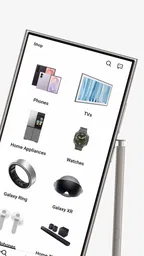
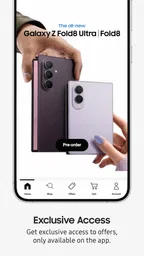
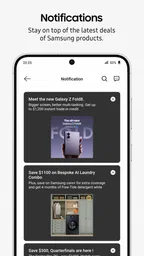
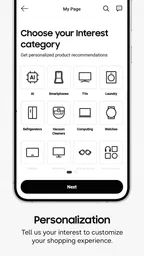
Shop Samsung review
 Analysis by Appsdrops
I see Shop Samsung as a focused place to browse and buy Samsung products, rather than a general shopping app that tries to cover every brand and category. That focus is its main strength: if I already have a Samsung device in mind, I can use one app to explore the company’s current lineup and consider a purchase. If I’m simply looking for the cheapest option across many manufacturers, a broad retailer or comparison tool will usually suit me better.
What the free access is worth
The app is free to download, so trying it does not require paying for access. That is useful when I want to look around before deciding whether a Samsung product belongs on my shortlist. The purchase itself is a separate matter: the app is a shopping channel, not a free source of products, and I would judge any item by its displayed price and terms at the time I shop.
That distinction keeps expectations clear. Free access lets me browse the Samsung storefront through an app; it does not establish that products cost less here than elsewhere. I wouldn’t install it solely on the assumption that it guarantees a discount. Instead, I’d use it to inspect Samsung’s own selection, then compare the final price and delivery details with other retailers before placing an order.
Shop Samsung is published by Samsung Electronics Co. Ltd, which makes the app most relevant to people considering that company’s products. Its Shopping classification fits the practical purpose: browsing a manufacturer’s merchandise and making a purchase, rather than managing a general marketplace. The store describes it as suitable for Everyone, while the app’s current version is 4.0.10 and it requires Android 10 or later.
A direct route to Samsung’s own catalogue
The value here is largely about focus and convenience. When I’m interested in a Samsung product, I don’t have to begin with a wide marketplace full of unrelated brands and listings. A dedicated storefront gives me a more direct way to explore the company’s products and decide whether I want to investigate a particular item further.
That can make a difference when I’m already leaning toward Samsung. For example, if I’m replacing a device and want to see what the manufacturer currently offers, opening its shopping app is a sensible first step. I can use that visit to understand the available choices before widening the search to independent retailers. It’s not a substitute for comparing offers, but it can make the initial research more orderly.
A useful approach is to treat the app as the beginning of a purchase decision, not the whole decision. I’d first identify the product that fits my needs, then check the checkout total and any purchase conditions shown before committing. After that, I’d compare the same product elsewhere. This avoids mistaking a convenient official storefront for proof of the best available deal.
Where the convenience helps—and where it stops
Shopping directly through a brand’s app can reduce the friction of finding that brand’s own products. It is particularly handy when I know what maker I want but have not settled on a specific item. I can browse with a narrower purpose than I would have on a broad retailer, where competing brands, marketplace sellers, and unrelated products can make the first step feel crowded.
There is a tradeoff, though: a Samsung-only shop is naturally less useful for comparing different manufacturers side by side. If I’m choosing between Samsung and another brand, I’ll need another source to weigh alternatives. A general retailer can be better for checking several brands in one place, while a price-comparison service may be more efficient when my priority is finding the lowest current offer.
I’d also keep an eye on the details of each purchase rather than assuming every item follows the same terms. Before ordering, check the product information, final total, delivery choices, and return conditions presented during the shopping process. Those are the details that determine whether a seemingly convenient purchase works for your household. The app’s free download does not settle those product-specific questions.
A practical way to use it before buying
Suppose I’m planning a replacement purchase but haven’t chosen the exact Samsung model. I’d open the app when I have a few minutes, browse the relevant part of the catalogue, and note which products seem worth considering. I’d then compare those candidates with other brands and retailers, paying attention to the full cost rather than just the headline price. That workflow uses the app for what it does best—Samsung-focused discovery—without asking it to be an independent comparison service.
Another useful habit is to separate browsing from buying. If I’m only researching, I can use the app to get familiar with Samsung’s current offering and leave the transaction until I’ve checked my budget and alternatives. If I’m ready to order, I’d review the item and checkout details carefully before confirming. This is a small but worthwhile safeguard in any shopping app, especially when I’ve arrived with a particular product in mind and might otherwise rush through the final steps.
For a household that already uses Samsung products, the app may also be a convenient place to begin when considering another purchase from the same maker. The benefit is not that it replaces every other shopping tool; it is that it keeps the search centered on the brand. If I’m shopping for a mixed-brand household or have no preference about manufacturer, that focus offers less practical value.
What the popularity figures do—and don’t—tell me
The app has a 4.7 average from around 116,000 ratings, with roughly 29,000 written reviews, and it has passed 10 million installs. Those figures suggest that many people have tried it and that store users generally rate it positively. I’d treat them as useful context rather than a guarantee that every shopping experience will match mine: satisfaction can depend on the product, the order, and the expectations I bring to the app.
It was released on November 17, 2016, and its current listed release is version 4.0.10. For a shopper, those details matter less than whether the app works well on their device and whether the product they want is available on terms they accept. Android users should also check that their device runs Android 10 or later before downloading. The app’s free price makes an initial trial low-commitment, but it does not remove the need to assess the purchase itself.
Who is likely to get the most from it?
I’d recommend giving it a try if you are already considering a Samsung product and want a direct, brand-focused shopping experience. It is also a reasonable starting point for someone who prefers to browse the manufacturer’s own range before comparing final offers elsewhere. The free download makes that exploratory use easy to justify, provided your device meets the minimum Android requirement.
I’d skip it if your main goal is to compare many brands quickly, locate the lowest price across retailers, or browse a broad assortment of unrelated goods. In those situations, a general shopping app or a dedicated comparison service is a better first stop. I would also avoid treating the app’s presence as a reason to buy immediately: convenience is helpful, but it is not the same as value, and the right choice still depends on the product and its purchase terms.
My buy-or-skip verdict
My verdict is try it for Samsung shopping, but compare before you buy. The app costs nothing to download and gives Samsung-focused shoppers a straightforward place to begin exploring the company’s products. Its narrow scope is both the reason to use it and its clearest limitation: it can make a Samsung search more direct, but it cannot replace a multi-brand comparison when that is what you need.
If I were choosing a Samsung product, I’d use the app to browse and shortlist, then check the complete offer before ordering. If I were still deciding which brand to choose, I’d start somewhere broader and return to this app only if Samsung remained a serious contender. That makes Shop Samsung a useful, low-commitment shopping companion for the right shopper—not an automatic bargain, and not a necessary download for everyone.
What we like
- Exclusive offers can make select Samsung products more affordable.
- The app provides a direct way to browse Samsung's product range.
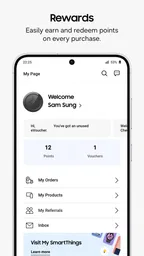
- Users can check order details in one place.
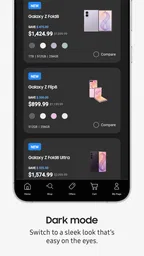
- Product pages include specifications to help compare devices.
- Samsung account sign-in can simplify checkout.
What could be better
- Many listings focus on Samsung products rather than other brands.
- Some discounts may require eligible devices or account sign-in.
- Product availability can differ by location.
- The app may request access to personal information for account features.
- Browsing can feel less useful if you do not plan to buy Samsung products.





