





Sam's Club: Shopping & Savings review
 Analysis by Appsdrops
I think a shopping app earns its place on my phone when it helps me make decisions without making a routine errand feel like another chore. Sam's Club: Shopping & Savings is built around membership shopping, and its most useful promise is that I can handle some club-related tasks away from the store. That can be a real help when I’m planning a larger household shop, checking what I need, or trying to make a visit work around a busy day.
It is a free shopping app from Sam's Club, an established retailer whose app has been around since 2010. Its current version is 26.11.40, and it is rated for Everyone. The strong public response—an average of 4.8 from around 1.1 million ratings, with over 10 million installs—suggests that many shoppers find a reason to keep it. Those figures are useful context, but the practical question is whether its approach suits the way you shop and the way you use a phone.
Finding your way around a club-shopping routine
My first consideration with any retail app is whether it helps me move from a vague intention to a manageable plan. Sam's Club is most relevant when I already know I’m shopping at the club or considering a membership-style trip. It is less like a neutral directory of every nearby shop and more like a companion to one retailer’s way of buying. That focus can make it more useful for regular members, while giving occasional shoppers less reason to open it.
For a household run, I would use the app before leaving home rather than treating it as something to explore in a crowded aisle. Decide what needs replenishing, check the relevant product information in the app, and make a short list you can act on. This simple separation matters: the phone is easier to read and operate when you are not also steering a cart, keeping track of family members, or trying to remember what is already in the pantry.
There is a trade-off in the club format itself. Buying larger quantities can make sense for families, shared households, or anyone who reliably uses the same staples. But a low-looking unit price does not automatically make an item a good choice if storage is tight, the product may go unused, or you are shopping for just one person. I would use the app to plan around actual consumption, not let a convenient product page turn a small need into a bulky purchase.
The app’s 4.8 average across roughly 1.1 million ratings is encouraging, but ratings cannot tell me whether the screen design will work for a particular person. I judge navigation by whether I can find a task without repeatedly backing out or having to remember a chain of menus. In practice, I recommend approaching it with one purpose at a time—planning a shop, looking for an item, or preparing for a visit—rather than trying to learn every section in one sitting.
Readable planning beats last-minute browsing
For people who find dense screens tiring, a focused workflow is more useful than aimless browsing. I would search or review only the items relevant to the trip, then pause to confirm names and quantities before heading out. A large-format retailer can tempt shoppers into scanning many similar choices; taking that step at home gives you more time to compare and reduces the chance of making a rushed decision under store lighting or noise.
If you use magnification, larger text, or other phone display adjustments, the best test is not whether the app looks attractive in a screenshot. It is whether you can still identify the item, read the details you need, and move between screens without losing your place. I would try those settings before relying on the app for a time-sensitive trip. A display adjustment that helps in one screen can sometimes make another screen feel cramped, so a quick practice run is worthwhile.
I also find it helpful to keep a separate note of essentials when a shopping trip has consequences beyond convenience—for example, if someone at home depends on a particular household item. That is not a criticism of this app; it is a sensible backup for any shopping tool. The app can support the plan, but a short independent list protects against distraction, a dead battery, or a moment when using the phone is inconvenient.
Touch, sound, and the pace of use
Retail apps are usually operated through repeated taps, scrolling, and text entry. That can be straightforward for many people, but it can also be demanding for someone with limited dexterity, hand tremors, pain, or difficulty using a touchscreen for long stretches. I would keep searches concise, avoid entering a long list while standing, and do the more fiddly planning at a table before the trip. If typing is difficult, a companion can help prepare the list while the shopper makes the final choices.
People who are sensitive to bright displays, motion, or busy visual layouts may prefer to use the app briefly and deliberately rather than browse for a long time. I would lower screen brightness to a comfortable level in advance and avoid relying on a phone screen as the only way to remember a complicated shop. The store environment can add its own sensory load—movement, announcements, crowds, and decisions—so reducing phone-based tasks before entering can make the visit calmer.
For shoppers who are deaf or hard of hearing, visual information is especially important when a task might otherwise depend on an alert or spoken interaction. I would not assume that every useful update will arrive in the same form or at the same moment. Check the phone’s notification settings and keep an eye on the app when a particular action matters. If a store visit involves asking staff for help, it can also be useful to have the product name or a clear written question ready to show.
These are practical ways to make a phone-based shopping routine easier, not claims that the app offers a particular accessibility mode or meets a formal standard. The actual experience depends on the device, personal settings, and the specific screen being used. Anyone who relies on assistive technology should test the exact task they need before depending on it during a busy visit.
Using it at home, on the move, and in the store
The strongest use case I see is preparation at home. Imagine noticing that several household staples are running low before a weekend shop. You can make decisions while you have room to compare needs, check storage, and talk with other household members. By the time you leave, you have a clearer purpose instead of wandering through a large store and trying to remember everything at once. That is a small change, but it can save both attention and time.
On the move, a phone is less dependable as a planning surface. Glare, cold hands, a crowded bus, or simply needing to carry bags can make scrolling and typing awkward. I would do the detailed work before travelling and keep mobile use to quick checks. If you are shopping with a child, supporting someone else, or using mobility aids, having the plan ready matters even more: every extra screen interaction competes with attention you may need elsewhere.
In the club, the app may be useful as a reference, but I would not let the phone dictate the whole visit. A product can be unavailable or a physical item may look different from what you expected, so retain the option to ask staff or choose an alternative. This is where a club-focused app differs from a general online marketplace: it belongs to a particular retailer and shopping environment, rather than offering a broad comparison across many sellers. If your priority is comparing competing shops or finding the smallest possible quantity, a general retailer or local store may fit better.
For someone who does not drive, planning also means thinking about how much can realistically be carried. A large pack may be convenient at home but awkward on public transport or in a small vehicle. I would weigh the trip itself—not just the item—before committing to a bulk purchase. For people with limited storage, a nearby shop that sells smaller quantities may be the more inclusive and practical option, even if the club’s selection is appealing.
Where the experience can still be difficult
The biggest limitation is not a single screen; it is the combination of a phone interface and a large-club shopping model. Anyone who finds multi-step app tasks tiring may prefer to handle fewer things digitally and ask for help in person. Someone who shops only occasionally may also find that learning a retailer-specific app is more effort than it saves. If you need a quick, one-off purchase, a familiar nearby store or a retailer you already use may be simpler.
Membership shopping is also not automatically a good fit for every budget or household. The app being free does not make every purchase economical, and bulk buying can tie up money or create waste when needs change. I would compare the total amount, available storage, and how quickly the household will use the product. This is particularly important for people living alone, moving frequently, or managing a restricted budget where a larger upfront spend is uncomfortable.
There are also moments when a shopping app is simply the wrong tool. If you cannot comfortably read or operate the phone in the store, if the environment is overwhelming, or if an item is urgent and you need direct confirmation, use another route rather than forcing the app into the situation. A phone can support independence, but it should not become a gate between you and a basic purchase. Planning with a trusted person or asking staff directly can be the more dignified and efficient choice.
Sam's Club is maintained by Sam's Club, and its continued development is reflected in the current 26.11.40 version. I would keep the app updated through the app store, particularly if I depend on it for a regular routine. Still, an update alone does not guarantee that every screen will remain equally comfortable with a person’s device settings, so it is sensible to recheck an important workflow after changing phones or adjusting accessibility preferences.
A practical choice for the right kind of shopper
Overall, I would recommend Sam's Club: Shopping & Savings to people who regularly shop at Sam's Club and want a phone-based way to prepare for those trips. It is most helpful when used calmly before the visit, with a realistic list and a clear idea of what the household can store and use. Its free price and Everyone age rating make it easy to consider, though the real value comes from whether the retailer’s club format suits your life.
For inclusive use, I would call it a potentially helpful companion rather than a complete solution. It can make planning more manageable for shoppers who prefer to prepare in advance, but motor, visual, sensory, or situational needs may change how comfortable the experience feels. Test the screens you depend on, keep a backup list for essential items, and choose in-person assistance or another retailer when that better supports your needs.
If you already shop at the club, the app is worth trying as a way to make a planned run more orderly. If you rarely visit, need small quantities, want to compare many retailers, or find touchscreen shopping burdensome, I would not install it just because it is popular. The best shopping app is the one that reduces effort without creating new obstacles; for a regular Sam's Club shopper, this one has a clear role, while for everyone else the fit is much more personal.
What we like
- Scan & Go lets members pay in the app while shopping in-store.
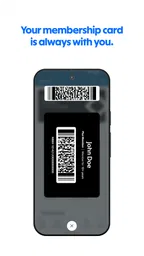
- Digital membership cards are convenient at checkout.
- Curbside pickup can save time on larger orders.
- The app makes it easy to browse current member deals.
- Order tracking helps you follow eligible purchases.
What could be better
- A Sam's Club membership is required for many shopping features.
- Scan & Go is only available at participating clubs.
- Curbside pickup availability varies by location.
- Some products may be unavailable for online ordering.
- App performance and feature access can vary by device.





