
Safeway Deals & Delivery review
 Analysis by Appsdrops
I find Safeway Deals & Delivery most useful when a grocery trip needs a little planning rather than a last-minute dash. It brings shopping, deals, coupons, fuel-location search, prescription refills, and grocery pickup or delivery into one app. That combination can save me from juggling separate tasks, though it works best for someone who shops with Safeway and is willing to check the details of each offer and service before relying on them.
What the app brings together
This is a shopping app from Albertsons Companies, Inc., built around Safeway’s grocery business. I see its strongest idea as convenience: the app connects routine food shopping with savings and a few errands that often sit beside it, such as finding fuel or managing a prescription refill. Rather than treating it as a general-purpose grocery marketplace, I’d think of it as a digital companion for Safeway customers.
The app is free to download, which makes trying it a low-commitment decision. That fact is separate from the cost of groceries or any charges that may apply to a particular order or service; free access should not be read as free delivery, free products, or guaranteed savings. I’d check the terms shown for the specific offer or order I’m considering instead of assuming every convenience has the same cost.
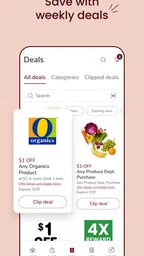
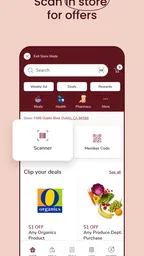
Its core value comes from linking deal discovery to the shopping routine. A coupon is useful only if it applies to something I actually buy, and a digital list is useful only if it helps me remember that item at the store or when arranging an order. I would use the app to review offers before planning a basket, not treat a discount badge as a reason to buy something I did not need.
Making deals work for an ordinary grocery run
A practical approach is to start with the items already on my household list, then look for relevant offers. This reverses the tempting but costly habit of browsing deals first and building a shopping trip around whatever looks discounted. If a coupon matches a regular purchase, it can add value; if it pushes me toward an unfamiliar product or an extra item, the apparent saving may not improve the overall bill.
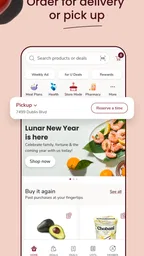
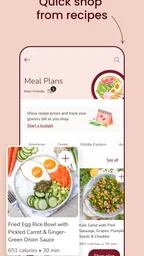
For a busy week, I can imagine checking the app before leaving home, identifying a few useful offers, and deciding whether pickup or delivery fits that day. The benefit is not just avoiding a trip: it is being able to make the shopping decision with the list and deal information in view. I would still review the order carefully before completing it, especially if substitutions, quantities, or offer conditions matter to my plans.
One subtle advantage of having fuel search alongside grocery tools is that it can help with a broader errands plan. I might check where to find fuel while deciding when to shop, rather than switching between unrelated tools. That does not mean the app itself guarantees a cheaper fuel purchase; I would use the location information as a planning aid and compare the actual options available to me.
Pickup, delivery, and the tradeoff of convenience
Pickup and delivery address different problems. Pickup can suit someone who wants to place an order ahead but prefers to collect it during an existing trip. Delivery is more attractive when getting to a store is the bigger obstacle. I would choose based on the day’s schedule and the costs or conditions shown during checkout, rather than assuming one option is always quicker or better value.
There is an important tradeoff with any online grocery order: the convenience of preparing it on a screen can make it easier to overlook the final basket total. Before confirming, I’d check quantities and make sure the chosen items still match what I need. If a promotion has conditions, I’d verify that the basket qualifies; a coupon’s presence in an app does not by itself guarantee it applies to every order or purchase.
In-store shoppers may find the deal tools more useful than the ordering options. Someone who likes choosing produce personally, wants to compare packages on the shelf, or changes plans while shopping may prefer a store visit and use the app mainly to prepare. Conversely, anyone whose priority is avoiding a trip may get more from arranging pickup or delivery, provided the available service and terms suit their location and order.
Prescription refills as part of the same routine
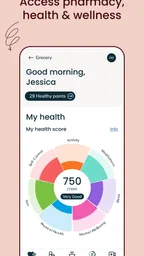
The refill function gives the app a role beyond groceries. For someone who already uses Safeway for shopping and prescription needs, keeping these errands together may make a weekly routine easier to remember. I would treat it as a convenience for managing a refill, not as a substitute for checking medication details or following instructions from a pharmacist or clinician.
This feature is especially relevant when a grocery trip and a refill can be planned around the same schedule. Still, the practical value depends on whether the relevant pharmacy service works for the person and location. If prescription management is the main reason to install the app, I would first confirm that the app’s available options meet that need, rather than assuming every pharmacy task can be completed in the same way.
Where it fits among grocery alternatives
Compared with a standalone grocery list app, Safeway’s app has a more store-specific purpose: it connects shopping with Safeway deals and services. A list-only tool may be simpler for someone who shops across several chains and does not want one retailer to shape the whole routine. In contrast, this app is a better fit when Safeway is already a regular destination and its store-specific offers are relevant.
Compared with broad delivery marketplaces, the appeal here is the direct connection to Safeway rather than a general catalog of retailers. That can make the app feel more coherent for an existing customer, but it is not the obvious choice for someone who wants to compare multiple grocery stores in one place. I would use a broader alternative if retailer choice, rather than Safeway-specific shopping, is my main priority.
Its audience is substantial: the app has more than ten million installs, a 4.7 average from around 463,000 ratings, and roughly 53,000 written reviews. Those figures suggest many people use and rate it, but they cannot tell me whether a particular store, offer, or delivery option will work well for my needs. The most useful test is whether the app’s available services match the way I actually shop.
Small habits that make it more useful
I’d make a short list before browsing deals and use offers as a second pass. That helps separate genuine savings on planned purchases from discounts that simply encourage a larger basket. I’d also check the final order summary rather than relying on an early estimate, since the total and applicable terms are what matter when deciding whether an online order is worthwhile.
For repeat shopping, I’d pay attention to which offers are useful to my household instead of trying to use every coupon. A discount that saves money on a staple can be more valuable than a larger-looking deal on an occasional treat. If my basket is small, I would be particularly careful to compare any ordering costs shown at checkout with the time and effort saved by not going to the store.
Another useful way to judge the app is to separate its jobs. I might open it to plan a Safeway grocery run, use it to check a relevant offer, and then decide independently whether a fuel search or prescription task belongs in the same outing. Treating these as optional tools keeps the app from becoming a reason to add errands or purchases that I did not intend to make.
Compatibility and who should choose it
The app is listed for everyone and requires Android 8.0 or later. It is free, and its current version is 2026.39.0. It has been available since May 10, 2012, so this is an established shopping app rather than a newly introduced service. I would still check the app store on my device for compatibility before installing, particularly if I use an older phone.
I’d recommend it to regular Safeway shoppers who want deals and shopping options close at hand, especially people who can make use of pickup or delivery and value having fuel search and prescription refills in the same place. It may also suit a household organizer who prepares a list before the weekly shop and wants to check relevant savings along the way.
I would skip it if I rarely shop at Safeway, prefer one app that compares several grocery chains, or want a neutral list without retailer-specific promotions. It is also a weaker fit if I do not want to manage digital offers or review order conditions. In those cases, a basic list app or a multi-store shopping service may better match the way I buy groceries.
My verdict on the value
For a free download, Safeway Deals & Delivery offers a useful bundle for people who already shop with Safeway: deal discovery, grocery ordering choices, fuel-location search, and prescription-refill tools. I see the value as practical rather than automatic. The app can help me organize errands and spot relevant offers, but savings depend on buying what I need and checking the terms attached to a specific purchase.
My recommendation is to try it if Safeway is part of your regular routine, then judge it by whether the offers and services you actually use make shopping easier. I would not install it expecting every order to be cheaper or every errand to happen without friction. Used selectively, it can be a handy store-specific tool; for shoppers who want broad retailer comparisons or have little connection to Safeway, another option is likely a better fit.
What we like
- Digital coupons can be added to your account before shopping.
- The app helps locate nearby Safeway stores.
- Shopping lists make it easier to keep track of items.
- Delivery and pickup options can save a trip to the store.
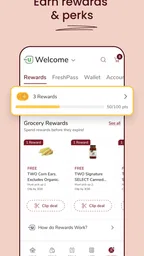
- Club Card details are available within the app.
What could be better
- Some deals require a minimum purchase to qualify.
- Prices and promotions may vary by location.
- Delivery availability depends on your address.
- Substitutions may occur when items are out of stock.
- A Safeway account is needed to access personalized deals.





