




Poshmark: Shop & Sell Fashion review
 Analysis by Appsdrops
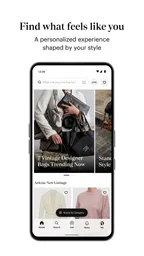
I think Poshmark makes the most sense when you want more than a quick clothing search: it brings browsing and selling together, so you can look for a particular piece, compare individual listings, and clear out items from your own closet in the same app. That flexibility is useful, but it also means the experience depends on how carefully people present and assess what they’re buying. I’d treat it as a person-to-person marketplace, not a conventional shop with identical products and standardized listings.
Where browsing and buying can get tricky
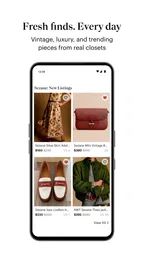
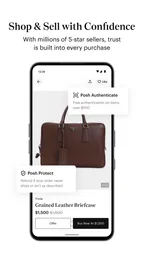
Poshmark is a shopping app from Poshmark, Inc, built around a marketplace for clothing and more. A key difference from a regular retailer is that the item you see is usually tied to a particular listing. Two listings for what looks like the same garment may differ in condition, measurements, color, included pieces, or the seller’s description. I wouldn’t rely on a brand name or a polished photo alone; I’d read the listing closely and look for images that show the item from more than one angle.
That extra checking is the main friction for shoppers who are used to selecting a size and adding a new item to a cart. With resale, “my usual size” is not always enough to judge fit. If the listing includes measurements, compare them with a garment you already own that fits well. If an important detail—such as a flaw, fabric, or exact shade—is unclear, ask before committing rather than assuming the item matches a retail version.
Browsing can also take more patience than shopping from a single store. The appeal is the possibility of finding a specific style or a less expensive secondhand alternative, but the trade-off is that listings are not interchangeable. I find it helpful to decide what matters most before searching: a particular label, a maximum spend, a condition level, or a certain kind of item. That keeps an enjoyable browse from turning into a long scroll through things that only vaguely fit the brief.
For a realistic example, imagine you want a jacket for a trip next week. I’d search with the style and size in mind, then check the photos, condition notes, and any available measurements before I got attached to a listing. I’d also leave enough time for the purchase process rather than treating a marketplace find like something guaranteed to arrive immediately. If speed and certainty matter more than discovering a one-off deal, a traditional retailer with standardized stock may be the better choice.
Check the listing before you check out
My most useful habit is to make a short checklist while comparing similar items: does the listing show the actual piece, is its condition described clearly, and are the details I need present? This is more reliable than comparing only the headline or thumbnail. A seller’s photos and wording are part of the product information, so I pay attention to whether they answer practical questions rather than simply make the item look appealing.
It’s also worth separating “good price” from “good fit.” A bargain that lacks a measurement you need may be a poor choice, while a slightly less tempting listing with clearer photos can be easier to judge. This is particularly relevant for secondhand clothing, where small differences in wear or cut can matter more than they would for a new item from a store shelf.
Getting started without adding avoidable friction
Before using Poshmark, I’d make sure I can access the account I intend to use and that the app is up to date. The current version is 2026.47.0, and the minimum operating system listed is 7.0. If the app won’t install or open, checking the device’s operating-system version and available storage is a sensible first step; there’s little point troubleshooting a listing if the basic app setup is the real obstacle.
The app is free, and its content rating is Everyone. Those details make it straightforward to try, but “free” refers to installing the app, not a promise that every item or transaction costs nothing. I’d review the total shown for a purchase and the transaction details presented in the app before placing an order. For a seller, I’d similarly read the current in-app instructions before listing an item, rather than relying on assumptions based on how another marketplace works.
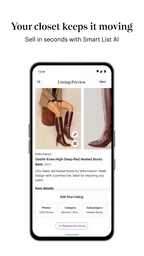
When setting up a closet to sell from, I’d start with just a few items I can describe accurately. Choose clear photos, note visible wear honestly, and make the listing easy to evaluate. That small batch approach is less overwhelming than photographing an entire wardrobe at once, and it gives you a chance to see how much effort your own selling workflow takes before you commit to more.
One useful trade-off to keep in mind is that a marketplace listing asks for more judgment from both sides. Sellers need to give buyers enough information to decide; buyers need to inspect what’s there instead of expecting a uniform catalog page. If you’re not comfortable taking photos, writing descriptions, and answering questions when selling, the app may still suit you as a shopper, but the seller side could feel like work rather than effortless decluttering.
Recovering a workflow when something goes wrong
If a search or listing process seems to stall, I’d first check whether the issue affects just one screen or the whole app. Closing and reopening it, checking the internet connection, and trying again after a short pause are reasonable general steps. If the problem persists, updating the app and restarting the device can help distinguish a temporary glitch from an account-specific or service-side issue. I wouldn’t repeatedly submit the same action while unsure whether it went through; first check the relevant screen for a change.
For a purchase that appears incomplete, I’d look for the order’s current status in the app before starting over. For a listing that doesn’t appear as expected, I’d check the seller-facing area and confirm that the information was saved. Keeping notes or photos ready outside the app can also make it easier to recreate a description if a draft is lost, although I’d avoid assuming that every unsaved change is recoverable.
When a listing is confusing, the best recovery is often not a technical fix. Return to the item details, compare the photos with the description, and ask the seller a specific question if something essential is missing. “Can you clarify the condition?” is less useful than asking about the exact detail that affects your decision. That makes the exchange more practical and reduces the chance of buying based on a guess.
When the app may not be the cause
Not every disappointing result points to an app problem. A seller may have limited information about a garment, a photo may not show color accurately, or a fit may simply differ from what you expected. Those are ordinary risks of buying a unique secondhand item. I’d use the app as a way to discover and evaluate listings, while remembering that the quality of the decision depends on the information available for each one.
Likewise, if a particular item is hard to find, that doesn’t necessarily mean search is broken. Marketplace availability changes as listings come and go, and a very narrow combination of brand, size, style, and condition can leave few suitable choices. Try relaxing one requirement at a time—perhaps looking at a similar cut or a different color—while keeping the must-haves fixed. If the item needs to be exact, new, or available on a deadline, a retailer with stable inventory is likely a more dependable route.
For selling, slow interest can also reflect the listing itself rather than a technical fault. Recheck whether the photos clearly show the item, whether the description answers likely buyer questions, and whether the asking price makes sense for its condition. I wouldn’t change everything at once: improving one unclear part at a time makes it easier to see what helps and keeps the process manageable.
Who will get the most from it
I’d recommend Poshmark to people who enjoy browsing individual fashion finds and are willing to inspect listings carefully. It can also suit someone who wants to sell clothes from home and is comfortable doing the small tasks that make a listing useful: photographing, describing, and keeping track of the item. The two-sided setup is its clearest advantage over a standard clothing store app, because a shopper can also become a seller without switching to a completely different kind of service.
Someone who wants a fast, predictable purchase with consistent product pages may prefer a retailer’s app. And if you dislike comparing photos, asking questions, or weighing condition against price, the marketplace format may feel more demanding than convenient. I’d also skip treating it as a guaranteed shortcut to a rare find: discovery is part of the appeal, but it takes patience and a little judgment.
How it compares with familiar shopping options
Compared with a typical retail app, Poshmark puts more emphasis on unique listings and less on a uniform shopping experience. That can make browsing feel personal: the right item may be waiting among listings that don’t look like a conventional catalog. The downside is that the shopper has to do more checking, and the seller has to supply clearer information. Compared with general online marketplaces, its focus on fashion and closet selling gives the experience a more specific purpose, which is useful if clothes are what you’re looking for rather than a broad mix of household goods.
The app has an average rating of 4.5 from around 206,000 ratings, with roughly 46,000 written reviews, and it has passed 10 million installs. I take those numbers as signs that it has attracted a substantial audience, not as proof that every listing or transaction will suit every user. A marketplace is only as helpful as the match between your needs, the available items, and the care you take in checking them.
A practical verdict for shoppers and sellers
Overall, I see Poshmark as a worthwhile option for fashion shoppers who like the hunt and sellers who don’t mind preparing their own listings. Its main strength is bringing discovery and resale into one place; its main limitation is the extra judgment that comes with buying from individual listings. Go in with a clear idea of what you need, check condition and measurements carefully, and use focused questions when details are missing. If you want a standardized, no-surprises retail checkout, choose a conventional store instead. If you’re happy to compare, browse, and make informed trade-offs, Poshmark is a useful marketplace to try.
What we like
- Browse listings from independent sellers across many fashion categories.
- Save favorite items to revisit them later.
- Make offers to negotiate a listing price.
- Use prepaid shipping labels for eligible sales.
- Find secondhand pieces that may cost less than retail.
What could be better
- Item condition and accuracy depend on each seller.
- Popular listings can sell before you decide.
- Shipping costs can add to the total purchase price.
- Returns may be limited for purchases that match the listing.
- Selling involves fees that reduce your earnings.





