PayRange review
 Analysis by Appsdrops
I find PayRange most useful when I’m standing in front of a machine that supports app payments and don’t have the right coins or bills. It is a shopping app built around a narrow, practical job: paying for a machine from a phone. That focus is its main appeal, but it also sets a clear limit. It can help only where the machine is set up to accept PayRange, so it is not a general-purpose wallet or a replacement for cash everywhere.
Convenience depends on the machine in front of you
In an ordinary purchase, I expect to choose a shop, browse items, and compare options. This app works differently: the machine is the starting point, and the phone is a way to complete the payment. That makes the experience feel less like online shopping and more like a small convenience at a laundromat, vending area, or another place with a participating machine.
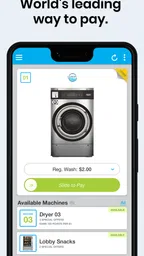
A realistic example is arriving with laundry to do and realizing I have no change. If the washer or dryer supports PayRange, using the app can spare me a search for an exchange machine or a trip to find cash. The same basic advantage applies when I want a snack or drink from a compatible vending machine. The benefit is situational, not universal: before relying on it, I would look for signs or instructions on the machine indicating that mobile payment is available.
That dependency is worth keeping in mind. A phone payment app cannot make an unsupported machine accept a transaction, and a location may have a mixture of machines or payment methods. I would not leave my wallet behind solely because I have installed PayRange. I’d treat it as a useful extra option, especially in places I visit regularly, rather than as a guarantee that every machine will be covered.
The app is free, and PayRange Inc. is its developer. It has an average rating of 4.4 from around 99,000 ratings, with over 1 million installs. Those figures suggest that many people find the basic idea useful, but they don’t tell me whether a particular machine will support it or whether the app fits my habits. The practical test is still local: do the machines I actually use offer PayRange?
A focused tool rather than a shopping destination
Compared with the usual alternatives in shopping apps, PayRange has little reason to draw me in when I’m planning a purchase at home. Its value appears at the point of use, where the alternative may be feeding coins into a machine, finding cash, or choosing another machine with a payment method I can use. That simplicity is welcome, but it means the app’s usefulness depends more on the places around me than on how often I shop online.
This also makes it a better fit for repeat routines than for occasional discovery. If I use the same laundry room or vending area often, learning whether its machines accept the app could make those visits smoother. If I rarely encounter compatible machines, a free install still costs attention: I would need to set it up and keep track of it for a benefit I may seldom use.
Trust starts with what I can check
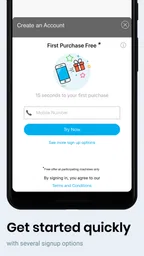
Because payment involves money and a phone, I would want to know what I’m agreeing to before using any payment app. My cautious approach is to read the in-app explanations and the choices shown during setup, then review any account or transaction controls that are actually presented. I would avoid assuming that a familiar payment flow means every detail of the service works like another wallet I already use.
There is an important distinction between visible controls and broader data practices. A screen that lets me manage an account or review a payment is useful, but it does not by itself explain every kind of information a service may handle. I would look at the app’s privacy information and the permissions Android or iOS asks me to grant, and make a decision based on those explanations rather than guessing from the app’s purpose. If a permission request seems unrelated to what I’m trying to do, I would pause and check its explanation before continuing.
That is not a reason to assume a problem; it is a sensible habit for any app involved in payment. The same applies to account security and payment settings: I would use the controls that are clearly available, keep my device protected, and check the transaction details presented before confirming. I prefer that deliberate approach to treating a quick tap as automatically risk-free.
Small decisions that make a machine visit smoother
One useful habit is to check the machine before starting a payment flow. Look for PayRange instructions and identify the exact machine you intend to use. In a shared laundry room, for instance, two machines may sit side by side, and choosing the wrong one could create confusion even if the payment process itself is straightforward. I would take a moment to match the app’s on-screen selection to the physical machine rather than rushing through the steps.
A second practical trade-off is connectivity. Paying from a phone requires the phone and the service to be usable at the moment I’m standing there. If reception is poor, the device battery is low, or the app needs attention, cash or another accepted payment method may be the more dependable backup. I would not begin a time-sensitive wash or count on a vending purchase until I knew I could complete the transaction.
Third, I would separate the question “Can I use the app here?” from “Is this the best way to pay here?” A compatible machine may make phone payment convenient, but someone who prefers not to create or use an account for a small purchase may reasonably choose cash or another machine instead. The convenience matters most when it solves a real problem—such as having no change—not when it adds extra steps to a payment that is already easy.
For anyone deciding whether to install it, the key questions are straightforward. Do the machines you use display support for PayRange? Are you comfortable following the app’s setup and reviewing the permissions and privacy information shown on your device? Do you have another way to pay if the phone or connection is unavailable? If the answers point toward occasional, useful use and you are comfortable with the choices presented, the app may earn a place on your phone.
Version, compatibility, and expectations
The current version is 7.1.0, and the app requires Android 6.0 or later. It is rated for Everyone. Those details make it easier to judge basic device fit, but compatibility alone does not guarantee that a nearby machine accepts the payment method. I would check both sides of the equation: whether my phone can run the app and whether the machine has the necessary support.
PayRange was released on Oct. 20, 2014, so it is not a brand-new idea. For me, that history is context rather than proof of quality or safety. I would still base my confidence on the current app’s explanations, the controls available to me, and whether the payment process works clearly at the machines I use. An established presence can make an app easier to encounter, but it should not replace checking the details that matter to an individual user.
The app is not the right choice if I expect it to work at every vending machine or laundromat, if I want a broad marketplace, or if I prefer not to make machine payments through a phone. It may also be unnecessary for someone whose usual locations already offer a payment method they find simpler. In those cases, sticking with cash or the machine’s other accepted option is a reasonable choice, not a failure to use the app.
My cautious verdict for everyday use
I see PayRange as a practical convenience with a narrow job. When a machine supports it and I have a working phone, it can make a small purchase or laundry payment easier than hunting for coins. The strongest reason to try it is a recurring situation where change is a hassle; the strongest reason to skip it is that the machines around you do not support it or you would rather keep payments off your phone.
My recommendation is conditional: install it if you have a likely place to use it, check the machine before relying on it, and take time to understand the account, permission, and privacy choices shown in the app and on your device. Keep a backup payment option for visits where the phone cannot complete the job. That approach lets the convenience be useful without treating it as universal or making trust decisions on assumptions. Overall, I’d consider it a sensible tool for compatible machines, not an essential shopping app for everyone.
What we like
- Browse participating stores and machines in the app before visiting.
- The balance feature helps track funds added for purchases.
- A purchase history makes it easier to review past transactions.
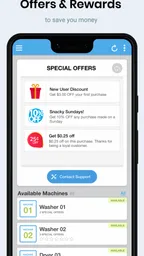
- Promotions may help reduce the cost of eligible purchases.
- The app can make checkout easier when a machine supports PayRange.
What could be better
- PayRange works only at participating locations and machines.
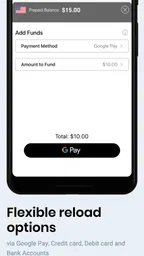
- Some purchases may require adding funds before checkout.
- Availability of promotions can vary by location and time.
- A phone with internet access is needed to use the service.
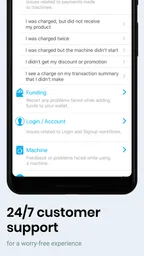
- Refunds for failed purchases may require contacting customer support.





