
Nintendo Store review
 Analysis by Appsdrops
Nintendo Store makes the most sense when you want to browse Nintendo’s own shopping experience rather than hunt across general retailers for something connected to the company. I see its main appeal as focus: it is a dedicated shopping app from Nintendo Co., Ltd., built for people who already care about Nintendo products. That narrow purpose is a strength, but it also means the app is not a useful replacement for a broad marketplace or a source of entertainment in its own right.
A focused place to browse Nintendo shopping
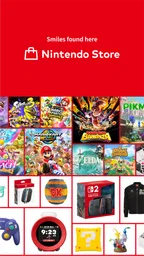
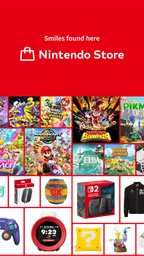
As a shopping app, Nintendo Store is best approached with a particular reason to open it: you have a Nintendo-related purchase in mind, want to look around the official store, or simply enjoy browsing items from a brand you follow. The store summary, “Smiles found here,” sets a friendly tone, but I would judge the app by whether it helps you make a practical buying decision—not by that slogan.
The distinction matters because a dedicated brand store and a general shopping app solve different problems. A large marketplace is usually better when you want to compare many sellers, brands, and product categories in one place. Nintendo Store is the more natural starting point when the Nintendo connection is the point of the search. For me, that makes it a useful companion for fans, not an all-purpose shopping destination.
The app is free, and the Teen content rating gives families a simple indication of its store classification. Nintendo Store has a 3.4 average from around 3,000 ratings, alongside 161 written reviews. Those figures suggest a mixed reception rather than universal enthusiasm; I would treat them as a reason to check whether the app suits your shopping habits, not as a verdict on every individual experience.
Why the official-store angle is useful
Going directly to a company’s own store can make browsing feel more intentional than searching a general retailer. You begin with Nintendo as the subject, rather than filtering through unrelated results. That is especially handy when you are buying for someone whose interests are already clear: a Nintendo fan’s birthday gift, a small treat for a family member, or something to browse while deciding what to get next.
There is also a practical decision-making benefit to separating discovery from comparison. I would use Nintendo Store to see what the brand’s own shopping experience offers, then compare elsewhere if price, delivery arrangements, or a wider selection are the deciding factors. That workflow reduces the chance of treating a single branded storefront as the whole market. It is a small habit, but it helps keep enthusiasm from becoming an impulsive purchase.
One useful tip is to open the app with a specific shopping question. Instead of wandering through a brand store without a plan, decide whether you are looking for a gift, something to add to a collection, or simply an idea for later. A focused visit is easier to evaluate: you can tell whether the app helped you move toward a decision, even if you ultimately buy through another retailer.
What it does well—and where the friction may be
The clearest strength is specialization. If Nintendo is already your interest, a dedicated store keeps the shopping context relevant. You are not starting from a broad catalogue and hoping that a search produces the right kind of result. That can make casual browsing more enjoyable for a fan and make a targeted visit feel less cluttered than using a general marketplace.
That same focus creates the main limitation. Someone who wants the cheapest available offer, a broad choice of brands, or a single basket containing unrelated household purchases will probably be better served elsewhere. A specialist store is not inherently the best place to compare the entire market. I would avoid assuming that a branded storefront answers every question about value or availability; check the alternatives when those details matter to your decision.
Another trade-off is that brand enthusiasm can encourage browsing without a clear need. A dedicated store may make it pleasant to look around, but pleasant browsing is not the same as useful shopping. I recommend keeping a short mental list of what you actually want and returning to it before checkout. That is particularly helpful when you are buying a gift: a recipient’s specific interests matter more than simply choosing something because it carries a familiar name.
I would also distinguish the app from Nintendo’s games and gaming services. Its listed category is shopping, so I would not install it expecting to play, manage a game library, or replace other Nintendo-related tools. If your goal is entertainment or help with a console, a shopping storefront is the wrong starting point. Its value depends on whether you want to browse or shop, not on how much time you spend gaming.
Everyday ways I would use it
For a birthday, I would use Nintendo Store as an inspiration stop before buying. First, I would think about what the person actually likes; then I would browse the official store for relevant ideas. If I found something promising, I would check the product details carefully and compare the purchase against other options before committing. This keeps the app useful even when it does not become the final checkout destination.
For a personal purchase, I would use it when I already know the Nintendo connection is important. Maybe I want to see what the official store has before deciding whether a purchase belongs in my budget. In that situation, a dedicated app is more convenient than beginning with a general search full of unrelated results. If I am only after the lowest price, though, I would move to comparison shopping rather than relying on one store.
For casual browsing, I would treat it as a short visit rather than an endless feed. A quick look can help me decide whether there is anything worth returning to later. If nothing fits, closing the app is a sensible outcome—not a reason to keep searching until I find a purchase. That approach makes a specialist shopping app serve the user rather than letting browsing become the goal.
A further useful habit is to separate “interesting” from “ready to buy.” I might notice an item during one visit, then pause and consider whether it suits the person, purpose, and budget before placing an order. That is a general shopping safeguard, but it fits Nintendo Store particularly well because fans may be drawn in by the brand before deciding what they need. A little distance turns browsing into a better-informed choice.
Who should install it, and who can skip it
I would recommend Nintendo Store to people who regularly look for Nintendo-related purchases and prefer to start with the company’s own shopping destination. It is also a reasonable choice for someone who wants a focused place to browse gift ideas for a Nintendo fan. Nintendo has more than a million installs, so the app has reached a substantial audience, although popularity alone does not tell you whether it matches your particular shopping routine.
The app is less compelling if you shop across many categories, compare multiple sellers every time, or rarely buy anything connected to Nintendo. In those cases, a general retailer or comparison tool is likely to be more convenient. I would also skip it if what you really want is game news, gameplay, or device support; those needs call for a different kind of app, not a store.
People using older devices should check compatibility before installing: the current version, 3.4.1, requires Android 10 or later. That is a practical consideration, not a judgment about the app itself. If the device meets that requirement and Nintendo shopping is relevant to you, trying the free app is a low-commitment way to see whether its focused approach fits.
A measured recommendation
My overall view is that Nintendo Store is a purpose-built shopping companion with a clear audience. Its best quality is also its boundary: it keeps the experience centered on Nintendo, which is helpful for fans and limiting for everyone else. I would use it for discovery and a first look at official shopping, then compare other retailers whenever price or breadth of choice matters more than the brand-specific experience.
The 3.4 average makes me cautious about calling it an automatic recommendation for every user, but it does not erase the appeal of a focused store for the right person. I would install it if Nintendo-related shopping comes up often, use it with a clear purpose, and judge it by how well it helps with those visits. If your shopping is mostly general or driven by finding the broadest range of options, you can comfortably skip it.
In short, this is a sensible app for Nintendo fans who want a direct place to browse purchases, not a must-have for every shopper. I like the focused role, and I would recommend giving it a try when that role matches your needs. Just keep the usual comparison step in your routine, and remember that a pleasant browse is only useful when it helps you choose something you genuinely want.
What we like
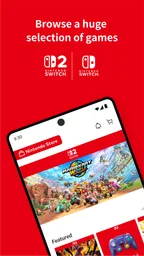
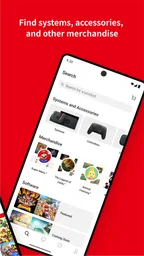
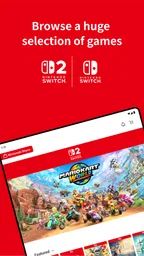
- Browse Nintendo Switch games and accessories in one place.
- View game details and screenshots before deciding to buy.
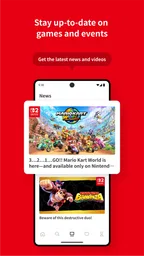
- Find official Nintendo news and updates in the app.
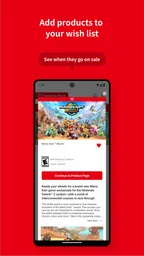
- Save products to a wishlist for later reference.
- Access the store through a familiar Nintendo-branded interface.
What could be better
- The app may not be available in every region.
- Some purchases may require a Nintendo Account.
- Availability and prices can vary by country.
- The app depends on an internet connection to browse the store.
- Some features may redirect users to a web browser.





