
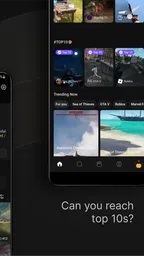
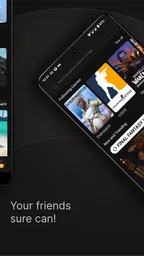
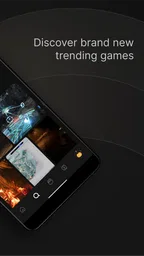
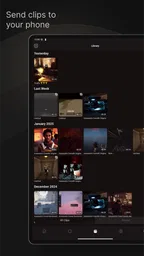
Medal - Gaming Clips review
 Analysis by Appsdrops
I think of Medal as a meeting point for gaming moments: a place to watch clips, share them, and make your own highlights easier to show to other players. That sounds simple, but the experience depends on more than having a clip ready. A dependable connection makes browsing and sharing feel natural; a weak one can turn the same quick check-in into waiting and retries. If you already swap gameplay highlights with friends, this social app has a clear purpose. If you mainly want a private editing tool or a way to store recordings, it may not be the best fit.
When a connection makes the difference
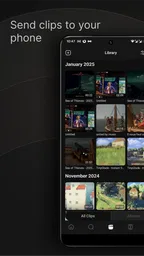
The main appeal is the path from a gaming moment to something other people can watch. I’d use Medal when I want to catch up on a friend’s clutch play, pass around a funny mistake, or put a memorable moment in front of a gaming audience. It is built around clips rather than the broader mix of personal updates and conversations found in general social networks, which gives its feed a more focused feel.
That focus also makes connectivity central. Watching clips means fetching media, and uploading or sharing means sending it onward. On a strong connection, those actions are a natural part of browsing. On a congested network, a clip may take longer to become available or travel to its audience. I would not treat the app as a guaranteed instant handoff when I’m away from reliable service; I’d save the share for later rather than keep tapping and risk sending the same thing twice.
A useful habit is to decide what a clip needs before sharing it. If the moment is only funny to a close friend, send it to the intended audience rather than posting broadly. If it needs context, add that explanation where the app’s available sharing flow allows it, instead of assuming viewers know what happened in the game. The clip is the point, but a little context can make a highlight land with people who weren’t there.
Medal is a social app from Medal B.V. Its average rating is 4.7 from around 32,000 ratings, and it has more than 5 million installs. Those figures suggest that it has reached a substantial gaming audience, though they don’t tell me whether a particular friend group is active. For a clip-sharing app, that local question matters: the experience is more rewarding when the people whose gameplay you care about are actually using it.
What I would do with it in an everyday routine
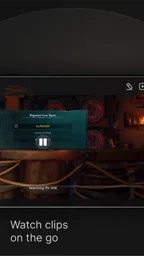
Picture finishing a match during a short break. I might open Medal to watch a friend’s clip, react in conversation elsewhere, then return to the game. That is a sensible mobile use: a quick visit with a specific purpose, not an attempt to replace a full gaming session or a long-form video platform. For a group that regularly trades highlights, it can turn scattered moments into a shared thread of gaming memories.
There is a trade-off in that routine. Watching a few clips can quietly take longer than expected, particularly if each one leads to another. I’d use the app with a clear intention—check a friend’s latest moment, share one highlight, then leave—if I want to keep gaming time or mobile data in check. This is more practical than treating every notification or new clip as something that needs immediate attention.
Using it on a phone without making it a chore
The phone is convenient for viewing and passing along moments when I’m away from my main gaming setup. It is less ideal for careful editing or prolonged browsing if I’m on a small screen, in a noisy place, or trying to conserve battery. A clip that needs close attention to detail is easier to judge when I can watch it somewhere comfortable, rather than hurriedly deciding whether it is ready to share while moving between errands.
I’d also separate two situations that are easy to blur together: having a clip on hand and being able to publish or watch it smoothly. The app’s purpose includes uploading and sharing, but those actions rely on a working connection. If I’m about to leave home or enter a place with spotty reception, I would avoid starting a share that I need to complete immediately. Waiting until I have a steadier connection is the less frustrating choice.
For parents and younger players, the Teen content rating is a useful signal to consider alongside the app’s social nature. Gaming clips can bring people together, but any social space also calls for sensible choices about what to post and who should see it. I would encourage a younger user to think before sharing personal details in captions or clips and to involve a parent when deciding how to use social features.
When something stalls, keep the workflow simple
Network hiccups are annoying because they often arrive at the point when I’m ready to move on: a clip is slow to load, an upload appears to pause, or a share doesn’t seem to finish. My first response would be to check whether the phone has a stable connection, then give the current action a moment before trying again. Repeatedly pressing upload is rarely a good recovery plan; it can leave me unsure which attempt went through.
If a clip fails to appear as expected, I’d return to the relevant screen and check its status before starting a second upload. If the connection is weak, switching to a more reliable network and retrying once is more measured than changing several things at once. This advice is less about a special recovery feature and more about avoiding duplicate work in any app where media has to travel over a network.
For a moment that matters, I’d keep a copy in the original place where I captured it until I’m confident the share is complete. That gives me a fallback if the connection drops midway. I wouldn’t rely on a social feed as my only archive: sharing highlights and preserving important recordings are different jobs, and Medal’s central value is the former.
Being thoughtful about mobile data and attention
Video can use more data than text, so I would be selective about watching a long run of clips on a mobile connection. If I’m on a limited plan, I’d save casual browsing for a Wi-Fi connection and use mobile data for the clip I specifically came to see or share. That is a practical compromise: it keeps the social part available without turning an idle scroll into an unexpected chunk of data use.
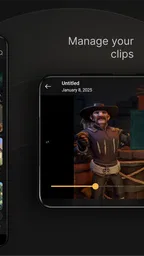
Uploads deserve the same thought. A highlight that is worth sharing can wait until I’m on a connection that feels stable, especially if it is a larger or longer recording. I would also review the clip before sending it: trimming a moment to what matters can make it easier for friends to watch and avoids asking them to sit through unrelated footage. That is a good editorial habit even when the app’s tools or the available connection make the process less convenient.
Medal is free to download, with in-app purchases listed from $9.99 to $179.99 per item. I’d start with the free experience and see whether the social clip workflow fits my group before considering any purchase. The presence of optional purchases does not make them necessary for everyone, and a person who only wants occasional viewing may have no reason to spend. The current version is 7.4.1, and the minimum operating system is 8.0, details worth checking against an older device before installing.
Who will enjoy it, and who may prefer something else
I’d recommend Medal to players who already collect or trade gaming clips and want a dedicated social space for those moments. It makes particular sense for a friend group that enjoys comparing plays, sharing amusing failures, or keeping up with each other’s gaming highlights between sessions. The focused subject is an advantage over a general social network, where game clips can be mixed in with unrelated posts and easier to miss.
Someone who wants a broad community feed may prefer a general-purpose social platform, while a creator who needs detailed editing or a carefully managed video archive may be better served by a dedicated editor or storage workflow. Medal is not the choice I’d make just to keep private recordings safe, nor would I recommend it to someone who dislikes sharing content socially. Its appeal depends on wanting gaming moments to reach other people.
The developer is Medal B.V., and the app sits in the social category rather than being a game itself. That distinction matters: it complements games by giving clips a place to circulate, but it does not replace the games or the tools used to capture them. Before adopting it, I’d ask whether my friends are likely to use it and whether I want another social feed to check. A useful tool can still feel empty if the audience I care about is elsewhere.
My connectivity verdict
For me, Medal works best as a deliberate, connection-aware companion to gaming: open it to watch a particular highlight, share a moment when the network is steady, and keep important originals somewhere dependable. Its clip-first social focus gives gaming groups a clearer purpose than a general feed, while the need to load and send media makes unreliable connectivity a real point of friction.
I’d choose it if sharing gameplay is already part of how I keep in touch with friends, and I’d skip it if I want offline-first access, private archiving, or sophisticated editing as the main event. A little patience with uploads, sensible use of mobile data, and an audience that actually participates make the experience much better. That is the honest balance: a handy home for gaming highlights when the connection and the community are both there.
What we like
- Captures gameplay moments without requiring a separate editing app.
- Supports sharing clips with friends and gaming communities.
- Automatic capture can save notable moments during supported games.
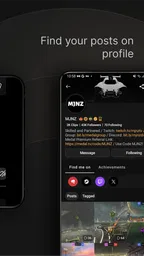
- A profile gives your clips a central place to browse.
- Clip tools make it easier to trim recordings before sharing.
What could be better
- Background recording can use extra battery and system resources.
- Capture support may vary between games and devices.
- Long recordings can take up substantial storage space.
- Some social features may require creating an account.
- Sharing publicly may reveal clips you would prefer to keep private.





