



Locket Widget review
 Analysis by Appsdrops
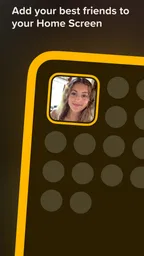
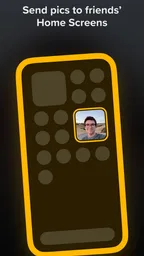
The first time I tried Locket Widget, its appeal was easy to understand: a close friend’s photo appeared right on my home screen, without asking me to open a feed and scroll for it. That small change makes the app feel less like another social network and more like a shared corner of your phone. I found it most charming when the people sending pictures were already part of my everyday life; a familiar face or ordinary moment can feel more personal than a carefully composed post.
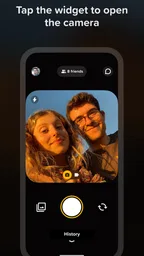
Locket Widget is a free social app from Locket Labs, Inc., built around sharing photos with friends through a widget. It has a 4.6 average from around 402,000 ratings and more than 10 million installs, which suggests that the simple idea has found a sizable audience. But its real test is not whether it feels delightful during the first few days. It is whether friends keep sending pictures once the novelty wears off—and whether the widget remains welcome rather than turning into another thing to maintain.
Why the first week feels personal
Most social apps ask you to visit them. Locket reverses that pattern: the point is to bring a little piece of a friend’s day to the screen you already see. That changes the tone. Instead of treating a photo as a public post that needs an audience, I found it easier to imagine sharing a quick, unpolished moment with a small circle.
The best early use is with people who already have a reason to send each other small updates: partners, close friends, siblings, or family members who live apart. A picture of a coffee break, a pet doing something ridiculous, or a view from the walk home can carry the feeling of “thinking of you” without requiring a long conversation. It does not replace messaging, but it can make a quiet day feel a little more connected.
The app works best when the sharing group is small, familiar, and willing to participate. Before adding everyone you know, I would start with the few people who are most likely to send a photo naturally. A widget with occasional updates from two close friends can feel intimate; a larger group that rarely contributes may make the whole idea seem empty. That choice matters more here than it does on a conventional social feed.
One useful way to avoid awkwardness is to agree on what the group is for. Some people may treat it as a stream of casual snapshots, while others may feel pressure to send something attractive or interesting. I would set the tone with ordinary pictures from the start. If everyone expects polished photos, the app risks becoming a chore; if everyday scenes are welcome, sharing is easier to sustain.
The store’s short description calls it “Locket Widget,” but the experience is best understood as a personal photo-sharing app organized around a home-screen widget. That distinction helps set expectations: this is not where I would go for broad discovery, public discussion, or a deep archive of posts. Its strength is immediacy and closeness, not the scale of a mainstream social feed.
Making the widget useful rather than decorative
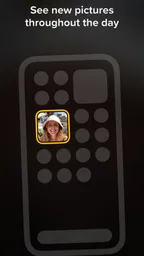
The widget’s value depends on where it sits and how often you actually glance at it. I would place it on a home-screen page I visit during ordinary routines, rather than burying it among screens I rarely open. That makes the incoming photo feel like a small check-in, not a notification demanding attention. The idea is subtle, and it loses some of its charm if you have to go looking for it.
There is also a practical trade-off: a home-screen image is visible to anyone who can see your phone. I would keep the sharing circle to people whose pictures I am comfortable having appear in that setting, and think twice before using a shared or frequently visible device. The app’s intimate feel does not make every photo suitable for every screen or moment.
What gives it staying power—and what can wear thin
After the first week, the question becomes whether people keep contributing. Locket is strongest when it becomes a low-effort habit rather than a scheduled obligation. A quick photo sent when something catches your eye is a better fit than trying to produce an update every day. If the group goes quiet, the widget can stop feeling alive, and the app itself cannot make friends participate.
That dependence on other people is both the central strength and the main limitation. A messaging app can still be useful when one friend is away or busy because you can start a conversation. A photo-sharing feed may offer fresh material from a wider audience. Locket’s experience is narrower by design: it feels rewarding when the people you chose are active, but there is less to fall back on when they are not.
For month-to-month use, I would treat it as a supplement to whatever communication the group already prefers. It can add a visual touchpoint without replacing texts, calls, or longer conversations. If someone sends a picture that invites a response, follow up in the channel where the group normally talks; expecting the widget alone to carry every conversation puts too much weight on a simple format.
There is a helpful way to keep the habit from becoming performative: send photos that need no explanation. A small, ordinary detail often feels more natural than staging a scene for the app. That also makes participation easier for friends who are busy or shy about posting. The goal is not to prove that everyone is having an exciting day; it is to share a glimpse when there is one worth sharing.
It is equally reasonable to let the app go quiet. If nobody has a picture to send, a blank stretch should not become a reason to manufacture content. I would judge its long-term value by whether it makes existing relationships feel a little warmer, not by how frequently the widget changes. That standard keeps the app in its proper role and makes it easier to decide whether it deserves a permanent spot on the home screen.
The small maintenance cost
The ongoing effort is less about creating a profile or managing a public presence and more about keeping the sharing circle engaged. People need to choose whom to include, get comfortable with the idea, and remember that casual photos are welcome. If one person becomes the only regular contributor, the exchange can feel lopsided. A simple check-in with the group can help, but if participation needs constant reminders, the app may not suit that particular circle.
Version 1.247.1 is the current version, and the app is listed for operating systems from version 8.1 onward. It is rated for teens, so families should still make their own judgment about whether its social sharing is appropriate for younger users. The basic app is free, with in-app purchases priced from $1.99 to $35.99 per item. I would try the free experience with a small group before spending anything; the core question is whether your friends use it, not whether extra spending can solve a quiet group.
Privacy and visibility deserve a little thought in everyday use. A photo sent to close friends may still appear somewhere other people can see when they glance at your home screen. I would avoid sending anything that depends on remaining private in a particular setting, and choose images with the same care I would use for a message that might be seen over someone’s shoulder. That is a sensible habit for any social app, especially one designed to surface content outside the app itself.
When the charm starts to fade
The biggest source of fatigue is repetition. If the group begins to send similar snapshots just to keep the widget changing, the sense of spontaneous connection can turn into a posting obligation. The fix is not necessarily to send more; it may be to send less often, narrow the circle, or agree that there is no expectation to contribute on a schedule.
Another possible mismatch is the desire for a complete record. A home-screen photo is a passing moment, not automatically a substitute for a carefully organized collection of shared memories. If you want to revisit albums, sort images, or keep a detailed history, a dedicated photo-sharing or storage service may be a better home for that purpose. Locket makes the present feel close; it is not the right tool for every kind of remembering.
It also will not suit someone who prefers to keep a phone screen minimal, dislikes personal content appearing at a glance, or does not want to mix social activity with the home screen. In that case, a private group chat offers more control over when photos are viewed and makes it easier to respond in context. If the priority is a broad stream of posts and discovery beyond close friends, a conventional social network is the clearer choice.
I would also avoid adding contacts simply because the app makes it easy to imagine a bigger group. More people can mean more variety, but it can also make the exchange feel less personal and increase the chance that someone’s sharing habits do not match yours. Start with a handful of trusted people, see whether the rhythm feels natural, and expand only if there is a genuine reason.
My long-term verdict
Locket earns lasting space when it supports a relationship that already has a natural back-and-forth. Its appeal is not a deep feature set or a constant supply of new content; it is the small, direct pleasure of seeing a friend’s moment without opening a full social feed. I would recommend it to people who enjoy casual photo updates and have a few friends or relatives willing to share them without pressure.
I would skip it if your social circle is unlikely to participate, if you want a polished archive, or if you dislike having personal photos visible on your home screen. In those situations, messaging or a conventional photo service will probably fit better. The app’s narrow focus is refreshing, but it does mean that its usefulness depends heavily on who joins and how comfortably they use it.
Released on April 15, 2022, and still centered on that straightforward widget-based idea, Locket is most successful when it stays small and unforced. I would give it a fair trial with a close group, put the widget somewhere I naturally look, and resist turning photos into a quota. If it keeps producing genuine little moments after the first-week excitement fades, it has earned its place. If it becomes another reminder to post, I would remove it without guilt.
What we like
- Photos from friends appear directly on your home screen.
- Sharing feels more personal than posting to a public feed.
- The simple interface is easy for new users to understand.
- Widgets make recent updates visible without opening the app.
- Small friend groups can keep sharing focused and private.
What could be better
- Both you and your friends need the app for sharing to work.
- Widget updates may not appear immediately.
- The experience depends on friends posting regularly.
- A crowded home screen can make the widget harder to use.
- Shared photos may reveal personal details to your chosen contacts.





