
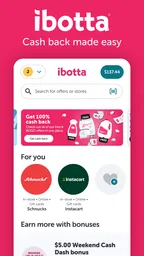
Ibotta: Save & Earn Cash Back review
 Analysis by Appsdrops
Ibotta appeals to a very practical idea: earn a little money back on purchases you were already planning to make. The catch is that cash-back apps are not always as effortless as they sound. You may need to check offers before shopping, follow the right steps afterward, and wait for a purchase to be recognized. I see Ibotta as most useful for people willing to build those small checks into their routine, rather than anyone expecting automatic savings on every trip.
Developed by Ibotta, this free shopping app has been around since its release on December 17, 2012. It has a 4.5 average from around 722,000 ratings, with over 10 million installs. Those figures suggest broad interest, but they do not guarantee that every offer will suit your shopping habits. The app is rated Mature 17+, and version 6.362.0 is listed for devices running Android 8.0 or later.
Where the cash-back routine can snag
The first point of friction is usually timing. With a conventional coupon, I might notice the discount while browsing a product page or at checkout. With Ibotta, the useful habit is to look for relevant offers before I shop, then remember to complete whatever steps the particular offer requires. If I leave that until the last minute, I can miss an offer that would have influenced my purchase—or spend time searching when I am already in a hurry.
That makes the app less of a set-and-forget tool than a quick planning companion. Before a grocery run, I would check what is available for items already on my list, not use the offer screen as a reason to add things I would not normally buy. The most dependable saving is the one attached to a purchase you genuinely needed. A tempting rebate can still be a poor deal if it nudges you into spending more overall.
Another possible snag is expectation. “Cash back” sounds broad, but an offer-based shopping app is not the same as a universal discount applied to every item in a cart. Availability and terms can vary by offer, so I would read the details on the item I plan to buy instead of assuming a familiar brand or product automatically qualifies. That extra glance is small, but it is the difference between a deliberate workflow and a frustrating guess.
It also helps to separate the shopping decision from the reward. I would choose the product that fits my needs first, then see whether an applicable offer makes the purchase more attractive. If the offer requires a different size, flavor, or version than I intended to buy, the trade-off may not be worth it. Cash back is a benefit, not a reason to ignore the actual price or settle for something unsuitable.
Set up around the way you already shop
I would start by opening the app when I have a little time, rather than trying to configure my routine in a checkout line. Browse the offers that match ordinary purchases, note any conditions that matter, and make a short list of the products you may want to claim. This first pass is more useful than scrolling without a plan because it connects the app to a real shopping trip.
For a weekly grocery run, for example, I might check the offers while building my list, then compare them with the brands and quantities I normally buy. If an offer matches, I can keep it in mind while shopping. If nothing fits, I can close the app and shop as usual. That is a worthwhile discipline: the app should adapt to my list, not take over the list.
Keep the offer’s wording in view. Product names can be similar, and a condition that looks minor may determine whether a purchase qualifies. I would check the exact item and any stated requirements before buying, especially when choosing between nearly identical packages. This is one of the most useful habits for avoiding the feeling that an offer disappeared after the trip: verify the match before treating it as a saving.
It is also sensible to keep a simple record of what you intended to claim. A note on your shopping list can say which eligible items you planned to buy and remind you to return to the app afterward. That is not glamorous, but it can prevent a common routine failure: remembering the offer at home, then being unsure which product or purchase it applied to.
Recovering when a purchase does not appear
If a purchase is not reflected as expected, I would resist repeating the same action blindly. First, reopen the relevant offer and reread its conditions. Check whether the item you bought matches the stated product, whether you followed the required steps, and whether the purchase is still within the app’s stated process. A mismatch in product details is a more useful lead than assuming the app has simply failed.
Next, look for the app’s own guidance for that offer or transaction and follow its instructions. Keep any receipt or purchase information you already have until the issue is resolved. If the app provides a way to report a missing or incorrect result, use that route with clear details rather than submitting multiple vague reports. I would avoid claiming an item that was not purchased or trying to force a match; that creates more confusion and does not solve the underlying problem.
Basic recovery steps are worth trying when the app itself behaves oddly: close and reopen it, check that the device has a working connection, and make sure you are using a supported operating-system version. If a screen fails to load, retrying after a short pause is more sensible than immediately assuming the offer has vanished. These steps can help with a temporary app or connection issue, though they cannot change an offer’s eligibility terms.
For the same reason, I would not make a purchase solely because I expect the reward to appear instantly. Treat the cash-back process as something to confirm, not as a discount you have already received at the register. That mindset makes delays or a need to review details less stressful and helps keep the purchase sensible even if the reward takes extra attention.
When the problem may be outside the app
Sometimes the app is not the source of a mismatch. The selected product may differ from the offer, the purchase may not satisfy a condition, or the shopping plan may have changed after you checked the offer. A receipt can help you compare what you bought with what you meant to buy, but it cannot turn an ineligible product into an eligible one.
There can also be a gap between how shoppers describe an item and how an offer identifies it. “The same brand” is not always enough to establish a match. I would compare the specific product details shown in the offer with the package in my basket, rather than relying on a quick visual impression. When the wording leaves me uncertain, the safest choice is not to count on the reward before buying.
Connectivity and device issues are another possibility when content will not load or an action seems not to register. I would check the connection, restart the app, and confirm the device meets the listed minimum Android requirement before treating the issue as account- or offer-related. If the problem persists, the app’s support options are the appropriate next step; repeatedly reinstalling or making a second purchase is unlikely to clarify what went wrong.
This is where Ibotta differs from simpler alternatives such as a store’s own sale price or a coupon applied directly at checkout. Those options can be easier to understand in the moment because the saving is visible as part of the transaction. Ibotta can be more appealing when you are willing to check offers and complete the relevant claim process, but it asks for more attention. For a shopper who wants the least possible effort, an immediate shelf discount may be the better fit.
A useful fit for planned shopping, not every shopper
Ibotta is strongest for people who shop regularly, are comfortable checking an app before a trip, and can keep offer conditions in mind. Someone who already plans meals and makes a list may find it easy to add a brief offer check to that routine. The benefit is not just spotting a deal; it is having a repeatable process that avoids buying random products simply because a reward is available.
It is less compelling if your shopping is unpredictable, you rarely buy the kinds of items shown in the offers you see, or you dislike keeping track of extra steps. It may also frustrate anyone who expects every purchase to earn cash back automatically. In those cases, ordinary sale prices, a store loyalty program, or straightforward coupons may require less effort and make the final price easier to judge before buying.
For a realistic example, imagine planning a household grocery trip after work. I would check the offers while making the list, keep only the ones that match items I already intend to buy, and verify the product details in the aisle. After shopping, I would return to the app and follow the applicable instructions while the receipt and purchase are easy to check. If an offer does not match, I would let it go rather than turn a routine trip into a hunt for a workaround.
The app is free to install, but “free” does not mean there is no cost to using it: the cost is mostly attention. A few minutes spent checking relevance and conditions can be worthwhile when the offers fit your normal basket. If you spend more time chasing a reward than you save, the routine has stopped serving you. I would review whether the app is helping with purchases I already make, not judge it by how many offers I can browse.
My practical verdict
I find Ibotta worth considering as a deliberate cash-back tool, not as a promise that every shopping trip will be cheaper. Its best use is straightforward: check relevant offers before buying, confirm that the exact product fits, and follow the app’s instructions afterward. Those habits make the process clearer and reduce avoidable disappointment.
Its main trade-off is the extra work compared with an automatic sale or a coupon that reduces the bill immediately. For shoppers who enjoy planning and can stay selective, that effort may fit naturally into a regular routine. For people who want savings without checking, matching, and following up, a simpler discount option will probably feel better.
I would try it with a modest, familiar shopping list rather than changing what I buy to chase rewards. Pay attention to whether the offers actually match your usual purchases and whether the process feels manageable after the trip. If both answers are yes, it can become a useful addition to your shopping routine; if not, there is no reason to force it.
What we like
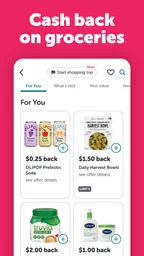
- Offers cashback on eligible grocery purchases.
- Links rewards to participating loyalty accounts.
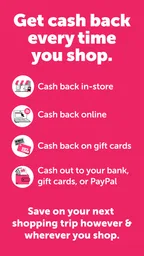
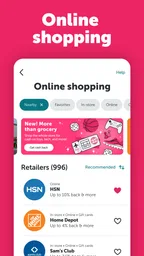
- Supports in-store and online shopping offers.
- Provides a receipt-scanning option at many retailers.
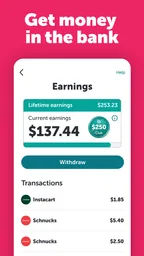
- Lets users withdraw eligible earnings through supported methods.
What could be better
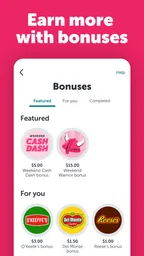
- Cashback offers can change or expire quickly.
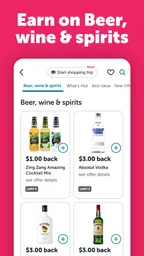
- Some offers require purchasing a specific size or variety.
- Receipt reviews may delay reward confirmation.
- Cashout options can depend on account eligibility.
- Not every retailer or purchase qualifies for rewards.





