
Harbor Freight Tools review
 Analysis by Appsdrops
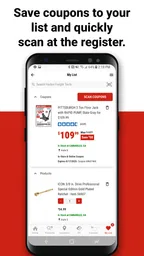
I find Harbor Freight Tools most useful when I treat it as a shopping companion for a particular errand, not as a general-purpose guide to every tool on the market. It is a free shopping app from Harbor Freight Tools USA, Inc., built around the retailer’s tools and related gear. If I already know I need to check a Harbor Freight item or look for a coupon, having the retailer’s catalog in one place can make the planning easier. If I want impartial comparisons across many stores, though, I would reach for a broader shopping resource instead.
Useful when a Harbor Freight trip is already on the list
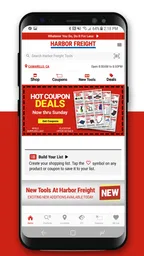
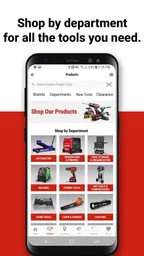
The app’s value starts with its focused scope. Harbor Freight sells products such as generators, air compressors, and tool storage, and the app is intended to help shoppers browse that retailer’s offerings and coupons. That focus can save time when I am planning a repair, organizing a workshop, or checking whether the store is worth visiting for a specific purchase.
I would use it before leaving home rather than rely on memory once I am in the aisle. For example, if a weekend project needs a compressor, I can use the app as a starting point to check the retailer’s options and any relevant coupon information, then decide whether a store visit makes sense. The practical benefit is not that an app can settle every buying question; it is that it keeps the retailer’s shopping information close at hand while I plan.
That distinction matters. A coupon can look appealing without making a product the right choice. I would still match the item to the job, consider whether it suits my experience and intended use, and compare alternatives if performance or long-term durability is central to the decision. The app helps with the Harbor Freight part of shopping; it should not replace judgment about the tool itself.
Free to install, with value tied to what you shop for
The app is free, so trying it does not require paying for access. That is a straightforward advantage for someone who already shops at Harbor Freight or expects to do so. Its value is therefore best judged by whether it helps me make a more convenient or informed purchase at that retailer, not by assuming that installing it automatically makes every item cheaper.
I would separate the cost of using the app from the cost of buying products through the retailer. Free access tells me what I pay to get the app; it does not establish that every item is discounted, that every coupon fits every shopper, or that a particular purchase is the lowest-priced option elsewhere. I would check the conditions shown for an offer and compare the total shopping decision rather than letting a coupon headline make it for me.
The app has a 4.7 average from around 60,000 ratings, and it has been installed over 5 million times. Those figures suggest that many shoppers find it useful, but they cannot tell me whether it will suit my own needs. A person who rarely shops at Harbor Freight may get little from it, even if other users rate it highly.
How I would use it to make a better shopping decision
For a planned purchase, I would begin with the job rather than the discount. I would note what the tool needs to do, browse the relevant Harbor Freight options, and then check whether an offer applies to the item I am considering. This order reduces the risk of buying something simply because a coupon caught my eye. It also helps keep a bargain purchase from turning into an unsuitable one.
A useful workflow is to decide what would make a product acceptable before browsing: the kind of task, the amount of use I expect, and any practical constraints such as storage or transport. Then I can treat the app as a way to investigate the retailer’s selection rather than as an authority on what I should buy. For a one-off home repair, the best choice may be different from what I would want for repeated work.
I would also use it to organize an errand. If I have several Harbor Freight items in mind, checking them before a trip can help me avoid wandering through the store without a plan. The trade-off is that a retailer-specific app is most useful when the retailer is already part of the plan. If I am still deciding where to shop, I need outside comparisons as well.
Where a retailer-specific app has limits
The same focus that makes the app convenient also narrows its usefulness. It centers on Harbor Freight, so I would not expect it to provide a balanced view of competing products from other shops. A shopper comparing several retailers will need another source for those alternatives, and someone who wants independent product testing should not mistake a retailer’s shopping app for that kind of review resource.
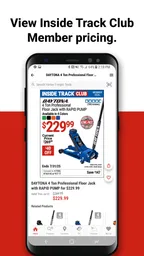
Coupons also call for a little discipline. An offer is only useful when it matches what I planned to buy and the terms work for my purchase. I would check those details before relying on a discount, especially if I am making a trip specifically for one item. This is a small step, but it prevents the common frustration of planning around an offer that does not fit the intended purchase.
Another limitation is that convenience does not settle questions of suitability. A generator, compressor, or storage product can involve decisions beyond price and availability: how it will be used, where it will go, and whether it fits the task. I would consult product details and use my own requirements to make that call. For specialized or safety-sensitive work, I would take extra care rather than assume that a shopping app can substitute for technical advice.
The app is rated for Everyone, and its current version is 11.23.4. It requires Android 8.0 or later. Those details make it easier to judge whether an Android device can run it, but they do not change the core question of relevance: it is most worthwhile when Harbor Freight is a store I actually shop at.
Who is likely to get the most from it?
I would recommend it to regular Harbor Freight shoppers, DIYers who often need tools or workshop supplies, and people who like to check retailer offers before making a trip. It can also suit someone planning a specific purchase who wants to browse the store’s range before deciding what to investigate in person. In those situations, a free retailer app is an easy addition to the shopping process.
It is less compelling for someone who buys tools only rarely, shops mainly at other retailers, or wants a neutral comparison across brands and stores. If I am choosing a tool based on detailed independent testing, I would use specialist reviews alongside the app. If I only need a one-time item and already know where I will buy it, installing a dedicated app may not add enough convenience to matter.
Harbor Freight Tools is listed as a shopping app and has been available since September 28, 2020. The developer is Harbor Freight Tools USA, Inc. Those details reinforce what the experience is for: shopping within this retailer’s world, rather than managing a broad collection of purchases from unrelated stores.
My verdict: worth trying for the right shopper
I see Harbor Freight Tools as a practical, no-cost helper for shoppers who already have a reason to browse Harbor Freight. Its strongest case is simple: it brings the retailer’s shopping experience and coupon focus into an app that can help me prepare before a purchase or store trip. For frequent customers, that may be enough to make it worthwhile.
I would not install it expecting free access to mean free products, guaranteed savings, or an independent verdict on which tool is best. The price of the app is clear; the value of a purchase still depends on the item, the offer, and whether it fits the job. Keeping that distinction in mind makes the app easier to use sensibly.
My recommendation is to try it if Harbor Freight is already one of your regular stops, then use it as one part of your decision rather than the whole process. If your shopping is spread across retailers or your priority is unbiased product comparison, another resource will serve you better. For planned Harbor Freight shopping, it is a convenient free starting point; for everyone else, its narrow focus may not justify a place on the phone.
What we like
- Find nearby stores and check their hours before making a trip.
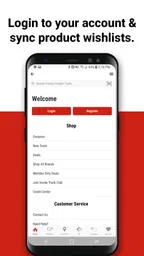
- Save products to a wishlist for easier shopping later.
- Browse sale items and current promotions in one place.
- Order eligible products for pickup or delivery.
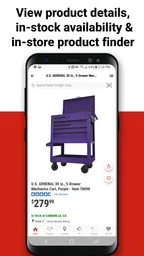
- Access product details and customer ratings while shopping.
What could be better
- Some products may be unavailable at your selected store.
- App performance can vary across devices and operating system versions.
- Product availability and prices may change before checkout.
- Returns and warranty claims may require additional steps.
- Some deals may be limited to specific stores or time periods.





