




Cantina review
 Analysis by Appsdrops
The first time I opened Cantina, the appeal was easy to understand: this is a social app built around making AI characters and videos, not simply scrolling past other people’s posts. That gives it a playful, hands-on feel from the outset. Instead of needing a polished idea or a production setup, you can start with a character concept and see where it leads. I’d recommend it to someone who enjoys experimenting and sharing small creative bits; I’d be more cautious if you want a conventional feed or a dependable tool for finished video work.
Why the first sessions feel lively
Cantina sits in the social category, but its main draw is the chance to create rather than just react. I find that distinction important. A standard social network asks what you want to post; this one encourages you to play with an AI persona and turn the result into video. The format can make an ordinary spare moment feel like a quick creative prompt: invent a character, test a tone, and decide whether the result is amusing enough to share.
The first-week experience is strongest when I treat it as a sketchbook, not a production studio. A character idea can be deliberately silly, niche, or inspired by a conversation with friends. That low-stakes approach helps avoid the pressure to make every output clever. If you are stuck, start with a clear personality and a specific situation rather than a broad instruction. A character reacting to a familiar everyday annoyance is easier to judge than one asked to be “funny” in general.
There is a social pleasure in seeing how a character idea lands with other people, but it is different from the usual rhythm of posting photos, status updates, or short clips. You are bringing an artificial persona into the mix, so the fun depends partly on whether you enjoy the premise. If you like role-play, internet humor, or testing different voices, that can be a natural fit. If you mainly want to keep up with friends’ real-life updates, this concept may feel like a side activity rather than a replacement for your usual social apps.
The best way to judge a generated character is to give it a job. Ask it to respond in a particular kind of situation, then see whether the personality stays recognizable. This is more useful than making a character with a vague identity and expecting every video to feel coherent. It also gives you a practical stopping point: if the character’s appeal depends on one joke and cannot carry a second scenario, it may be a fun one-off rather than something worth maintaining.
Creative play is not the same as finished production
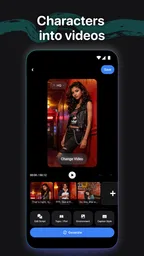
I would approach the video side as a way to explore ideas and share playful moments, rather than assume it replaces a dedicated editing workflow. Someone who needs precise control over timing, a carefully branded look, or a repeatable professional process is likely to prefer a specialist video editor. Cantina’s appeal is the character-led premise and the social context around it. That is a different goal from assembling a polished campaign or editing footage with exact control.
That distinction also helps set expectations about effort. If your idea is simple and the character is the point, a rough, spontaneous result may be exactly right. If you find yourself repeatedly trying to make an output match a very specific vision, the creative process can become more frustrating than fun. I’d use Cantina to discover whether a concept has comic or conversational potential, then move to a more controlled tool if the idea needs careful finishing.
What keeps it useful after the novelty
The first burst of curiosity is not enough to justify keeping a social app in regular rotation. The more useful question is whether Cantina can serve a recurring purpose. For me, it makes the most sense as a shared activity: a small group can trade character ideas, respond to each other’s creations, or return to a persona that has become an inside joke. That gives the app a reason to come back beyond trying the creation mechanic once.
A realistic everyday use might be a quiet evening when friends are chatting but nobody has a plan. One person creates a character based on a harmless running joke, makes a short video around it, and sends it into the conversation. The point is not to build a public following; it is to give the group something new to react to. In that setting, the app’s creative feature becomes a social prompt, much like sharing a meme, but with more room for the group’s own ideas.
There is also a useful personal workflow for people who like making characters but lose interest when each session starts from scratch. Keep the premise narrow enough to remember: a distinct attitude, a recognizable way of responding, and a few situations where it works. Returning to that same idea lets you notice whether it has legs. If you keep needing to reinvent the persona to make each attempt entertaining, that is a sign the novelty may be doing most of the work.
For people deciding whether it suits their social habits, the key question is whether they enjoy making something for an audience, even a small one. Cantina is more compelling when creation leads to a conversation. Someone who prefers passive browsing may not find the same month-to-month value, while someone who likes collaborative jokes may return to it whenever the group needs a fresh prompt. The value is therefore personal and social, not automatic.
The app is free, and it is made by Cantina, Inc. Its average rating is 4.8 from around 46,000 ratings, with roughly 4,000 written reviews, and it has passed 5 million installs. Those figures suggest it has found a substantial audience, though they cannot tell you whether its particular style of AI character play matches your taste. I would use the concept itself—not popularity—as the deciding factor.
Keeping a creative habit without turning it into work
Maintenance here is less about managing a complicated project and more about deciding what deserves a return visit. I would avoid creating a long roster of characters just because the option is tempting. A smaller number of memorable ideas is easier to revisit and makes it clearer which ones consistently produce something enjoyable. If you make several characters in one sitting, give each a distinct premise; otherwise they can blur together and be harder to use in a later conversation.
A practical habit is to save your experimentation for moments when you already have a social reason to make something. That might be a group chat that needs a laugh or a friend who enjoys the same kind of character humor. It prevents the app from becoming another task on a daily checklist. If you are opening it only to chase a feeling of novelty, take a break and see whether you actually miss making anything there.
Because Cantina is social, it is worth thinking about the audience before sharing a character or video. A joke that works among close friends may not make sense to strangers, and an invented persona can be interpreted differently outside the context that inspired it. I’d keep the first experiments low-stakes and share them with people who understand the premise. That simple choice can make feedback more useful and reduce the pressure to turn every creation into a public performance.
The app’s current version is 7.13.2, and its release history begins on October 7, 2015. It is rated for teens, and the minimum operating-system requirement is version 11. Those details matter when deciding whether it fits a household or a device: the teen rating is a reason for parents to discuss social sharing and creative AI use with younger users, rather than treating the app as a private toy by default. I would also check that a device meets the system requirement before planning to use it.
Where fatigue can set in
The biggest risk is that character creation becomes a novelty loop: the first idea is exciting, the next few are amusing, and then each session starts to feel like repeating the same trick. That does not mean the app has no staying power; it means the user needs a reason to create beyond testing what the tool can do. A shared running joke, a recurring character with a clear purpose, or a friend who enjoys contributing can provide that reason. Without one, the app may be more of an occasional diversion.
Another possible source of friction is the gap between an idea in your head and the result you get. Character-driven work depends on consistency and tone, and a result that misses the intended personality can spoil the joke. My advice is to simplify rather than keep piling on instructions. One strong trait and one specific scenario are easier to evaluate than a stack of conflicting qualities. If the basic premise still does not feel right after a few attempts, it may be better to change the concept instead of spending the session trying to force it.
There is also a mismatch for people who want their social apps to be mostly about existing relationships. Cantina’s distinctive activity may take attention away from straightforward conversation, and not every friend will want to participate in AI character play. In that case, a regular messaging app or a familiar social network is the better choice. I would not install it expecting it to replace those tools; I would add it only if the creative format sounds enjoyable on its own.
People who need dependable professional output should be similarly selective. Cantina’s character-and-video focus makes it appealing for playful exploration, but a specialist editor is a better fit when accuracy, detailed adjustments, or a consistent production process matters more than spontaneity. That is not a knock on the app; it is a useful boundary. Choosing the right tool for the job keeps experimentation from turning into unnecessary frustration.
Who I’d keep it for
I’d give Cantina a try if you like inventing characters, enjoy short-form creative play, and have friends who will respond to what you make. It can work especially well as an occasional group activity because the output gives people something concrete to discuss. I’d skip it if you dislike AI-generated personas, rarely share creative work, or want a straightforward feed of updates from people you know. Those are not minor preferences; they shape whether the central idea feels fun or like extra effort.
For an app that is free, the decision is mainly about attention and habit. A few curious sessions are easy to justify, but lasting value comes from finding a repeatable use that does not depend on constant novelty. I’d keep a couple of strong character ideas, return when there is a real social moment to enrich, and let the app sit idle when nothing comes to mind. That approach makes it more likely to remain a playful option instead of another obligation.
My long-term verdict is positive, with a clear caveat: Cantina earns space when making and sharing a character is itself the point. It is not the social app I would choose for routine updates or the video tool I would rely on for meticulous finishing. But for friends who enjoy turning an inside joke into a small creative exchange, it offers a distinctive reason to come back after the initial curiosity fades. If that sounds like your kind of fun, I’d try it; if not, there is no need to force it into your regular rotation.
What we like
- Easy to browse the menu before choosing a dish
- Useful for checking opening hours and location details
- Convenient for contacting the restaurant directly
- Can help diners discover the restaurant's food options
- Simple access to restaurant information on mobile
What could be better
- Some details may be outdated if the restaurant changes them
- Requires an internet connection to load current information
- Availability may depend on the restaurant's location
- Not all menu items may include detailed descriptions
- Some features may offer little value to non-customers





