


Amazon Business: B2B Shopping review
 Analysis by Appsdrops
When I use Amazon Business: B2B Shopping, the connection is part of the shopping experience rather than a background detail. Product searches, item comparisons, and checkout all depend on being able to reach current listings and account information. That makes the app handy when I need to handle a work purchase away from a desk, but less appealing when I’m trying to shop in a place with unreliable reception. My overall view is that it suits people who already buy supplies for a business through Amazon and want a mobile way to manage that routine, not shoppers looking for a general-purpose bargain browser.
Shopping works best with a steady connection
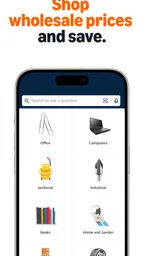
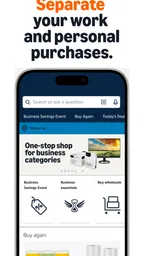
This is a free shopping app from Amazon Mobile LLC, focused on business purchasing. Its purpose shapes the way I judge it: the useful question is not simply whether I can find an item, but whether I can identify the right supply, check the current purchase details, and complete a business order without turning a quick task into a long one. I find it most convincing when I know what I need and can use search to get there.
The network matters from the first step. Search results and product pages are most useful when they can load promptly, because business supplies often have near-identical alternatives. A short product name may bring up several versions, sizes, or pack formats. I prefer to pause on the item details and compare them before ordering rather than trust a thumbnail or the first result, especially for recurring purchases where a small mismatch can create extra work later.
That makes a stable connection valuable not only at checkout but throughout the decision. If a page is slow to load, I’m less inclined to open several candidates and cross-check them. In a strong-signal setting, the phone format is convenient for a focused order; on a weak connection, a desktop browser may be the calmer choice for research that involves many tabs, specifications, or side-by-side comparisons.
A realistic example is noticing that the office is nearly out of printer paper while moving between meetings. I can open the app, search for the supply, review the listing, and place the order without waiting to return to my computer. That works best when I already know the kind of paper the team uses. If I’m still figuring out which format or quantity is appropriate, I’d rather take more time on a larger screen than make a rushed choice on a phone.
Useful on the move, with a few practical limits
I see the strongest fit for someone who handles small purchasing tasks as part of a busy day: an office manager checking a consumable, a tradesperson replacing a regularly used item, or a small-business owner ordering supplies between other responsibilities. The app’s business focus makes it more relevant to those routines than a standard shopping app used only for personal browsing. It can also help when a purchase comes up away from the workplace, provided the person ordering can confirm what the business actually needs.
Mobile shopping has a trade-off: the screen is convenient, but it leaves less room to inspect several products at once. I recommend using a specific search term and checking the details of the exact listing rather than treating the first plausible result as a match. For repeat orders, keeping a clear note of the item name or specification outside the shopping session can make the next search more deliberate. That is a simple workflow, but it reduces the chance of confusing similar supplies when ordering in a hurry.
The app is less suited to someone who wants a leisurely, visual tour of a broad range of products. A general retailer’s app may feel more natural for personal shopping, while a desktop browser can be better for comparing a long list of technical options. I would also skip this as a primary tool if I rarely make business purchases or if my needs are mostly local and immediate; a nearby supplier may be more useful when I need an item right away rather than through an online order.
Amazon Business: B2B Shopping has an average rating of 4.0 from around 17,000 ratings, and it has been installed over 5 million times. Those figures suggest a substantial audience, but I would treat them as context rather than a guarantee that the app suits every purchasing process. The better test is whether its business-oriented shopping fits the way you source supplies and whether you can comfortably review orders on a phone.
When a page stalls, avoid rushed repeat actions
Connectivity problems are most frustrating at the moment when I’m not sure whether an action has finished. If a product page or checkout screen pauses, my practical advice is to give it a moment and check the current screen before tapping again. Repeating an action too quickly can make the process harder to follow, particularly when I’m placing an order while distracted. I treat the app like any connected storefront: I want to see a clear response before moving to the next step.
If a search or listing does not load properly, I would first check whether the connection is stable and then retry the task once the signal improves. For an important purchase, I would confirm the order state before starting over elsewhere. This is less about a special recovery trick and more about avoiding duplicate effort when a mobile connection is slow. If I need to compare several products urgently, switching to a reliable Wi-Fi connection or a computer can be more sensible than repeatedly refreshing a phone screen.
The distinction between browsing and committing matters here. A slow search is inconvenient; uncertainty around an order deserves a more careful check. I prefer to keep the purchase details in view and make sure I understand what I have selected before proceeding. That small pause is worthwhile for business supplies, where ordering the wrong size or pack can cost time even if the shopping process itself was quick.
Use mobile data deliberately
Because product discovery relies on loading current online content, I would avoid browsing a large number of listings on mobile data if my connection allowance is tight. A more economical habit is to prepare the item names or requirements first, then search only for the likely candidates instead of opening every vaguely relevant result. I also find it helpful to do deeper comparison work on Wi-Fi when convenient and reserve the phone for a known purchase or a quick check.
This approach is especially useful for supplies with several close substitutes. Rather than scrolling through a broad search in a busy place, I can narrow the task by using the terms that distinguish the item: intended use, size, or other details that matter to the purchase. The app is then serving as a practical ordering tool, not an endless catalog to explore. That focused use is both easier on attention and less dependent on a long, uninterrupted mobile session.
I would not assume that a page already viewed will remain useful if the connection disappears. For planning, I keep essential product specifications in my own notes or purchasing list instead of relying on a shopping screen being available later. That is a sensible safeguard for anyone who places orders from job sites, shared workspaces, or travel locations where coverage can change. It also helps separate the decision about what to buy from the moment of actually placing the order.
The app is free, carries a Teen content rating, and its current version is 32.20.0.451. It was released on May 11, 2021, and requires iOS 12 or later. I would check that the device meets the operating-system requirement before planning to use it for work. Those details matter most when a team member relies on an older phone or when an organization expects a particular device to handle purchasing.
How it compares with other ways to buy
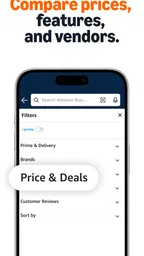
Compared with a regular consumer-shopping app, this one makes more sense when the purchase is for business supplies rather than a personal treat. The business framing is its reason to be, but it does not remove the need to assess each listing carefully. A general marketplace may be more comfortable for someone who shops mainly for household items; a supplier’s own app or a desktop purchasing workflow may be preferable when a buyer needs a specialized catalog or a highly structured comparison process.
Compared with shopping on a computer, the phone version wins on convenience when I have a clear task and a few spare minutes. The computer wins when I want to inspect many alternatives, keep reference information visible, or work through a larger purchasing decision without switching between screens. I wouldn’t call one universally better: the right choice depends on whether speed or careful comparison matters more for that order.
For a small business, the most useful habit is to make mobile ordering part of a simple purchasing routine rather than an improvised response to every low-stock alert. Decide what the team needs, identify the relevant product details, and then use the app to find and review the candidate. That workflow takes advantage of mobile access without pretending that a phone is always the best place to make a complicated decision.
My connectivity verdict
Amazon Business: B2B Shopping is most worthwhile when a reliable connection meets a clearly defined business need. I like it as a way to handle straightforward supply searches and orders while away from a desk. Its main friction is also clear: the experience depends on loading online listings, and small screens make broad comparisons less comfortable. Those limits do not spoil the app, but they should shape when and how I use it.
I would recommend it to a business buyer who already knows what the team uses and wants a practical mobile route to shop for it. I would steer a casual shopper toward a general shopping app, and someone making a detailed or urgent specialist purchase toward a larger-screen workflow or a supplier better matched to that need. For me, the best use is focused: prepare the requirement, check the exact item, and order when the connection is steady. Used that way, it is a convenient companion for business purchasing rather than a replacement for every other way of sourcing supplies.
What we like
- Business-only pricing can help eligible buyers compare costs.
- Shared purchasing tools support teams with multiple buyers.
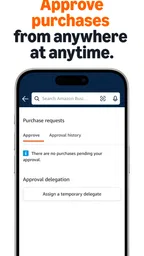
- Purchase approval workflows help keep spending within company rules.
- Business Prime offers delivery benefits on eligible orders.
- Invoices and order history simplify expense tracking.
What could be better
- Business features require a registered business account.
- Some items have minimum order quantities.
- Prices and discounts can vary by account and location.
- Not every product is eligible for business pricing.
- The app's value depends on your region and available services.





