

Marvel Unlimited review
 Analysis by Appsdrops
I would approach Marvel Unlimited as a deep reading library, not as a quick sampler of every kind of comic. If you already have a character or storyline in mind, it can make finding something to read feel refreshingly direct; if you are new to Marvel, the sheer amount of material can make the first choice less obvious. My advice is to begin with one hero you genuinely like, read a single issue, and use that small win to decide what to explore next.
What a new reader should expect
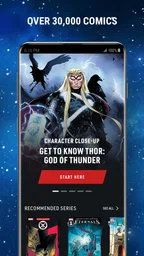
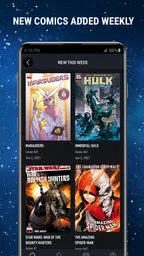
This is a comics app from Marvel Comics, built around digital access to Marvel stories. Its library contains more than thirty thousand comics, with new issues arriving every week. That scale is the main attraction, but it also changes the experience: you are not simply buying one neatly contained book at a time. You are stepping into a large catalogue where characters, eras, and storylines can overlap.
The app is free to install, and it is listed for Teen readers. In practice, I would still choose comics with the reader in mind: Marvel stories vary in tone, and a broad age label is not a substitute for checking whether a particular series suits someone. The app has a 4.6 average from around 86,000 ratings, which suggests it has found a substantial audience, but a high rating cannot tell you whether its reading style or catalogue suits your habits.
The most useful expectation to set is that the library’s size is not the same thing as a guided reading plan. A character page or a search result can lead you toward a story, but long-running comics often have multiple volumes, relaunches, and crossover events. If you want a simple starting point, choose a character-led series rather than trying to understand an entire universe before reading anything.
Make your first session easy
After installing, I would avoid browsing every category at once. Search for a character you already know from a film, show, or game, then look for a series that seems to begin a distinct story. Read the issue description and cover carefully before opening it; a familiar hero’s name does not guarantee that a comic is an ideal first chapter.
A practical first-session goal is modest: find one issue that makes sense on its own and read far enough to decide whether you enjoy the artwork, dialogue, and pacing. Comics rely on page composition as much as words, so give the panels room on screen rather than racing through them. If a scene feels confusing, pause and look at the page as a whole; the order and visual details often carry information that a fast scroll can obscure.
For a more focused start, pick a mood as well as a character. A street-level story, a team adventure, and a cosmic-scale series can feel very different even when they share the same universe. This simple filter helps prevent the common first-timer mistake of choosing only by the most recognizable name.
Turn browsing into a reading habit
Once an issue catches your attention, the next helpful step is to follow that particular run rather than opening unrelated results. Keep track of the title and volume you started, especially if search turns up several books with nearly identical names. When a story references another character or event, treat that as an invitation rather than an obligation: you can continue the main series first and fill in background later if it becomes important.
That approach is especially useful in an everyday situation. Imagine you have a short break on the bus and want to read something without spending the whole ride deciding where to begin. Choosing a series at home, then returning to that same run during the commute, makes the app feel like a reading routine rather than an endless catalogue. If you are interrupted, take note of the issue and page you reached so you can resume without redoing the search.
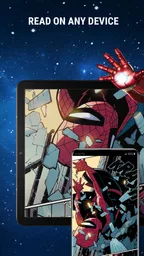
Screen size also affects the experience. A phone is convenient for a few pages while waiting, but detailed artwork and double-page compositions can be harder to appreciate on a small display. If a page feels cramped, turning the device or reading on a larger screen, when available to you, may be more satisfying than zooming in and losing the whole-panel context.
Where new readers can get turned around
The biggest source of confusion is continuity. Marvel’s publishing history can make a search feel like a pile of possible starting points: a character may appear in a solo series, a team book, and a crossover at the same time. You do not need to read everything in chronological order. Start with one run, and only branch out when the story itself gives you a reason to do so.
A second trap is assuming that a title’s first result is automatically the beginning of the story you want. Similar names can refer to different volumes or periods. Before committing, check the issue’s context and whether it looks like an opening chapter. If you land in the middle of an event, it is perfectly reasonable to back out and choose a more self-contained entry instead of trying to decode every reference.
There is also a difference between an enormous library and a perfectly curated one. Discovery takes effort, and readers who want a short, linear selection may find the choice tiring. My workaround is to set a limit: browse for a few minutes, choose one promising series, and read it before searching again. That keeps the abundance useful rather than overwhelming.
The app is free to download, but in-app purchases are listed from $9.99 to $68.99 per item. I would check what a purchase covers and how it fits your intended reading before paying, rather than treating installation as proof that every part of the experience will be free. If you only want to test whether digital Marvel comics suit you, begin with what you can access without making a purchase and decide based on your actual reading habits.
How it compares with other ways to read comics
Compared with buying individual digital issues, a large subscription-style library is more appealing when you want to sample different Marvel runs and keep exploring. It is less compelling if you know you only want one specific book or prefer owning a small, carefully chosen collection. In that case, purchasing individual comics through a digital storefront or choosing print editions may give you a clearer sense of what you are paying for.
Compared with general comic-reading apps, this one has a distinctly Marvel-focused purpose. That focus is a strength if your reading revolves around Marvel characters: you can stay within one publisher’s world instead of hopping between unrelated catalogues. It is a limitation if you want comics from many publishers in one place, or if your main interest is independent graphic novels. A broader service may suit that reader better.
People who prefer physical books should also consider the trade-off. Paper makes it easy to appreciate a full page at a glance and collect favorite editions, while a digital library is more convenient for trying unfamiliar series without filling a shelf. Neither format is automatically better; I would choose based on whether convenience or the physical reading experience matters more to you.
What to do after your first issue
If the first comic works for you, continue the same series before expanding into crossovers. This gives you a feel for its characters and lets you recognize which references actually matter. After a few issues, you can decide whether you want more of that hero, a team book, or a different corner of the Marvel universe. That is a more reliable route than trying to assemble a giant reading order on day one.
If you are choosing between the app and another format, ask yourself what you want from the next month of reading. Someone who likes browsing and switching between Marvel stories is likely to appreciate the breadth. Someone who reads slowly, wants a single polished book, or dislikes navigating long continuity may be happier buying a collected edition or choosing a narrower selection elsewhere.
The app has been available since May 7, 2013, and its current version is 7.102.0, with Android 6.0 as the minimum operating system requirement. It has passed five million installs, so it is far from an obscure experiment, but those details matter less than whether the reading experience works on your own device and whether you enjoy digital panels.
My recommendation is to try it with a specific character and a small goal, not with the expectation that you will master Marvel continuity immediately. Marvel Unlimited is strongest when its vast collection helps you follow curiosity one series at a time. It is not the right fit for every comic reader, especially someone seeking a cross-publisher catalogue or a tightly curated, physical-book experience. But if Marvel is already your main interest, a clear first choice and a little patience can turn an intimidating library into a genuinely enjoyable place to read.
What we like
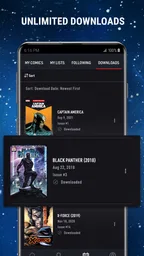
- Download comics for offline reading.
- A guided reading mode makes panels easier to follow on phones.
- Curated reading lists help new readers find a starting point.
- The catalog includes comics from many Marvel eras.
- New issues arrive after their print release.
What could be better
- Recent issues are not available on launch day.
- Some comics may be missing from the digital catalog.
- A subscription is required for full access.
- The large catalog can make choosing a series difficult.
- Reading on a small screen may require frequent zooming.





