
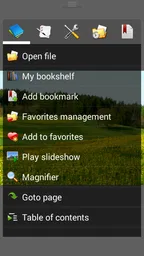
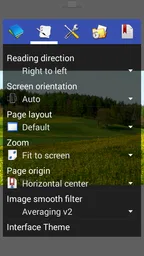

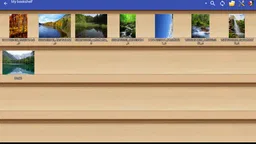
Perfect Viewer review
 Analysis by Appsdrops
I like a comics reader best when it gets out of the way: I want to open a file, settle into a page, and keep reading without fighting the interface. Perfect Viewer is an Android app from Rookie001 built around that straightforward job. It is free, rated for Everyone, and has been around since October 2, 2010. Its long history and large audience make it an established option, but the real question is whether its practical, reader-first approach suits the way you handle comics and image collections.
Quick page changes, with a reader in control
Perfect Viewer’s reputation is centered on opening and viewing image-based comics quickly. In day-to-day use, that promise matters most when you are moving through a local collection rather than browsing a storefront or social feed. There is no need to treat every reading session as a search for new material: the app’s purpose is to help you work with images you already have and concentrate on the pages themselves.
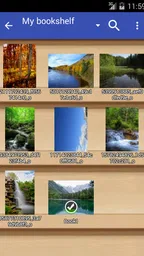
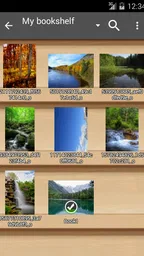
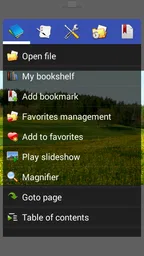
The interface may feel more like a dedicated utility than a polished digital comics service. I see that as a sensible trade-off. A catalog-focused alternative is better if you want recommendations, publisher storefronts, or a guided discovery experience. Perfect Viewer makes more sense if you already know what you want to read and value direct control over the viewing experience.
The app’s average rating is 4.3 from around 58,000 ratings, and it has passed 5 million installs. Those figures suggest that it has found a substantial audience, though popularity alone cannot tell you whether its controls or reading style will suit you. I would approach it as a capable viewer to try with your own files, not as a promise that every comic collection will behave identically.
What “fast” means in a real reading session
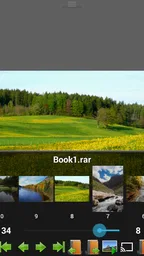
Speed is not just how quickly the first page appears. When I read a long issue, what matters is whether page changes feel immediate, whether zooming stays manageable, and whether I can resume without losing my place. A viewer designed around image pages can feel more direct than an all-in-one comics platform, especially when I want to open a known item and continue reading rather than wait through a discovery flow.
Still, perceived speed depends on the material and the device. A small, simple image collection is a different test from a large, detailed comic file, and an older handset may respond differently from a newer one. I would not assume that every page or archive will load at the same pace. A useful first test is to open one short file and one of your larger, more detailed comics before moving a whole collection into your routine.
That small trial also helps answer a practical question: does the app feel comfortable with the way you read? If you tend to move page by page, a responsive viewer is more important than elaborate library features. If you jump between many books, organization and navigation matter just as much as raw page speed. Perfect Viewer is most compelling when the first use case describes you.
Heavy files and long sessions need a little care
Large image pages are where any viewer can feel the strain. High-detail artwork, long files, and repeated zooming can make a reading session more demanding than casually opening a few pictures. I would watch for delayed page changes, awkward zoom behavior, or an app that seems less responsive after a long session rather than judging it from a single quick test.
A practical workflow is to keep the first trial modest: open a representative comic, read several pages, zoom into a detail, then return to normal view and continue. This reveals more than simply launching the app. If a particular file feels slow, compare it with a smaller or less detailed one before blaming the viewer; the difference can help you identify whether the bottleneck is the content, the device, or the app’s handling of that file.
For a commute, I would open the comic I intend to read before leaving and make sure it appears as expected. That is a useful habit with any local-file reader because it avoids discovering a file or device issue when you have little time to troubleshoot. For a long evening session, I would also avoid keeping a large number of unrelated apps active if my phone is already struggling. These are sensible precautions, not a claim that Perfect Viewer requires a special setup.
There is a trade-off in its focused design: it can be a better fit for deliberate reading than for a casual “show me something” session. If I want a service to remember a curated online library or recommend a new series, I would choose a comics platform built around those tasks. If I have a folder of pages and want a viewer rather than a shop, this app’s emphasis is more relevant.
Reliability, returning to a comic, and everyday recovery
A reader becomes trustworthy when it behaves predictably across ordinary interruptions. I would test the simple recovery cases that matter in real life: leave a comic, switch to another app, return later, and check whether it is easy to continue. I would also try reopening the same file after closing the viewer. These checks tell you whether the app fits your habits without relying on assumptions about background behavior or automatic recovery.
For a realistic everyday example, imagine reading a few pages during a lunch break, answering a message, then coming back before work resumes. A good fit is one where finding the same file and getting back to the right place feels simple. If your reading is frequently interrupted, try that exact routine during your first session instead of saving the test for a long trip.
One useful collection-management habit is to keep your files in a location you can recognize and revisit, rather than scattering them across folders with vague names. That makes it easier to tell whether a problem belongs to the app or to the way your collection is organized. It also helps when you use more than one viewer: you can compare how each handles the same file without changing several variables at once.
I would be cautious about treating any single successful opening as proof that every file will work perfectly. Formats, image sizes, and file organization can all affect the experience. If a comic fails to open or feels unusually slow, test another item and then return to the original. That simple comparison is more informative than repeatedly tapping the same file and assuming the whole app is unreliable.
Who will find the controls worthwhile?
Perfect Viewer is a strong candidate for readers who already have comics or image-based reading material and want a dedicated way to view it. It is also worth considering if you prefer a utility that focuses on the pages instead of combining reading with a large content marketplace. Rookie001 has maintained a product with a substantial audience, and the current version is 5.0.4.5.
The app may be a less comfortable choice if you want a very simple, guided experience with a built-in catalog, recommendations, or a service that handles every part of finding and reading comics for you. A storefront-oriented reader can be more convenient for that. Likewise, if you mainly read a small number of comics inside a publisher’s own app, adding a separate viewer may not improve your routine.
Device support is another practical consideration. Perfect Viewer’s minimum operating system is Android 4.4, so it is aimed at Android devices meeting that requirement. That does not mean every eligible device will perform equally well: age, available resources, and the size of the files you read can all shape responsiveness. I would test it on the actual phone or tablet you plan to use rather than judging its performance from someone else’s device.
It is also important to set expectations about the platform. This is an Android app, so it is not the right pick if your main reading device is an iPhone or iPad. On Android, the free price makes it easy to try alongside your current workflow; the useful question is whether its handling of your own collection feels better than the viewer you already use.
My performance verdict
Overall, I would recommend Perfect Viewer to Android readers who want a focused, free comics and image viewer and are comfortable judging it with their own files. Its appeal is not a promise that every large comic will feel effortless on every handset. It is the more modest, useful idea of opening your material and spending your time reading rather than browsing a separate service.
My advice is to test a typical file, a larger one, and an interrupted reading session before making it your default. If page changes and returning to a comic feel natural on your device, it can be a practical everyday reader. If you need recommendations, a polished content catalog, or a unified reading account across platforms, another kind of comics app is likely a better match.
In short, Perfect Viewer is worth trying when control over your own reading files matters more than discovery features. Its 4.3 average and broad install base make it a credible option to investigate, while your own device and collection should decide whether it earns a permanent place in your reading routine.
What we like
- Supports many comic and image formats without conversion.
- Offers detailed zoom and page display controls.
- Can browse images directly from folders on the device.
- Includes customizable gestures and keyboard shortcuts.
- Provides multiple reading modes for different layouts.
What could be better
- The interface can feel dated and crowded at first.
- Some advanced settings take time to locate.
- Does not include a built-in comic store.
- Cloud access may require separate file services or plugins.
- Reading comfort depends on configuring controls to your preference.





