


리디 - 웹툰, 만화, 웹소설, 전자책 모두 여기에! review
 Analysis by Appsdrops
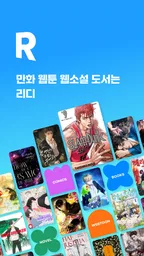
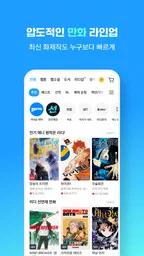
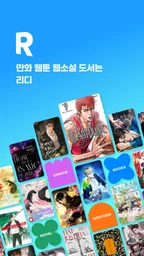
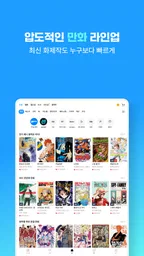
I think a reading app earns its place on my phone when it makes it easy to return to a story, not just browse a large catalogue. 리디 is a Korean comics and reading app from RIDI Corporation, bringing comics, webtoons, web novels, and ebooks together. That mix is its most compelling idea: instead of switching between separate apps whenever my reading mood changes, I can use one place for several kinds of titles. The trade-off is that a broad library can feel less focused than a service built around only comics or only ebooks.
One app for several kinds of reading
리디 is a free app, with optional in-app purchases ranging from $0.99 to $189.99 per item. Its Teen content rating makes it relevant to younger readers as well as adults, though that is not a promise that every title will suit every teenager. I would still check a book’s subject matter before recommending it to a younger reader. The app has a 4.2 average from around 40,000 ratings and over 5 million installs, which suggests an established audience without telling me whether its catalogue matches any one reader’s taste.
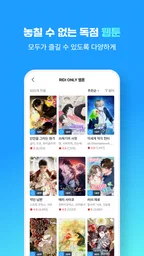
The main appeal is choice across formats. If I want illustrated storytelling, comics and webtoons are part of the mix; if I want a longer narrative, web novels offer a different reading rhythm; and ebooks make the app useful beyond serial fiction. That range can help someone who moves between formats rather than sticking to one. It may be less satisfying for a reader who wants a carefully curated comic-only experience or who prefers to keep novels and illustrated works in separate, purpose-built apps.
The store’s short description is simply “리디,” so it does not explain the experience in detail. In practical terms, I would approach this as a reading destination rather than a single-title companion. The app was released on September 20, 2010, and its current version is 26.11.2. Those details give useful context about its history and ongoing versioning, but they do not by themselves prove that every screen feels modern or that performance is identical on every device.
How quickly it feels ready for a reading session
Speed matters most at the small moments: opening the app during a commute, finding the next chapter, or returning to a book after a break. I would judge 리디 less by how many titles it can display and more by whether the route from browsing to reading feels straightforward. With several content types under one roof, the first useful habit is to decide what I want to read before browsing too widely. That keeps a quick reading break from turning into an extended search through different formats.
I would not treat a large catalogue as evidence that every title opens instantly or that every page transition is equally smooth. Network conditions, device age, and the size or format of a title can all affect what a reader experiences. If a chapter takes longer than expected, it is sensible to distinguish a temporary connection delay from a broader app problem before repeatedly tapping or reopening screens. That small pause can prevent the frustration of losing track of where I was trying to go.
For a short session, I would choose a title before setting out, rather than count on browsing comfortably while walking or rushing between stops. At home, discovery can be part of the pleasure; on a crowded train, the same browsing can feel like friction. This is a practical distinction, not a claim about a particular loading time: the app’s breadth rewards attention, while quick, interrupted reading rewards a little preparation.
When several formats compete for attention
The app’s range is most useful when my interests change during the week. I might read a webtoon in a spare moment, then switch to a web novel when I want a longer stretch of text, and pick up an ebook for a different kind of reading. The non-obvious trade-off is that convenience can make it easier to lose sight of what I actually came for. I would use a simple personal rule: browse one format at a time, and postpone exploring the rest until the current session is finished.
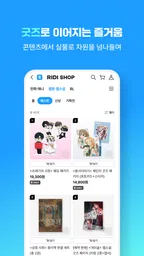
That approach is especially helpful when comparing a free starting point with paid reading. Since optional purchases are charged per item and can span a wide range, I would check the price of a specific title before committing rather than assume that “free app” means every book or chapter is free. A useful routine is to browse when I have time, note the title that interests me, and make the purchase decision separately. It reduces accidental spending and makes it easier to compare a paid title with other reading options.
Heavy use also changes what matters. A reader who moves among comics, serial stories, and ebooks may spend more time navigating than someone who opens one book and reads straight through. I would avoid stacking several unfinished choices in my mind: finish a chapter or mark a clear stopping point before switching formats. This is not a hidden app feature; it is a workflow that makes a mixed-format library easier to manage and makes it less likely that an appealing recommendation derails the reading session.
Reliability and picking up after an interruption
For me, reliability is not only whether an app stays open. It is also whether I can recover my place after a call, a change of network, or a busy day away from reading. With a service that contains serial and book-length material, I would make a habit of checking the title and chapter before leaving a session, particularly when switching between different kinds of content. That quick check is more useful than assuming I will remember exactly where I stopped.
If something seems slow or unresponsive, I would first give the current screen a moment and check whether the connection is stable. If that does not help, closing and reopening the app is a reasonable next step, followed by returning to the title I was reading. I would not keep tapping purchase or navigation controls while waiting, because repeated actions can make it harder to tell what has actually happened. These are sensible recovery steps for a reading app, not a guarantee that every interruption will resolve in the same way.
Reading apps are also judged by consistency across ordinary use, not just by a successful first launch. I would test the routine I expect to rely on: open a familiar title, leave the app briefly, and return to see whether continuing feels clear. If I use the app mainly for short breaks, that return path matters more than an elaborate browsing session. If I read for long stretches, I would pay closer attention to comfort and whether the app stays manageable as I move between titles.
Device fit and who may prefer another option
The minimum operating system is version 10, so I would check that a device meets that requirement before planning to use the app. A supported operating system does not guarantee the same feel on every phone or tablet; older hardware, limited free space, and a crowded background workload can shape responsiveness. I would keep enough room for the apps and content I actually use and avoid judging performance while the device is busy with several demanding tasks.
Someone who mainly wants English-language comics should look closely at the available catalogue and reading experience before choosing this app. The product is Korean, and its short store description is in Korean, so language comfort is a real consideration rather than a minor detail. Readers who are comfortable navigating Korean content and want multiple reading formats are more likely to appreciate its range. If I needed a service centered on a different language, a dedicated alternative with a catalogue I can easily browse would be the safer choice.
It may also be the wrong fit for someone who wants a strictly free library or a single-purpose comic reader. The app itself costs nothing to install, but individual in-app items can be paid, so spending depends on what the reader chooses. A focused alternative may feel simpler if all I want is one kind of comic, while a general ebook app may be preferable if illustrated serials are not part of my routine. The point is not that one approach is universally better; it is that 리디’s strength in variety brings extra choices along with it.
My verdict after weighing convenience against friction
I would recommend 리디 to readers who want comics, webtoons, web novels, and ebooks within one app and are comfortable exploring a Korean reading service. Its strongest everyday use case is a reader whose interests shift with the moment: a short illustrated chapter during a break, then a longer text-based session later. The practical tip I would carry into that routine is to choose a format and title before a rushed session, and to check item pricing before making a purchase.
I would hesitate to recommend it to someone seeking a narrowly curated library, an entirely free reading experience, or a service whose catalogue is easy to browse in another language. I also would not promise unusually fast performance or flawless recovery on every device; those are experiences to assess on the reader’s own phone and connection. Keeping expectations realistic makes the app easier to judge: its range is an advantage when variety is welcome, but a source of extra browsing when all I want is one familiar kind of reading.
Overall, 리디 makes the most sense as a flexible home for readers who genuinely use more than one format. I like the idea of moving between illustrated and text-led stories without maintaining separate reading habits in separate apps. Its biggest limitation is the same breadth that makes it appealing: more choice can mean more browsing, and paid items call for attention before checkout. If that balance suits you, it is worth trying as a reading companion; if you want a simpler, language-specific, or strictly single-format experience, a more focused alternative may serve you better.
What we like
- One account gives access to comics novels and ebooks.
- A wide range of Korean-language titles suits different reading tastes.
- Readers can adjust text size and background for ebooks.
- Downloaded books can be read without an internet connection.
- The library keeps purchased titles together for easy access.
What could be better
- Most content is primarily aimed at Korean-speaking readers.
- Some popular titles require separate purchases or subscriptions.
- Availability of books may vary by region.
- The app's many categories can take time to navigate.
- Downloaded content may be limited to use within the app.





