

ComicScreen - PDF, ComicReader review
 Analysis by Appsdrops
If your comics are already saved as files on your phone or tablet, ComicScreen is worth considering as a straightforward way to open and read them. I’d describe it as a file-focused comic reader rather than a shop or a place to discover new series: you bring the files, and the app helps you find and view them. That distinction makes the first decision easy. If you want a catalogue of titles or a subscription library, look elsewhere; if you want to read comics you have downloaded or collected, this app has a clear purpose.
What to expect from a file-first reader
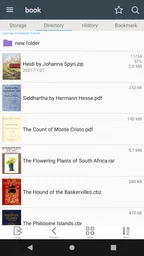
ComicScreen is an app in the comics category from InstSoft. Its main appeal is handling image collections and comic files, including CBR and PDF, alongside ordinary pictures. That combination can be useful when your reading material is scattered among folders rather than kept in one dedicated library. Instead of needing a separate viewer for every kind of visual file, you can start from the files you already have.
It is free to install and is marked for Everyone. Optional in-app purchases are listed at $1.99–$2.99 per item, so I would begin with the free version and decide whether anything beyond it matters to your routine. The app has a 4.7 average from around 93,000 ratings, with more than 5 million installs. Those figures suggest a well-established audience, though they don’t guarantee that its file browsing style will suit you personally.
The key expectation to set is that this is a reader and file manager, not a comic-book service. You should have a compatible file ready before opening it. If you are new to digital comics, that may mean first obtaining a comic file through a source you trust and saving it somewhere you can locate. The app’s role begins after that: helping you get from a stored file to a readable page.
Its long history is another useful bit of context. It was released on June 3, 2014, and the current version is 2309. That tells me it is not a new experiment built around a passing trend. Still, the experience is best judged by the practical task it handles: opening and viewing your own material, not by expectations of a modern storefront or a full digital publishing ecosystem.
Getting ready without turning setup into a project
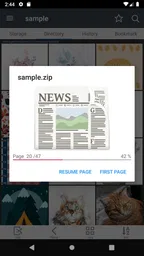
For a calm first session, choose one comic file rather than moving an entire collection at once. Put it in a folder you can recognize, then open ComicScreen and look for that file through its file-browsing workflow. Starting small helps separate two possible problems: whether the file is where you expect it to be, and whether the app can display it. If you begin with a large, messy archive, it is much harder to tell what went wrong.
Before troubleshooting, check the file itself. A comic may arrive as a compressed CBR file, a PDF, or a set of image files. Those are different formats, even when they contain the same pages, and a file that is incomplete or incorrectly named can cause confusion in any reader. Keep the original copy until you have confirmed that the version you opened is the one you meant to read. That simple habit prevents an avoidable scramble if you later need to try another viewer.
On Android, the minimum operating-system requirement is version 8.0. If you are setting up on an older device, check that requirement before spending time organizing files. On a supported device, give yourself a little room to learn where your folders are stored. People often save downloads in one place and expect them to appear in another; in a file-oriented app, knowing the actual folder matters more than having a polished library cover view.
I’d also treat the first launch as a chance to test your preferred reading material, not as a commitment to reorganize everything. Open a short or familiar comic, see whether you can reach the pages comfortably, and only then decide whether to bring in more files. This is a better approach than assuming that every document will look identical or that a large collection will arrange itself exactly as you want.
Your first useful win: open one file and read a page
The first meaningful success is refreshingly concrete: locate one comic, open it, and move through a few pages. If you have a PDF, try that first when it is already easy to find; if your collection is in CBR, use one representative file instead. Once a page is visible, you have answered the most important beginner question—whether this app can serve as a practical reader for the type of material you actually own.
For a realistic everyday example, imagine you have a comic saved after downloading it for a commute. Before leaving home, find the file and open it once while you still have time to check that it displays properly. Later, you can return to the same material rather than searching through a download folder at the station. The useful habit is not complicated: test the file when you have a steady connection and a few spare minutes, then keep its location in mind.
A second good test is to compare how the same reading session feels with a single image collection and with a PDF, if both are part of your library. That gives you a practical sense of whether your comics are better kept in their original formats or prepared as pages you can browse as pictures. I would not convert or rearrange a collection just to make it look tidy before testing. A small comparison first can save time and preserve your original files.
There is also a useful distinction between reading and managing. ComicScreen’s file focus can make it easier to work with comics that already live alongside pictures and documents. But if you want every issue automatically grouped by series, linked to metadata, and presented as a curated bookshelf, a dedicated library-oriented alternative may feel more natural. The right choice depends less on the word “reader” and more on whether you start from a file or from a title catalogue.
Where new readers can get confused
The most common misunderstanding is expecting the app to supply comics. It is designed around files you can open, so an empty or unfamiliar library does not necessarily mean the reader is broken. First check where your file was saved and whether it is in a supported form. If you have not yet obtained a comic file, you will need to do that separately from the app.
Another source of friction is treating every archive as though it were a PDF. A CBR file is a compressed comic format, while a PDF is a document format; both can contain comic pages, but they are not interchangeable labels. If one file fails to open, try a different known-good file before concluding that the whole app is unsuitable. That quick test can tell you whether the issue is isolated to a particular file or part of your regular collection.
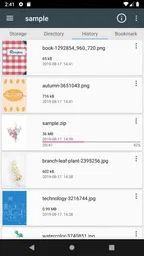
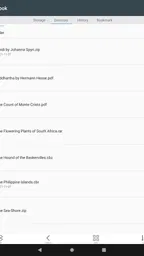
It is also easy to mistake a file browser for a library that has already indexed everything. If you cannot immediately see a comic, look through the folders where you actually keep downloads and images instead of assuming the app will place it on a front page. This workflow is practical for people who understand their storage habits, but less inviting for someone who wants an app to build and maintain a polished collection automatically.
Finally, do not judge a comic only by how its cover appears in a file list. A file’s name and location can be more informative than a thumbnail when you have several similar issues. I recommend keeping series or volume folders sensibly named outside the reader if you have a growing collection. That is a modest bit of preparation, but it makes a file-first approach much less frustrating over time.
Choosing it over the usual alternatives
Compared with a comic subscription app, ComicScreen puts ownership and organization in your hands. A subscription service is usually the better fit if your priority is browsing a large catalogue and starting a title without first managing files. ComicScreen makes more sense when you already have comics saved locally or want one place to view comics and pictures. Neither approach is automatically better; they solve different problems.
Compared with a general PDF reader, this app is more specifically aimed at comic files and image-based reading. A general document reader may be enough if you only open occasional PDFs and already like its page controls. But if your material includes CBR archives or separate images, a comic-focused tool is the more relevant option to try. The trade-off is that a specialist file reader may not provide the discovery, purchases, or collection features found in a commercial comic platform.
It may also be the wrong fit if your main need is cloud syncing across devices, a social reading community, or an editorial catalogue. I would not choose it on the assumption that those services come with a comic viewer. For a person who simply wants to open a saved file, that narrower scope can be an advantage: fewer expectations to manage and a clear route to the pages. For someone who wants a complete entertainment destination, it can feel limited.
What to try next, and who should stick with it
After your first successful read, add a second or third file that represents the variety in your collection. Try a PDF, a CBR, or image-based material only if you actually use those formats; there is no need to test every possibility for its own sake. Then decide whether the browsing and reading flow fits how you store comics. If it does, organize your folders gradually, keeping original files intact until you are confident in your setup.
ComicScreen is a sensible choice for readers who keep comics as files, people who also want to view pictures in the same general workflow, and anyone who prefers to manage their own material rather than browse a store. I’d be less likely to recommend it to a first-time digital-comics reader who expects a ready-made catalogue, or to someone who wants automatic collection organization without thinking about folders. In those cases, a storefront-based reader or a library manager may be a more comfortable starting point.
My overall view is that ComicScreen makes its strongest case through a simple promise: open the comic files you already have and read them. Start with one known file, confirm that it displays, and only then bring in the rest of your collection. That small first step makes the app approachable, while its file-first design gives experienced readers room to work with material they have already organized. If that matches your habits, it is an easy free option to try; if you need discovery and a curated catalogue, choose a different kind of comics app.
What we like
- Supports common comic formats such as CBZ and CBR.
- Can display PDF files alongside image-based comics.
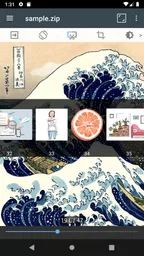
- Offers continuous scrolling for a smooth reading flow.
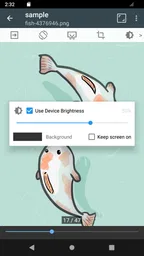
- Includes screen rotation and zoom controls.
- Works offline with comics stored on the device.
What could be better
- The interface may feel dated compared with newer readers.
- Large comic files can take time to load.
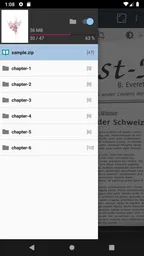
- Library organization may require manual effort.
- Some formats may need separate apps or conversion.
- Reading comfort depends on the quality of the source files.





