Comic Reader CBR, CBZ & PDF review
 Analysis by Appsdrops
I like keeping my comics as files I already own, rather than tying every reading session to a particular subscription or library. Comic Reader CBR, CBZ & PDF is aimed at that straightforward habit: it lets you open comic files on a phone or tablet, including familiar archive formats as well as PDFs. In my view, its appeal is less about offering a new comic catalog and more about making a personal collection readable in one place.
That focus makes it useful for people who have comics saved in different formats, but it also sets a clear limit. This is a reader, not a comics shop or a discovery service. If you expect it to supply stories, organize a cloud library, or replace a polished digital storefront, you may want something else. If you mainly need a way to open files you have, the idea is refreshingly practical.
Free access is clear; paid value needs a closer look
The app is free to install, which makes trying it a low-commitment way to see whether it works with your collection. It also offers in-app purchases, with listed item prices ranging from $1.99 to $69.99. That is a wide span, so I would check the exact item and what it unlocks inside the app before spending. The range alone does not tell me which purchase, if any, would matter for my own reading.
That distinction is important: free access is a verified part of the offer, but the presence of purchases does not mean every useful function is locked behind one, nor does it establish what a particular purchase includes. I would start by opening a few files that represent how I actually read—perhaps a CBZ issue, a RAR archive, and a PDF—then decide whether the free experience meets my needs. Try your real collection before judging whether a paid option is worthwhile.
For context, the app has a 3.7 average from 799 ratings and has passed 100,000 installs. Those figures suggest that people are finding and using it, but they are not a substitute for checking how it handles your own files. The developer is Mad Mustache Company, and the app is rated for Everyone. It was released on June 30, 2024, and its current version is 2.0.2.
What the reader is actually for
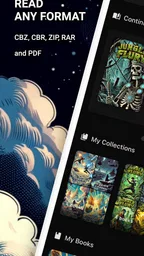
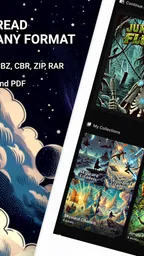
The supported formats are the strongest practical reason to consider it. ZIP and RAR archives are common ways to keep image collections bundled together, while CBZ and CBR are comic-oriented archive formats. PDF support matters for comics distributed as documents or for readers who keep graphic material alongside other PDFs. Having those options in a single app can save the small but recurring nuisance of switching readers based on file extension.
There is a useful workflow hiding in that format mix: keep original files intact, and let the reader be the viewing layer. For example, I might leave a downloaded issue in its archive, open it when I have time, and avoid converting it just to fit a particular comic app. That can be especially handy when borrowing a file from a computer or receiving a collection from a friend, though the app does not itself provide the comics or settle questions about where a file came from.
One sensible test is to choose files with different origins rather than trying only a single clean CBZ. Open a PDF and one archive, then check whether the pages appear in the order you expect and whether the material is comfortable to read on your device. Archive extensions can contain many kinds of content, and a supported format does not guarantee that every file is intact or arranged consistently. If an issue looks wrong, compare it with the original file before assuming the reader is at fault.
Value comes from convenience, not a comic catalog
Against a subscription-based comics service, this app has a different kind of value. A service can be better if you want to browse a library, discover unfamiliar series, or read titles it hosts without managing files yourself. This reader is more relevant when you already have files and want to open them. It may suit a collection gathered over time, a set of PDFs for a class, or a few issues saved for offline reading, without implying that it offers a hosted catalog.
Compared with a general PDF viewer, the attraction is that the app is made for comic reading as well as documents. Compared with a dedicated comic library manager, the trade-off is that a broad format list does not, on its own, promise sophisticated cataloging or collection-management tools. I would not choose it on the assumption that it will automatically create a beautifully organized bookshelf. If your main frustration is finding the right issue among hundreds, a reader with stronger collection features may be a better fit.
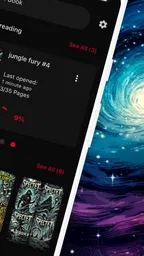
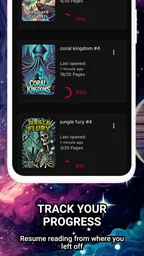
There is also a useful distinction between opening and managing files. If your comics are already sorted into folders, a simple reader can be enough: open the folder, choose an issue, and get on with reading. If you rely on labels, series metadata, reading history, or synchronized progress across devices, those needs deserve separate checking. The file formats tell you what the app can attempt to open, not how it will manage a large library.
Tradeoffs I would consider before relying on it
File-based reading puts some responsibility on you. You need to have the files available on the device and keep track of where they are. That is a fair trade if you prefer owning and arranging your collection, but it is less effortless than tapping a title in a service that maintains its own catalog. Before a trip, I would make sure the files I want are accessible locally rather than assuming they will appear when I am away from my usual setup.
Another practical trade-off is that file compatibility can be uneven even when the extension is supported. A damaged archive, an unusual page sequence, or a PDF created for a different purpose may not behave like a clean comic issue. I would test a representative sample before moving a whole library into a new routine. This is not a reason to avoid the app; it is a reminder that a format label is a starting point, not a guarantee of a perfect reading experience with every file.
The purchase range also calls for restraint. Since items span from $1.99 to $69.99, I would avoid treating the highest listed amount as a sensible default or assuming that paying will solve a specific issue without first checking what is being offered. For occasional reading, the free option may be sufficient. For frequent use, a paid item could be worth considering only if its actual benefit addresses a limitation you have encountered. The price range does not tell you which situation applies.
The app is listed for devices running version 7.0 or later. That gives a quick compatibility check for Android users, but the version requirement should not be confused with a promise about how smoothly it will run on every device. If you are setting it up on an older phone, try opening a small file first and see whether the screen size and handling suit you before relying on it for a long reading session.
Who is likely to get the most from it?
I would put it on the shortlist for someone with a modest collection of CBZ, CBR, ZIP, RAR, or PDF files who wants one place to open them. It is particularly appealing if you already sort comics into folders and do not need the app to sell or recommend stories. It may also work for a reader who occasionally opens a PDF comic but does not want a separate specialist app for every file type.
Picture an everyday scenario: you have a few issues saved before a commute, along with a PDF you need to read later. Rather than searching for separate apps, you can try opening both through this reader. The useful habit is to test them while you still have time and connectivity, then confirm they remain accessible when you need them. That small check is more dependable than discovering a missing or unreadable file just as you sit down to read.
I would steer a different reader toward a catalog-based service if they do not already have comics and want a simple way to find them. I would also look elsewhere if collecting and sorting a large library is the main task, or if you need reliable synchronization and a carefully managed reading history. Those are different priorities from opening a range of local file formats, and the app’s core purpose should not be mistaken for a promise to meet them.
For casual readers, there is little reason to pay before testing a handful of files. For a serious collector, I would compare it with a dedicated library manager and judge the organization tools as carefully as format support. In either case, the most useful question is not whether it supports the extension printed on a file, but whether it fits the way you store, find, and read your comics.
My verdict on the value
My recommendation is cautious but positive for the right use. Comic Reader CBR, CBZ & PDF has a focused job: opening common comic archives and PDFs. Free installation makes it easy to try, while in-app purchases mean I would inspect the specific offer before deciding whether extra spending makes sense. I would not pay simply because a purchase is available; I would pay only if I could identify a benefit I genuinely need.
For someone with files ready to read, the app could be a convenient everyday tool and a sensible alternative to juggling multiple viewers. For someone who wants new comics, a managed library, or a complete reading ecosystem, it is not the obvious choice. I would install it, test a few files from my own collection, and keep it if that uncomplicated file-first approach suits me. Its value is in making your existing comics easier to open, not in replacing the rest of your comic-reading setup.
What we like
- Opens CBR and CBZ comics alongside PDF files.
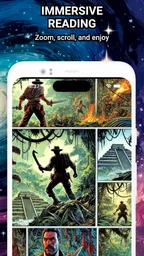
- Keeps comic pages crisp and readable when zoomed in.
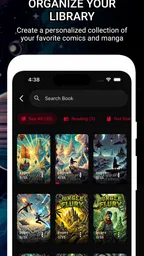
- Offers a straightforward way to browse a personal comic library.
- Supports common formats without requiring file conversion.
- Useful for reading comics stored locally on your device.
What could be better
- The reading experience depends on your device's screen size.
- Large comic files may take longer to open.
- A crowded library can take time to organize.
- Some PDF comics may not display like traditional comic files.
- Reading requires access to the files you want to open.





