
Comic Book Studio review
 Analysis by Appsdrops
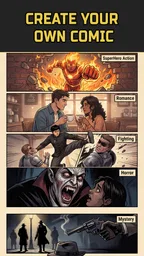
I see Comic Book Studio as a useful starting point for people who want to turn a story idea into a comic without first learning a full drawing and lettering workflow. Its appeal is the chance to explore manga, manhwa, and webtoon creation with AI assistance; its limitation is that a generated result is not the same thing as a finished comic with consistent characters, deliberate pacing, and precise visual control. I’d treat it as a creative sketchpad, not a replacement for an artist or a dedicated illustration studio.
Where the app fits in a comic-making process
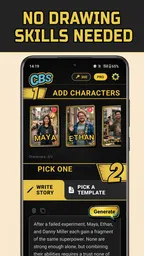
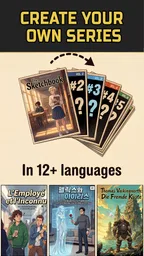
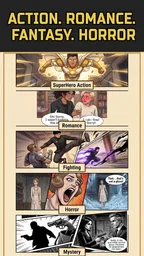
Comic Book Studio is a free comics app from EVL Apps, and its focus is making comic creation approachable rather than asking newcomers to begin with a blank canvas and a stack of tools. The idea is attractive if you have a scene in mind but find drawing every panel, building a page, or choosing a visual direction a barrier. AI can help you get from “I have an idea” to something you can react to, which is often the hardest first step.
That distinction matters. A generator is strongest when it helps you explore possibilities: a character concept, a scene mood, or a rough sequence that makes a story feel more concrete. It is less dependable as a shortcut to a polished, publication-ready comic. Readers who expect complete control over anatomy, composition, expression, and continuity may find the creative handoff frustrating. I’d approach it with a willingness to revise and curate, rather than expecting the app to make every artistic decision exactly as I would.
The app is rated 3.9 on average, based on around 245 ratings, with 10K+ installs. Those figures suggest that it has found an audience, but they don’t tell me whether it will match a particular creator’s workflow. For this kind of tool, the more useful question is whether AI-assisted creation suits the way you like to work: quickly trying ideas, then deciding what deserves more attention.
Why AI assistance can be useful
In a traditional drawing app, even a rough comic page takes several separate decisions: what happens in each panel, how the characters are posed, where the reader’s eye should go, and how to make the page feel coherent. An AI comic tool can reduce the blank-page pressure by giving you a visual starting point. That is especially helpful for a hobbyist who wants to test a premise before investing hours in finished art.
One practical workflow is to begin with a short scene rather than a whole chapter. Give the idea a clear beginning, a visible action, and an ending beat. Then assess whether the resulting comic communicates the scene at a glance. If it doesn’t, narrow the idea: fewer characters, a simpler setting, or a more direct action can make it easier to judge what is working. This is a general creative strategy, not a promise that the app will preserve every detail between panels.
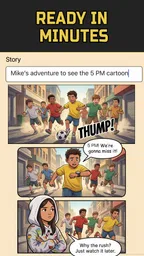
A second useful approach is to treat early output as a storyboard. I’d use it to decide whether a conversation needs another reaction shot, whether an action reads clearly, or whether a reveal comes too early. That lets the app contribute even when the final artwork will be drawn elsewhere. A rough visual sequence can expose pacing problems sooner than a written outline, while still leaving the creator in charge of the story.
What to expect from the creative process
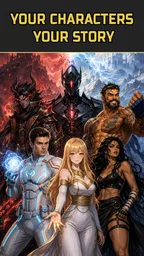
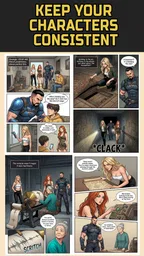
Comic-making has a continuity problem that is easy to underestimate. A character may need to look recognizably like the same person across several panels, while the scene changes in pose, angle, and expression. AI-generated imagery can be appealing in an individual panel yet feel less convincing when viewed as a sequence. I would inspect the page as a reader, not just admire its strongest image: does the action track, do the characters feel consistent, and can you understand who is speaking or reacting?
That check also helps set realistic expectations for revision. If you are making a comic for your own amusement, a few visual inconsistencies may be part of the fun. If you are preparing a portfolio piece, a client presentation, or a story where character identity is crucial, you may need more control than an AI-first workflow offers. A conventional drawing program or work with an illustrator will usually be a better fit when exact edits and repeatable character designs matter more than speed.
There is another trade-off: quick generation can encourage a creator to accept the first image that looks impressive. I’d resist that. Ask whether the panel actually advances the scene, whether the composition leaves room for the reader to understand the action, and whether it belongs beside the panels around it. Selecting and shaping results is still creative work; the generator doesn’t remove the need for judgment.
Small projects are the best test
Before committing to a long-running story, try a self-contained moment: a character makes a discovery, has a brief disagreement, or reaches a decision. A short test lets you find out whether the app’s style and workflow suit you without tying your plans to a large project. It also gives you a fair way to evaluate the result: can you follow the sequence, and does the artwork support the mood you intended?
For example, imagine you have a few minutes during a commute and a scene in mind for a fantasy webtoon. You could use that time to turn the idea into a rough visual concept, then review it later and decide what to keep or redraw. That is a more realistic use than expecting to complete a carefully edited chapter in a spare moment. The app can help make an idea tangible, but thoughtful storytelling still takes time.
If you are working toward a larger comic, keep notes on what you want to preserve: character traits, setting details, the order of events, and the emotional point of each scene. These notes help you judge whether generated panels serve the story instead of letting attractive images dictate the plot. This is particularly useful when exploring several possible visual directions, because it keeps the story’s intent separate from the novelty of each result.
Who will enjoy it—and who may not
I’d recommend giving Comic Book Studio a try if you are curious about manga, manhwa, or webtoons, have story ideas but limited drawing experience, or want a low-pressure way to visualize scenes. It may also suit writers who want to explore how a script might feel as sequential art. The app is rated Everyone, so its content rating is broad, though that should not be confused with a guarantee that every user will find the creative process suitable for their needs.
It is less compelling for someone who already has a precise, panel-by-panel production method and wants fine-grained control over every visual element. It may also disappoint a creator who needs consistent assets for a substantial series or expects the AI to handle the entire craft. In those cases, a dedicated illustration and page-layout workflow gives more room to control each decision. Comic Book Studio’s strength is reducing the effort required to start exploring, not eliminating the work involved in making a comic feel authored.
Compared with ordinary drawing apps, the main distinction is where the effort begins. A drawing app gives you a blank page and direct control, but asks you to supply the art. An AI generator can make experimentation feel more accessible, but asks you to assess and refine what it produces. Neither approach is automatically better: choose based on whether you value hands-on control or a quicker route to visual ideas.
Cost, access, and a sensible first try
The app is free to install, with in-app purchases ranging from $0.19 to $99.99 per item. That is a wide range, so I would explore the free experience first and check the purchase details in the app store before spending. A free download does not mean every option is free, and it is worth deciding what you actually need before paying for anything. If you are only testing whether AI-generated comic art fits your process, there is little reason to make a purchase before you know that.
Comic Book Studio is at version 1.8.24 and requires Android 7.0 or later. Its release date is April 1, 2026. Those details can help you judge basic device eligibility, but they do not say whether the app will run smoothly on every device. If your phone is older or you plan to make a project with many panels, I’d start with a small experiment rather than assume the full workflow will suit your hardware and habits.
The developer, EVL Apps, is responsible for the app, but the most useful evaluation is still hands-on: see whether the interface makes it easy to turn your idea into a sequence you like. Keep an eye on how much time you spend shaping the output compared with the time saved. If you find yourself repeatedly correcting images in another tool, that may be a sign that a more direct drawing workflow is a better long-term fit.
My verdict: a launchpad, not an autopilot
Comic Book Studio is most appealing as a way to lower the barrier between imagining a comic and seeing a rough version of it. I like the possibility of using AI to explore a scene, test a visual mood, or build a storyboard before committing to finished artwork. The app makes the most sense when you bring your own story instincts and treat its results as material to evaluate, not as final answers.
The main caution is about expectations. If you want a polished comic with dependable continuity and exact artistic control, you should look toward a traditional drawing workflow or collaborate with an artist. If you want to experiment, learn what makes a scene read clearly, or give a dormant story idea a visual shape, this is a more natural match. I’d start with one short scene, judge it for clarity and consistency, and only then decide whether the app deserves a place in a bigger project.
What we like
- Create custom comic pages with flexible panel layouts.
- Add speech bubbles and captions to tell a clear story.
- Arrange visual elements with a straightforward editing workflow.
- Useful for planning storyboards and short comic strips.
- Offers a creative outlet for aspiring comic artists.
What could be better
- A small screen can make detailed page editing difficult.
- Creating polished artwork may require extra drawing tools.
- Complex comics can take considerable time to assemble.
- Export options may not suit every publishing workflow.
- New users may need time to learn the editing controls.





