
Block Craft 3D: Planet Craft review
 Analysis by Appsdrops
I judge a block-building game less by how many things it promises than by what it lets me do with a spare stretch of time. Block Craft 3D: Planet Craft makes its appeal clear in the name: it is an adventure game built around making things from blocks. That hands-on focus is its strongest idea. Rather than asking me to follow a complicated story before I can enjoy myself, it puts creative construction at the center and makes the experience approachable for younger players as well as anyone who likes shaping a little world at their own pace.
Building is the main event
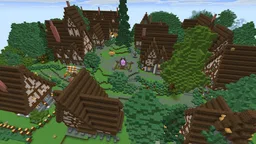
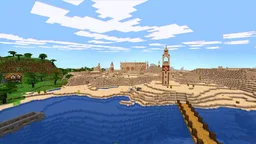
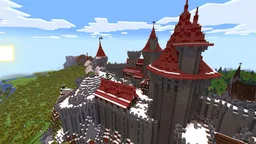
In my experience, the pleasure here comes from turning a rough idea into something visible. A small shelter, a playful landmark, or a more ambitious build can all become a reason to spend another few minutes in the game. That makes Block Craft 3D less about racing through a fixed sequence and more about choosing a personal project. The freedom is appealing, but it also means the game works best when I arrive with even a modest goal in mind.
That distinction matters if you are comparing it with the usual adventure games. Many put exploration, combat, or a tightly guided quest at the front. This one is better understood as a creative block-building experience with an adventure label: its most distinctive value is the act of making, not a dramatic plot. If you want a game that tells you exactly what to do next, a conventional quest-driven adventure may suit you better. If you enjoy experimenting with a design and refining it as you go, this is a more natural fit.
The game is developed by Playlabs LLC, and its long-running presence is reflected in its reception: it has a 4.1 average from around 209,000 ratings, with more than 50 million installs. Those figures suggest broad appeal, but they do not mean every player will enjoy the same pace. The useful question is whether open-ended building feels relaxing to you or whether you need frequent objectives and clear rewards to stay engaged.
Making a project manageable
One practical way to approach a block-building game is to think in stages instead of trying to finish a grand design in one sitting. I would start by deciding what the build is for, then sketch its basic footprint in blocks before adding decoration. A simple outline helps prevent a common frustration: spending time on details only to discover that the overall shape feels cramped or uneven. Even a quick mental plan can make a short play session feel productive.
For example, if I had only a brief break, I would choose one small improvement rather than begin a huge structure. I might reshape an entrance, extend a wall, or make one corner look more distinctive. That approach gives a clear stopping point and makes it easier to return later without losing the thread of the project. It is also a useful way for younger players to practise planning: decide on a goal, build the main form, then judge what needs changing.
A second useful habit is to treat mistakes as part of the design process. In a creative game, an awkward first attempt is not necessarily wasted time; it can show where a shape needs simplifying or where a new idea might work better. I find that this mindset suits block construction especially well, because the build is made from visible, understandable pieces. The tradeoff is that players who dislike revising their work may find open-ended building less satisfying than a level with a defined finish.
A good fit for short, casual sessions
The strongest everyday scenario is a relaxed session when I want to make something without committing to a long campaign. A child might spend a little time developing a personal build, while an adult could use the same open-ended structure as a low-pressure creative break. The game’s Everyone content rating makes it suitable for a broad age range, though an adult should still consider a child’s comfort with optional in-app purchases before handing over a device.
For a family, the creative focus can make the game easier to share as a conversation starter: ask what the player is trying to build, what part they are proud of, or what they would change next. That is more useful than expecting the game itself to provide a lesson or a structured activity. The value comes from the player making choices and seeing those choices take shape, not from treating every session as a test with a correct answer.
It can also work well as a low-stakes alternative to games that demand constant attention. If I am tired and do not want to track a complicated objective, choosing a small building task is a gentler way to play. Still, the freedom cuts both ways. Someone who opens a game expecting immediate action, a strong narrative hook, or a steady stream of clearly marked missions may find this more meandering than they hoped.
Where the freedom has limits
Open-ended construction asks the player to supply some of the motivation. That is a genuine strength when I have an idea, but a real weakness when I do not. Without a personal target, a session can turn into aimless placing and removing. My advice is to set a simple brief before starting—something like “make this area feel welcoming” or “build a more interesting outline”—rather than waiting for the game to invent a purpose for you.
There is also a difference between being easy to pick up and being equally compelling for everyone. A younger player or a relaxed builder may enjoy the lack of pressure, while someone who wants deep strategic systems could find the central activity too lightweight. Compared with more structured adventure games, the appeal here is control over the project, not necessarily a richer sequence of challenges. I would skip it if your main priority is a tightly written story or action that continually escalates.
Another point to weigh is the free-to-play model. The game is free to download, with in-app purchases ranging from $0.99 to $99.99 per item. That broad range makes it sensible to review purchase choices before a child plays, and to use the device’s purchase controls if needed. I would not treat optional spending as part of the basic reason to try the game; the key decision is whether the building experience itself feels enjoyable before buying anything.
Compatibility is also worth checking before installing. The current version is 6.4.10 and the listed minimum operating system is Android 7.0. If you are using an older device, checking its software version first can save time. The game has been available since August 21, 2015, so it is not a new release, but that longevity does not by itself tell me whether its particular style will hold my attention. The building loop is the more important test.
Choosing it over other building games
Against other block-building choices, I would frame the decision around the kind of guidance you want. A more quest-led alternative is better if you need a chain of objectives to keep every session moving. A more simulation-focused option may be preferable if you want intricate systems to manage. This game makes more sense for someone who values a direct creative outlet and is happy to decide what counts as progress.
That does not mean it is only for expert builders. In fact, a small, simple project is a sensible place to begin because it lets a new player learn through experimentation without needing a polished plan. The important tradeoff is that the player sets the ambition. A modest build can make a short session satisfying; an oversized project can become frustrating if there is no clear way to break it into manageable parts.
I would also distinguish creative freedom from unlimited creative depth. The core idea gives players room to make their own choices, but people shopping for a complex crafting economy, extensive narrative, or a specific set of advanced systems should compare those needs carefully before committing. I would rather recommend this for its clear block-building appeal than imply it covers every kind of adventure or crafting experience.
Who is likely to enjoy it
I would recommend it most to casual players, children who enjoy making things, and anyone who likes a game that can be picked up for a small self-directed task. It is especially suitable for a player who gets satisfaction from looking at a build and thinking, “I made that,” even if the project is simple. Its broad audience is reflected in the Everyone rating, while the large player base shows that the idea has reached many people.
I would be more cautious about recommending it to someone who needs constant novelty, a strong plot, competitive pressure, or a clearly defined end goal. Those players may prefer a different adventure game where the next objective is always supplied. Similarly, if a child tends to make purchases impulsively, the free download should not be mistaken for a completely cost-free experience; the in-app purchase options deserve a quick conversation first.
For me, the best way to decide is to try it with a specific, small building idea rather than judge it by a vague expectation that it should entertain on its own. If making and adjusting a design feels rewarding, the game’s open approach can turn spare time into a satisfying creative routine. If that process feels like work, a more guided game will probably be a better use of your time.
My take
Block Craft 3D: Planet Craft succeeds when I treat building as the point, not as a side activity between bigger adventures. Its accessible premise gives players room to experiment, and a little planning makes that freedom easier to enjoy. The main compromise is that motivation comes largely from the player: bring a project, and the experience has a purpose; expect the game to provide a tightly guided journey, and it may feel too loose.
I would give it a try if you or your child likes creating things in blocks and wants a casual game that can fit around everyday life. I would choose a more structured adventure if you prefer clear missions and a strong story. That is the honest dividing line: this game is at its best when the satisfaction of building something yourself is enough to keep you coming back.
What we like
- Simple controls make building easy for younger players.
- Creative mode lets players design structures at their own pace.
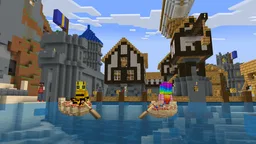
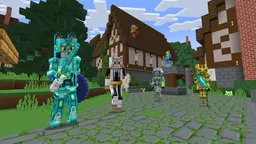
- The block-based style is colorful and easy to recognize.
- Offline play is available for some building activities.
- A range of blocks supports varied designs.
What could be better
- Ads may interrupt play in the free version.
- Some items and features require in-app purchases.
- Online features can expose players to interactions with strangers.
- Large builds may take considerable time to complete.
- Performance can vary on older phones.







