
Saily: eSIM + phone number review
 Analysis by Appsdrops
When I’m choosing a travel eSIM, I care less about a long feature list than about a few practical questions: can I get connected without hunting for a local shop, will the plan suit the places I’m visiting, and can I avoid paying for more data than I need? Saily is built around that kind of trip planning. It’s a travel and local app from Nord Security, offering prepaid mobile data plans for destinations around the world. I see it as a convenient alternative to arranging connectivity after landing, especially for travelers who want to get online quickly and keep their regular SIM in place.
What matters when choosing a travel eSIM
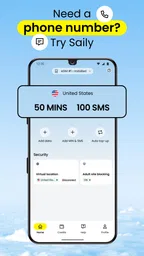
An eSIM plan is not the same thing as a replacement for every part of a phone service. The key distinction is that Saily is primarily about travel data. If you expect to make ordinary calls and send texts using a local phone number, check what your existing service provides before relying on a data plan alone. Messaging and voice apps can work over data, but they are not a substitute for every call, verification message, or service that requires a conventional number.
Before buying, I’d also check that the phone is eSIM-compatible and not locked in a way that prevents using another carrier. This is an easy detail to overlook when planning a trip. If your device cannot use an eSIM, the app cannot solve that problem; a physical SIM or your current carrier’s roaming option may be more suitable.
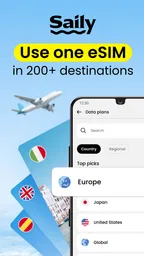
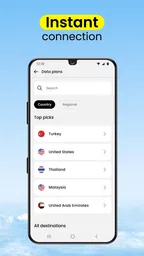
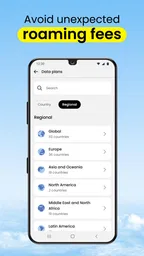
Coverage is another decision point. A plan advertised for a destination is only useful if it suits the actual route, including any side trips or stopovers. Saily presents plans for more than 200 destinations, which makes it worth checking when an itinerary crosses borders. Still, I would confirm the plan’s destination coverage and terms in the app before paying rather than assuming a single purchase covers every country on a multi-stop journey.
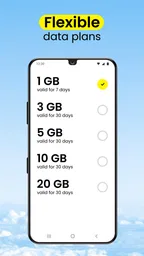
Price is only one part of the comparison. A prepaid option can make spending easier to anticipate, but the best value depends on how much data you’ll use and whether you need service for a short visit or a longer stay. I’d estimate usage from the activities that matter—maps, ride booking, messages, browsing, and video—then compare the plan options against that estimate. If your hotel and cafés provide reliable Wi-Fi and you mostly need occasional directions, a smaller data allowance may be enough; if you work on the move, a more generous plan may be more practical.
Where Saily makes travel easier
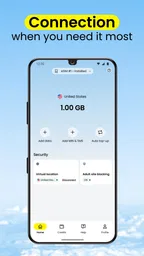
The strongest case for Saily is convenience. Instead of making a local SIM shop your first errand, you can arrange travel data through an app before you leave. For a traveler arriving late, heading straight to a rental car desk, or needing a map from the airport, that can remove a tedious step. I especially like this approach for trips where the first hour matters: the goal is to have a route, booking details, or a ride app available without relying on public Wi-Fi.
Prepaid service also gives the trip a clearer boundary. You choose a travel plan rather than simply letting roaming continue in the background, which can make it easier to keep a handle on connectivity costs. That does not mean every plan will be the cheapest choice for every traveler; it means the spending decision is made deliberately before use. I’d still read the plan details carefully and keep an eye on data-heavy activities such as video calls, cloud backups, and automatic media downloads.
A useful workflow is to install and prepare the eSIM while you still have dependable internet, then keep your usual SIM available for the services tied to your home number. On arrival, use the travel connection for maps and data-based messaging while deciding whether you need to change any mobile settings. This separation can be handy when your main number remains important for account sign-ins or incoming messages. It also helps avoid the rushed setup that can happen when you first discover a connectivity issue at the airport.
For a multi-country itinerary, I would treat the destination list as a planning tool rather than a promise that every plan has identical coverage. Check each country on your route and make sure the plan you select matches the full trip. This is one of the less obvious advantages of considering a travel eSIM early: you can compare connectivity options alongside flights and accommodation, instead of making a hurried decision from a hotel lobby.
The app is free to download, while the data plan itself is a separate purchase decision. That distinction matters: the free app does not mean the travel data is free. Saily has an average rating of 4.6 from around 101,000 ratings, and it has passed 5 million installs, suggesting that many travelers have considered it for this job. Those figures can help establish that it is widely used, but I would still choose based on your phone, route, and usage rather than popularity alone.
Practical details before departure
I’d set aside a few minutes before the trip to check three things: that the phone supports eSIM, that the selected plan covers the places on the itinerary, and that you know which SIM is intended for mobile data. If you are uncertain about the setup, use the app’s instructions while connected to Wi-Fi rather than waiting until you are offline. Keep access to your booking and travel information available on the phone as well; connectivity is most valuable when you can immediately use it to navigate or contact someone.
Think about how you’ll manage data once connected, too. Turning off automatic downloads or limiting cloud syncing while away can stretch a plan, especially if your phone routinely uploads photos or retrieves large files. This is not a Saily feature; it’s a practical habit that helps with any prepaid travel data. For a short trip, those small adjustments can matter more than obsessing over a plan’s headline size.
Saily is rated for Everyone, so it is not presented as an age-restricted travel tool. The app’s current version is 3.64.0, and it requires Android 10 or later on Android devices. If you’re installing shortly before departure, checking compatibility and updating beforehand is a sensible precaution. I wouldn’t make the airport itself the moment to find out that an older phone cannot run the app or use an eSIM.
When another option may suit you better
Your home carrier’s roaming plan may be the simpler choice if you need to keep one number and one familiar service arrangement throughout the trip. That can be valuable for business travelers who expect regular calls, or anyone who depends on incoming texts for account verification. The trade-off is that roaming terms vary by carrier and can be less predictable than a prepaid travel plan, so compare the actual conditions rather than assuming either option is automatically cheaper.
A physical local SIM can make more sense if your phone does not support eSIM, or if you want a local number for calls and messages. It may also suit a longer stay where you have time to compare local options in person. The inconvenience is that you may need to find a shop, handle a physical card, and manage what happens to your regular SIM. For a brief visit, that setup effort may outweigh any advantage.
Some travelers already have a data plan through another eSIM provider or a work phone. In that case, there may be little reason to add another service unless Saily’s destination coverage or plan choices suit the itinerary better. I would compare coverage, validity, data allowance, and activation instructions side by side. Avoid choosing based only on the number of countries mentioned; the countries you actually visit are what count.
Saily is also not the right answer if you need dependable conventional voice service but have no other way to make calls. Data-based calling apps can help when both parties can use them, yet they do not cover every situation. Before traveling, make sure you have a way to contact accommodation, transport providers, or local services if an app-based call is not accepted.
The setup trade-off and my recommendation
Switching to a travel eSIM is not complicated in principle, but it does add a setup step and a little responsibility. You need a compatible phone, an internet connection to prepare, and a clear understanding of which line handles data. If you change settings without checking them, you could end up using the wrong connection or being unsure which number is active for calls. I’d follow the in-app setup guidance slowly and avoid deleting an existing eSIM or changing a working line unless you understand the consequences.
There is also a planning trade-off: buying connectivity ahead of time reduces the chance of arriving offline, but you must select the right destination plan before you travel. If your route is unsettled, wait until it is clear enough to choose confidently. If the trip is straightforward, preparing in advance can save time and make the first moments after landing calmer.
My recommendation is to consider Saily if you have an eSIM-ready phone, want prepaid data for travel, and value getting connected without first shopping for a local SIM. It is particularly appealing for short trips, airport arrivals, and itineraries where data for maps and messaging is more important than having a new local phone number. Nord Security’s app is free to install, and its travel focus is clear, but the plan still needs to match your route and habits.
I’d choose a carrier roaming option when keeping my usual number and service is the priority, and a physical SIM when eSIM compatibility or local calling needs point that way. For everyone else, Saily is a sensible option to compare before departure—not a universal replacement for every mobile plan. If you check device compatibility, coverage, and the plan terms in advance, it can make travel connectivity feel like one less thing to sort out after landing.
What we like
- Plans can be purchased and managed directly in the app.
- An eSIM avoids the need to swap physical SIM cards.
- Coverage options suit travelers visiting multiple destinations.
- Digital setup can be more convenient than buying a local SIM.
- A separate travel data plan can help preserve your primary SIM.
What could be better
- Your device must support eSIM to use the service.
- Some destinations may have limited plan choices.
- Travel plans may cost more than local carrier options.
- A stable internet connection is needed for setup and top-ups.
- The included phone number may not support every call or message feature.





