

Google Earth review
 Analysis by Appsdrops
The first time I open Google Earth, the appeal is immediate: a familiar map becomes an invitation to look around the planet. Instead of planning a route or searching for a nearby place, I can simply choose somewhere distant and follow my curiosity. That shift makes this travel and local app feel less like a utility and more like a window for exploration. Its concise promise, “Examine the planet,” captures the idea neatly.
Curiosity is the first-week hook
During the first few sessions, Google Earth is at its best when I have no particular destination in mind. I might start with a place I know, then wander toward a coastline, a mountain range, or a city I have only heard about. The pleasure is in the change of perspective: familiar names and faraway landscapes sit within the same broad experience, and browsing can feel like a small journey without requiring a plan.
That open-ended quality is a strong introduction for anyone searching for a virtual globe or an app for exploring places from a phone. There is no need to treat every session as research. A few minutes of looking around can be satisfying on its own, while a longer visit can turn into a casual geography rabbit hole. I like that the app can serve both moods instead of demanding that I arrive with a specific task.
The first-week novelty comes from scale and choice. A map usually helps me get from one point to another; this experience encourages me to pause and look at the world as a whole. That makes it easy to recommend to curious users, students, travelers planning what to see, or anyone who enjoys discovering unfamiliar places. It is also simple to explain: open the app, pick a destination or follow an impulse, and see where that curiosity leads.
Exploration without a checklist
I find the most enjoyable sessions are often the unstructured ones. Searching for a place I recognize gives me a starting point, but it is just as easy to let one destination suggest another. A landmark may prompt me to inspect its surroundings; a region may lead me to compare landscapes or see how settlements fit into their environment. The app’s central strength is not that it tells me what to do, but that it gives me room to decide what is interesting.
This makes the experience approachable even if I am not a serious map user. I do not need to be preparing a trip or studying a particular subject to get something from it. I can use it as a lightweight source of discovery, a way to revisit places that matter to me, or simply a change of pace from scrolling through ordinary social feeds. That flexibility is a better hook than a novelty effect alone.
Does it earn a place month after month?
After the initial excitement settles, the important question is whether the app still fits into everyday life. For me, its recurring value depends on whether I keep finding reasons to explore. A person who enjoys geography, travel inspiration, or visual browsing can return whenever a destination comes to mind. Someone who only opens it once to inspect a few famous places may find that the experience has already delivered most of its appeal.
That is not necessarily a flaw. Not every useful app needs to become a daily habit. A travel and local app can be worthwhile as an occasional companion, ready when I want to understand a place better or indulge a sudden curiosity. The best long-term expectation is not constant engagement, but dependable usefulness whenever exploration feels appealing. In that role, the product has a clear identity and a reason to remain installed.
The scale of its audience suggests that many people have found a lasting reason to try it: it has more than 500 million installs, alongside an average rating of 3.8 from around 3 million ratings. Those figures are useful context, but they do not decide whether it suits me. My own measure is simpler: when I want to look beyond my immediate surroundings, does opening the app feel easier and more rewarding than searching elsewhere? For the right kind of user, the answer can be yes.
A companion for travel-minded browsing
It is particularly easy to imagine returning before or after a trip. Beforehand, browsing can help build a sense of place and encourage me to look beyond a single headline attraction. Afterwards, revisiting an area can be a pleasant way to reconnect with the destination. The app also works for armchair travel, where the point is not to book anything but to spend a little time seeing how varied the planet is.
Still, I would not call it an automatic travel planner. Its strongest appeal is exploration, not replacing every other travel tool. I would keep expectations aligned with that purpose: use it to look around, spark ideas, and satisfy questions about places, rather than expecting every practical travel need to be handled in one app. That distinction helps the experience feel focused instead of disappointing.
For younger users and families, the Everyone content rating makes it broadly approachable. It can prompt conversations about where places are, what makes one region look different from another, or which destinations someone hopes to visit. The app’s open-ended nature gives adults room to guide that exploration without turning it into a rigid lesson. It can be educational, but it does not have to feel like homework.
Maintenance, habits, and the cost of keeping it around
The maintenance burden seems low in the everyday sense: I do not need to build a collection, manage a complicated routine, or return on a schedule to get value from it. That matters for an app whose use may be occasional. When the mood strikes, I can explore; when it does not, I can leave it alone. There is no need to manufacture a habit just to justify keeping a curiosity tool available.
Its price is free, which makes the decision about keeping it installed mostly a question of space and personal use rather than a recurring payment. The app first appeared on February 22, 2010, and has had ample time to become a familiar name among map and exploration apps. Longevity by itself does not guarantee that every user will enjoy it, but it does underline how established the product is in its category.
In practical terms, I would judge maintenance by how much attention an app asks from me. Here, the ideal relationship is light: open it when I want to explore, then move on. That low-pressure pattern suits people who prefer tools that are available without pushing themselves into a daily ritual. It also means the app’s long-term worth is closely tied to personal curiosity. If I rarely wonder about places beyond my routine, it may sit unused; if I often do, it can remain useful for years.
Where fatigue can creep in
The main risk is that free exploration can become aimless. At first, the freedom to jump between places feels energizing. Later, if I repeatedly open the app without a question or destination in mind, browsing may start to feel like circling through familiar ground. The novelty of seeing the planet from a different perspective can fade, especially for users who do not already enjoy maps, geography, or travel discovery.
Another possible source of fatigue is expectation. If I approach it expecting a task-focused navigation tool or a complete trip-planning solution, I may judge it by jobs it is not best suited to do. I get more from it when I treat it as a visual exploration experience. That framing turns a casual session into a strength and avoids expecting every visit to produce a practical answer.
It can also be easy to confuse time spent browsing with value gained. A long session is not automatically better than a short one. I prefer opening the app with a small prompt—somewhere I want to visit, a region I have heard about, or a question about a place—then following the interesting detours. That gentle structure keeps exploration lively without turning it into a chore.
Who will keep coming back?
I see the strongest fit for travelers, geography fans, curious learners, and people who enjoy looking closely at places they may never visit. It also works for anyone who likes to drift through a digital map simply because the world is interesting. If that describes me, the app can remain relevant even after the first burst of discovery, because there is always another destination or question to bring to it.
On the other hand, users who want every app to solve a frequent, concrete task may not open it often. That does not make it a poor choice; it just means its value is more tied to curiosity than routine. I would not install it expecting a daily checklist or constant prompts. I would install it because the ability to explore the planet from a phone is something I can imagine wanting again.
Google LLC is the developer, and the app remains a well-known option in the travel and local space. Its large user base reflects broad appeal, while its moderate average rating is a reminder that a famous app still needs to match individual expectations. I would pay more attention to my own habits than to popularity: if I enjoy looking up places and wandering from one discovery to the next, it has a clear role. If I never do that, the name alone will not make it engaging.
My long-term verdict
For me, Google Earth earns lasting space when I treat it as an occasional invitation rather than an app I must check every day. The first week offers an easy, absorbing introduction; the months that follow depend on whether I continue to feel curious about the world. Its low-pressure style keeps the maintenance burden modest, and its free access makes it an easy app to try. The main drawback is not a complicated upkeep routine, but the possibility that open-ended browsing loses its spark for people who do not naturally seek it out.
I would recommend it to anyone looking for a planet exploration app that encourages discovery instead of demanding a fixed routine. It is especially appealing when I want travel inspiration, a change of scenery, or a way to inspect a place that has caught my attention. I would not promise that it will become a daily essential for everyone, but it can be a satisfying app to keep available for those moments when curiosity takes over.
My final take is that the app’s lasting value comes from a simple habit: returning whenever a place makes me wonder. It does not need to dominate my phone to be worthwhile. If I enjoy maps, travel, or learning through visual exploration, it can keep earning its spot long after the initial novelty fades. If I prefer tools with a narrow, recurring task, I may use it less often. Either way, its purpose is clear, and for the curious user, that is enough to make exploring the planet feel inviting.
What we like
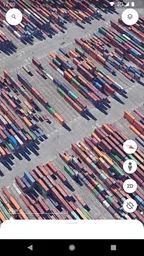
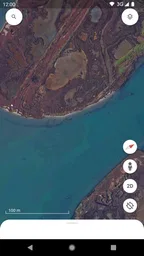
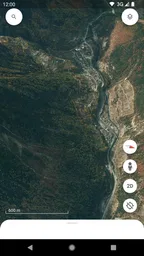
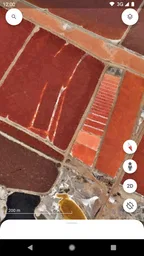
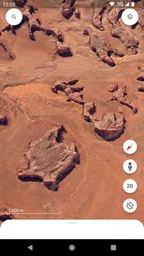
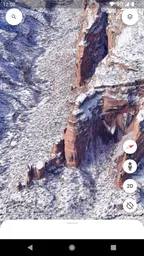
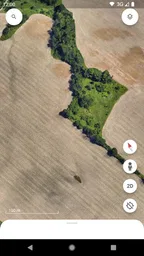
- Explore detailed satellite imagery from locations around the world.
- Use Street View to inspect streets and landmarks at ground level.
- Measure distances and areas directly on the map.
- Save places and organize them into custom projects.
- Tour famous landmarks with guided Voyager experiences.
What could be better
- Some imagery may be outdated or low resolution.
- Detailed 3D views require a strong internet connection.
- Navigation can feel crowded with many map controls.
- Offline access to imagery is limited.
- Some areas have little or no Street View coverage.





