



Airbnb review
 Analysis by Appsdrops
When I plan a trip, I often want more than a bed: I want to know whether the place fits the rhythm of the visit, and whether there is something nearby that makes the stay easier or more memorable. Airbnb now brings homes, experiences, and services into one redesigned travel app. That wider scope is appealing, though it also means the app is most useful when I have a clear idea of what I need rather than expecting it to make every travel decision for me.
What the redesigned app is like to use
Airbnb is a free travel and local app from Airbnb. It has a 4.5 average from around two million ratings, and has been installed over 100 million times. Those figures suggest that it is a familiar option for finding stays, but popularity does not tell me whether a particular listing suits my trip. The more useful question is whether the app helps me judge that fit before I commit.
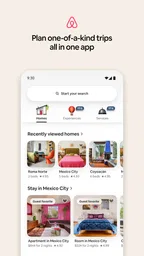
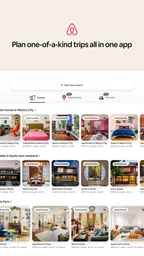
The current version is 26.42, and the app is available for devices running iOS 9 or later. Its age rating is Everyone. Airbnb’s redesigned approach places home bookings alongside experiences and services, so the app can support more of the planning process than accommodation search alone. I find that helpful when I want to compare the shape of a trip, not simply choose a place to sleep.
For example, imagine arriving in a city for a long weekend with a loose itinerary. I might first narrow down stays by area and the kind of space I need, then look at experiences that could make one open afternoon easier to plan. Seeing these parts of a trip within the same app can reduce the need to jump between separate travel tools. It does not remove the work of checking details, but it gives the planning a more connected starting point.
Homes, experiences, and services serve different needs
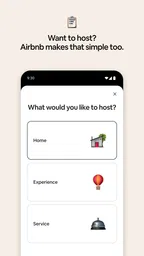
A home booking is the central reason many people open Airbnb, but the other categories are more than decorative extras when they match the trip. An experience can be useful when I want an activity that gives a day some structure. A service may matter when I want help with a practical part of a stay. The benefit is choice in one place; the trade-off is that each option still needs its own careful evaluation.
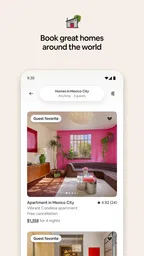
I would not assume that a listing’s appealing photos settle the important questions. I look for details that affect everyday comfort: where the accommodation sits in relation to my plans, how the space is described, and whether the arrangement suits the people travelling with me. For a family or a group, sleeping arrangements and shared space can matter more than stylish presentation. For a solo traveller who will spend most of the day out, location and a straightforward check-in plan may carry more weight.
The same practical thinking applies to experiences. A convenient activity can be a good fit for a short visit, but I would compare its timing and location with the rest of the itinerary before building a day around it. The app can put options in front of me; it cannot decide whether a particular schedule leaves enough time to travel across town or recover after a long journey.
A more connected planning workflow
One useful way to use the redesigned app is to start with the constraints that are hardest to change. I choose the dates and general area first, then judge whether the available homes fit my needs. Only after that do I browse activities or services. This order helps prevent an attractive experience from distracting me from a stay that is inconvenient for the actual purpose of the trip.
A second tip is to make a short personal checklist before comparing places. I might note the number of travellers, the amount of privacy we need, and the parts of town we expect to visit. That gives me a consistent basis for judging listings, instead of letting whichever property I viewed most recently set the standard. It is especially useful when comparing a compact apartment with a larger home: the right choice depends on how the group will use the space, not only on the headline appeal.
For a work trip that turns into a weekend, I would treat the stay and the leisure plan as separate decisions within one broader trip. The home needs to suit the working portion; an experience should fit the spare time that remains. This is where having the categories together feels practical, but it also makes restraint valuable. Browsing more options is not the same as improving a plan.
What has changed, and what that means for regular users
The clearly established product shift is the redesigned app’s broader focus: homes sit alongside experiences and services. For an existing user who mainly books accommodation, that expansion may be useful without changing the basic reason to open the app. Someone planning a fuller trip may appreciate being able to explore other kinds of travel options in the same environment.
I see this as an evolution in emphasis rather than a reason to assume every part of the booking process has become better. A redesign can make categories easier to discover, but the value depends on how well the options fit a real journey. If I already have a preferred way to book activities, I can continue using that approach and treat Airbnb’s additional categories as alternatives to compare, not obligations to adopt.
The app’s long history also gives its current direction some context: it was released on January 17, 2012. That does not prove that every new idea will work equally well for every traveller. It does show that Airbnb is an established travel product whose current version is presenting a broader planning proposition than accommodation alone. For me, the sensible test is whether that breadth saves effort on a particular trip.
Where I still slow down before deciding
More choice can make comparison harder. A stay, an experience, and a service are not interchangeable purchases, and evaluating them together can encourage quick decisions based on presentation rather than practical fit. I recommend pausing to check the details of each option on its own terms. The app is a place to explore and organize possibilities, not a substitute for reading carefully before making a commitment.
There is also a natural limit to what a broad travel app can do. A person who wants a conventional hotel search may prefer a hotel-focused service, especially when familiar room categories or a standardized stay are the priority. Someone looking for a simple local activity may find a dedicated activity source more direct. Airbnb makes the strongest case when the home itself is part of the trip’s appeal, or when its additional categories genuinely simplify planning.
It may also be the wrong starting point for a traveller who has already settled every detail and only needs a narrow, specific booking. In that case, opening a wider set of categories can add browsing rather than value. I would use it when I am comparing different kinds of stay or building a trip with room for discovery, and skip the extra exploration when my needs are already fixed.
How it compares with familiar travel alternatives
Compared with a hotel-oriented booking app, Airbnb is more compelling when I want to consider a home and think about the experience of staying in a particular space. A hotel search is often the more natural route when I care most about a conventional room and a familiar format. Neither approach is automatically better: the best choice depends on whether the trip calls for a home-like setting or a more standard accommodation search.
Against separate apps for stays and activities, Airbnb’s advantage is convenience of discovery. I can consider multiple parts of a trip without beginning from scratch in another tool. The disadvantage is that breadth alone does not guarantee the best selection for every need. For a specialist activity, a dedicated source may provide a more focused comparison; for a home stay, Airbnb remains the more obvious place to begin if that is the type of accommodation I want.
I would therefore compare options by the job they need to do. If I need a place that works for a group and an activity that suits one afternoon, the combined view may make planning feel more coherent. If I need a narrowly defined room or an activity with very specific requirements, I would also consult the relevant specialist alternatives rather than assuming one app has the best answer for everything.
Who will get the most from it
I would recommend Airbnb to travellers who like comparing homes, want a stay to feel connected to its setting, or are planning a trip where activities and services may be useful alongside accommodation. It can also suit people who are still shaping an itinerary and want a single place to begin exploring several parts of it.
I would be less enthusiastic about it for someone who dislikes comparing individual accommodation options, wants only a standardized hotel search, or has no interest in browsing beyond a tightly defined booking. Those travellers may find a more focused alternative easier. The breadth is a strength only when it helps with decisions the traveller actually has to make.
For a first-time user, I suggest starting with one concrete question: what must the stay make possible? A central base, room for a group, or a particular kind of space can each change which options deserve attention. Once that is clear, the home search becomes more purposeful, and the other categories can be considered as additions rather than distractions.
What I would watch next
The most meaningful sign of progress will be whether the redesigned experience makes it easier to move from browsing to a plan that works in practice. I would pay attention to how naturally homes, experiences, and services fit together for different kinds of trips, while judging each option individually. A wider catalogue is not enough if users still have to do all the work of connecting the pieces.
For now, I see Airbnb as a useful choice for people who want accommodation search to sit within a broader travel-planning experience. Its expanded scope offers real convenience when I am still working out the shape of a trip, while its range of options calls for careful comparison. My recommendation is to use it with a clear shortlist of needs: that keeps the wider browsing focused and makes it easier to tell whether the app is helping with your trip or simply giving you more to consider.
What we like
- Filters make it easier to find stays that fit your needs.
- Saved lists help you compare potential stays later.
- In-app messaging keeps host conversations organized.
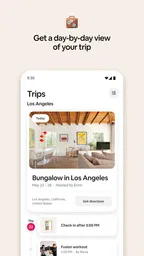
- Reservation details are easy to access in one place.
- Guest reviews can help set expectations before booking.
What could be better
- Cleaning fees can make the final price much higher.
- Some bookings require host approval before they are confirmed.
- Cancellation policies vary between listings and can be restrictive.
- Stay quality and amenities may differ from listing photos.
- Support resolutions may take time when problems arise.




