
Pilot review
 Analysis by Appsdrops
When I’m planning a long drive, I want to know whether a stop will suit the trip before I pull off the road. Pilot is built around that practical need: it brings Pilot Flying J travel-stop information, food options, and rewards into one place. I find it most useful when a journey already takes me near its locations, rather than as a general-purpose navigation app or a directory for every kind of roadside business.
Making a stop part of the route
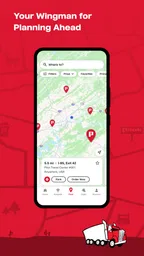
In ordinary use, I treat the app as a planning companion, not something to study while driving. Before leaving, I can check it when deciding where a fuel or food break might fit; once I’ve chosen a stop, I can get back to the route and leave the phone alone. That simple division matters. A stop-finder is most helpful when it reduces last-minute searching, and least helpful when it becomes another screen to manage on the road.
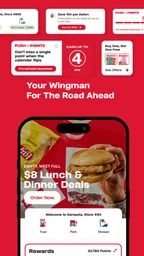
The app is a free travel and local app from Pilot Flying J. Its central appeal is the connection between finding a Pilot stop and making use of the services and rewards associated with it. For someone who regularly visits these locations, that can be more convenient than keeping separate habits for looking up a stop, checking what it offers, and remembering to engage with a loyalty program.
My practical advice is to use it before a stretch of driving, while parked, or when a passenger can handle the search. Decide what you need first: fuel, a meal, or simply a planned break. That makes the results easier to judge against your route and schedule. Searching without a clear purpose can turn a quick decision into unnecessary browsing, particularly when the nearest location is not necessarily the best fit for the trip.
A useful routine for regular travelers
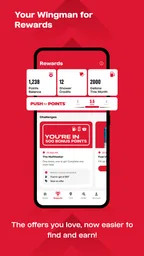
For a repeat visitor, the strongest workflow is consistent rather than elaborate. Check likely stops before setting out, choose one that makes sense for the route, and remember to use the app when you actually visit. The rewards element is most valuable when it becomes part of that routine; installing an app but forgetting to open it at the stop defeats much of the reason to keep it.
There is also a useful distinction between finding a location and deciding whether to stop there. A map result can answer where a Pilot location is, but a good travel decision also depends on timing, the kind of break you need, and whether adding a detour makes sense. I use the app to inform that choice, not to assume that every listed stop automatically suits my needs.
On a realistic day trip, I might check the route before setting off, pick a Pilot stop that falls naturally along the way, and use the app again when I’m parked to make the visit more purposeful. That is a modest workflow, but it avoids the less sensible alternative of searching while moving or changing plans at the last minute. I would still rely on a navigation app for turn-by-turn directions and broader route planning.
Settings and habits worth checking
When I first set up any travel app, I look for the choices that affect how I use it: location access, notifications, and account or rewards details. I would review those options in Pilot rather than automatically accepting every prompt. Location access can make nearby-stop searches more convenient, while a manual search may be preferable if I only want to check a route occasionally. The right choice depends on how often you travel and how much convenience you want from the app.
I also recommend checking that your rewards information is ready before you reach the counter or begin a stop. This is a simple preparation habit, not a claim about a particular payment method or redemption process. If you use the app only sporadically, take a moment to confirm you can sign in and find the relevant account details while you are still parked and unhurried.
Notifications are another setting I would approach deliberately. Travel apps can become distracting if they interrupt for things you do not need. Keep only the prompts that help your routine, if the available controls suit you, and turn off what does not. The goal is to make the app useful at planned moments, not to let it compete with navigation, music, or attention to the road.
Faster patterns without extra fuss
Experienced users can save time through repeatable habits rather than relying on secret shortcuts. I would check the next stop before departure, keep the app’s role clear, and avoid reopening it for every small decision. If I already know where I intend to stop, there is little value in repeatedly searching nearby options. If my plan changes, I can reassess while parked instead of making a rushed choice in traffic.
A second helpful pattern is to separate route questions from stop questions. Use your preferred navigation tool to understand the drive, then use Pilot when you specifically want to evaluate a Pilot location or make the visit part of your rewards routine. Switching tools intentionally is often quicker than expecting one app to do everything equally well.
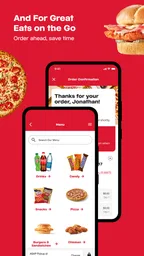
A third is to prepare for a stop around the kind of break you actually want. If you need food, think about that before choosing a location; if you only need fuel, avoid spending time exploring unrelated options. The app’s combination of travel-stop and food-related use is convenient, but it does not remove the need to match a stop to your own priorities. This small distinction helps prevent browsing from becoming the task.
Where it fits—and where it does not
Pilot has a narrower purpose than a general mapping service. A broad map app is usually the better first choice when you want to compare many fuel brands, find an unrelated restaurant, or plan a route across a wide range of businesses. Pilot makes more sense when its own locations are already relevant to your journey and you want stop information and rewards in the same travel-oriented app.
That focus is also a limitation. If you rarely visit Pilot locations, the rewards connection may not justify adding another app to your phone. A traveler who wants one neutral tool for every stop may be happier with a general navigation or local-search app. And if you need directions above all else, a dedicated navigation app remains the more natural choice; Pilot is best used alongside it, not treated as a complete replacement.
I would also keep expectations grounded. An app can help organize a stop, but it cannot make a detour worthwhile by itself or guarantee that a particular location matches a traveler’s preferences. Use the information as one input, and keep a backup plan for a long drive. That is especially sensible when timing is tight or the route offers several alternatives.
Who is likely to get the most from it?
I’d recommend Pilot to drivers who visit Pilot and Flying J locations often enough to make the app part of their travel routine. It is also a reasonable choice for someone planning a road trip along routes where those stops are convenient and who wants to connect stop planning with rewards. The app has a 4.5 average from around 276,000 ratings, and more than a million installs, which suggests it has found a substantial audience among travelers.
By contrast, I would skip it if you do not expect to use its locations, want a comprehensive directory of all roadside options, or prefer to keep every travel task inside a single navigation app. Its Mature 17+ content rating is worth noticing when deciding whether it is suitable for a younger user or a shared family device. The app is free, so trying it does not require a purchase, but a download still makes sense only if its specific travel-stop focus fits your habits.
The app has been available since November 30, 2011, and its current version is 7.18.1, with support beginning at operating system version 8.1. Those details make it easier to judge whether an older device can run it, while the version number is useful when checking that your installation is current. Pilot’s average rating is a helpful reference, but I would weigh it against the more important question: do you actually use these stops?
A practical verdict for the road ahead
My view is that Pilot works best as a focused companion for people whose journeys already intersect with Pilot Flying J. Its value comes from bringing location planning, food-related decisions, and rewards into a routine you can repeat—not from replacing maps, route planning, or every roadside search. Used before driving or while parked, it can make a familiar stop easier to plan and remember.
The best way to get value from it is to make it a deliberate stop-planning tool, not another screen to check constantly. Set up the choices you want, prepare your account before you travel, and open it when a Pilot visit is genuinely part of the plan. If that describes your driving, I think it is worth trying. If you need a brand-neutral guide to every business along the road, another travel or navigation app will serve you better.
What we like
- Offers realistic flight controls for an engaging aviation experience.
- Lets players explore a range of aircraft and flying scenarios.
- Provides a useful way to practice basic navigation skills.
- Appeals to both casual players and aviation enthusiasts.
- Can make short breaks more entertaining with quick flights.
What could be better
- Flight controls may feel difficult for newcomers.
- Realistic flying can require patience and repeated practice.
- Some aircraft or features may be locked behind in-app purchases.
- Performance may vary across devices.
- The experience may feel repetitive without varied missions.





