

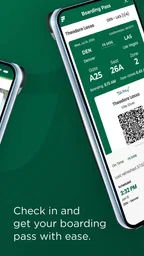


Frontier Airlines review
 Analysis by Appsdrops
I find airline apps most useful when they reduce the small decisions that pile up around a trip: where to check a booking, how to keep travel details close at hand, and what to do when plans need attention. Frontier Airlines’ app is a travel companion for people flying with Frontier, rather than a general-purpose trip planner. That focus can make it convenient for an existing booking, but it also means it is less useful if you want one place to manage flights across several airlines.
How it fits into a Frontier trip
Frontier Airlines is a free travel app from Frontier Airlines, the carrier behind the flights it helps you manage. It sits in the travel-and-local category and is aimed at everyday tasks connected to flying with that airline. I would think of it as a practical companion to a Frontier reservation, not as a replacement for researching destinations, comparing every carrier, or organizing a whole vacation.
The app has a 4.7 average from around 227,000 ratings, with more than 5 million installs. Those figures suggest that many travelers find a dedicated airline app worth keeping, though popularity alone does not tell you whether its workflows suit your needs. It is rated for everyone, and the current release is version 3.8.4 Build-1126. It requires Android 11 or later, so an older Android phone may rule it out before you even reach the sign-in screen.
Readability and finding the right task
For an airline app, clarity matters less as decoration than as a way to avoid mistakes when you are tired, hurried, or standing in a crowded terminal. I would approach this app with a specific task in mind—checking a Frontier trip or handling something related to that booking—rather than expecting a broad travel dashboard. Keeping the app’s purpose narrow makes it easier to decide whether it belongs on your phone: if your travel is mostly on Frontier, it has a clear role; if your plans span multiple airlines, you will still need other tools.
A useful habit is to get familiar with the app before travel day. Open it while you have time, locate the area associated with your booking, and make sure you can return to it without relying on memory under pressure. This is a small but meaningful accessibility practice: a calm rehearsal can reduce the number of taps and decisions you need to make when the airport is noisy or your attention is split.
I would not assume that a clean airline workflow automatically works equally well for everyone. People who enlarge text, use screen readers, or depend on high-contrast settings should test the actual screens they need before relying on the app as their only way to manage a trip. In particular, check whether essential booking details remain understandable at your preferred display size. That check is more useful than judging the app from a quick glance at its home screen.
Motor and sensory needs in the airport
Travel often puts extra demands on phone use. You might be holding luggage, wearing gloves, or trying to operate a screen while moving through a queue. My practical advice is to complete any available planning tasks while seated and keep the phone accessible before you reach a point where one-handed use matters. An airline app is most helpful when it reduces last-minute searching; it is less helpful if you first have to learn its layout while people are waiting behind you.
For travelers with limited dexterity, the key question is whether the actions that matter to them can be completed comfortably with their usual device settings and input method. I would test the exact steps you expect to use, rather than assume every screen behaves the same way. Avoiding unnecessary navigation is a sensible workaround: open the trip before leaving home, note where the relevant information appears, and keep the device’s accessibility settings configured as you normally use them.
Sensory context matters too. Airport announcements, bright lighting, crowds, and interruptions can make it harder to read carefully. If you find those conditions distracting, review your trip details in a quieter place before departure and use the app as a reference rather than trying to learn it in the terminal. The app cannot make an airport calm, but preparing in advance can make its role more manageable.
When mobile access helps—and when it does not
A realistic use case is a traveler who has booked a Frontier flight and wants to keep the airline-specific part of the trip close at hand. Before leaving home, they can open the app, confirm they are looking at the right booking, and become familiar with the route through the relevant screens. At the airport, that preparation may save time and reduce the stress of searching through email or switching between unrelated travel services.
There is also a useful distinction between having travel information on a phone and being able to access it in every situation. A phone can run low on battery, lose connectivity, or become difficult to use when you are carrying bags. I would not make the app the only place where I know what my travel plans are. Keep essential details available in a way that suits you, and charge your device before travel. This is particularly important if you rely on a larger text setting or assistive technology, since using those tools can be part of your normal routine and should not be treated as optional at the last minute.
For someone who flies Frontier regularly, a dedicated app may be more straightforward than repeatedly searching through messages for airline-specific information. For a traveler who is comparing fares across carriers, building a multi-airline itinerary, or sharing plans among several people, a general travel organizer or each carrier’s own app may be a better fit. Those tools solve different problems: this one is focused on Frontier, while broader services can bring unrelated reservations together.
Where friction can remain
The main limitation is the same thing that gives the app its focus: it is tied to one airline. If your trip combines Frontier with another carrier, you should expect to manage those parts separately rather than treat this as a universal travel wallet. That can mean switching apps or keeping other records close by, which is an inconvenience for travelers who value a single, consolidated itinerary.
There is also a practical device constraint. Because the minimum Android requirement is 11, people using older phones may need another way to manage their Frontier travel. Even on a compatible phone, the best experience depends on whether the app’s actual text, controls, and navigation work with your individual settings. I would test those details before departure, especially if you have a visual, motor, or cognitive access need and cannot easily fall back to a different device.
One sensible preparation workflow is to check the app at home, while you have a stable connection and enough time to explore. Confirm that you can reach the information you need, then decide what backup suits you: perhaps keeping a note of key details or retaining the relevant travel message. This is not a criticism unique to Frontier; it is a realistic way to avoid depending on a single screen in a busy, changeable setting.
Who I would recommend it to
I would recommend trying the app if you have a Frontier booking and prefer handling airline-related tasks on your phone. It is especially worth considering if you travel with the carrier often enough that having its dedicated app feels simpler than repeatedly starting from scratch. The free price removes a purchase decision, and the everyone age rating makes it broadly suitable from a content perspective.
I would be more cautious if you need one app to coordinate flights from several airlines, if your phone runs an older Android version, or if you depend on a particular accessibility setup that you have not yet tested with it. In those cases, use the app only if it works comfortably for your needs, and keep a second way to reach essential trip details. That is a more reliable approach than assuming a high average rating guarantees an accessible experience for every traveler.
A useful airline companion, with limits
My view is that Frontier Airlines is best treated as a focused helper for people already traveling with Frontier. Its value comes from keeping airline-related tasks in a dedicated place, not from replacing a general itinerary manager or removing every airport-day complication. The strongest approach is to learn the screens you need before you travel, check that they work with your preferred settings, and avoid relying on the phone as your sole source of important information.
For a compatible Android device and a Frontier-centered trip, I would give it a try. For mixed-carrier travel or anyone who needs confirmed, comfortable access through specific assistive tools, I would test it early and keep a practical alternative ready. That balance captures its appeal: it can make the Frontier portion of a journey easier to manage, while the traveler still needs to plan for the broader trip and the realities of using a phone on the move.
What we like
- Low fares can make budget trips more affordable.
- The mobile app supports booking and trip management.
- Passengers can choose from several fare options.
- The route network includes popular US destinations.
- Optional add-ons let travelers pay for services they need.
What could be better
- Many extras cost more beyond the base fare.
- Seat selection may require an additional fee.
- Checked baggage can add considerably to the trip cost.
- Flight schedules may offer fewer choices on some routes.
- Customer service experiences can vary.





