
Enterprise Car Rental review
 Analysis by Appsdrops
When I need a rental car, the difficult part is often not choosing a vehicle but getting the booking details straight while I’m on the move. Enterprise Car Rental is built for arranging a car through Enterprise locations, and its main appeal is keeping that task close at hand rather than making me start from scratch on a desktop. It’s a focused travel app, not a general trip planner, so it works best when I already know I want to rent through this company.
Where booking can get stuck
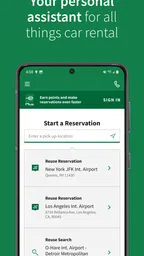
The app’s purpose is straightforward: help you rent a car at Enterprise branches. That focus is useful, but it also means the experience depends on the details you enter and the location you select. A search that seems simple can still take a moment to get right if your pickup point, dates, or plans are not settled. I’d treat those choices as the first things to double-check rather than assuming the app can resolve an ambiguous itinerary for me.
Location selection deserves particular care. A branch that looks convenient on a map or in a list may not be convenient for the actual trip: an airport pickup, a neighborhood office, and a location near a hotel can make very different sense depending on how you’ll arrive and where you need to go next. Before committing to a search, I find it helpful to think through the whole first leg—how I’ll reach the desk and what happens after I leave with the car.
Dates can be another source of friction. If a journey crosses midnight, or your arrival time is uncertain, check the pickup and return details deliberately instead of tapping through quickly. A small mismatch can turn a useful search into one that doesn’t reflect your real plan. The app is there to organize a rental, but it cannot know whether a delayed flight or changed meeting has altered the schedule you meant to enter.
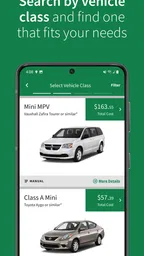
There is also a practical distinction between finding an available rental and deciding whether it suits your situation. I would read the options shown in the booking flow carefully and compare the total plan against the trip I actually have, not just the vehicle that first catches my eye. A rental chosen for a short city errand may not be the right fit for luggage, passengers, or a longer drive.
Checks I’d make before searching
Before opening a booking, I’d have the pickup and return locations, approximate schedule, and driver details ready. That preparation makes it easier to spot a mistaken date or branch before moving further into the process. If your plans are flexible, decide what can move and what cannot; otherwise, it is easy to compare options based on a schedule you may not keep.
It also helps to distinguish the app’s role from the rental itself. The app is a booking route for Enterprise, not a substitute for reading the terms attached to the rental or confirming that a particular arrangement meets your needs. When an important detail affects your decision, pause and check the information presented during the booking process rather than relying on a quick glance at a search result.
On the technical side, I’d start with ordinary checks if the app behaves unexpectedly: make sure the device is online, confirm the dates and location are entered as intended, and try the search again after correcting any obvious typo. If an update is available, using a current build is a sensible step. The current version is 8.12.1.2824, and the stated minimum operating-system requirement is version 10, so an older device environment may be worth checking before spending time troubleshooting the booking itself.
A useful habit is to keep the booking details consistent across every step. If you revise the return point or dates after comparing options, revisit the summary before proceeding. That simple check can catch a plan that no longer matches the trip. It is especially helpful when arranging a one-way journey or coordinating a pickup around another person’s schedule, because those are situations where assumptions about the return can be easy to overlook.
Recovering a search without starting over
If a search does not produce what you expected, I would first change one variable at a time. Recheck the selected branch, then the dates, then the broader travel plan. Changing several things at once makes it hard to tell whether the issue was an input mistake or simply that the revised plan differs from the first one. Keeping the search focused also prevents you from choosing a result that looks suitable only because the original details were wrong.
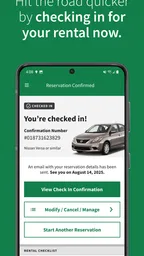
For a booking flow that appears to stall, give the app a moment and verify the connection before repeatedly tapping buttons. Repeated submissions can create confusion about which attempt is current. If the screen still does not respond, close and reopen the app, then review the booking state before trying again. I would avoid assuming a booking succeeded just because I reached a later screen; check for a clear confirmation in the app or any relevant booking communication before making travel plans around it.
When you are comparing branches, it can be useful to search with the exact place you can realistically reach rather than a broad area name. For example, someone landing at an airport but staying across town should think through whether collecting the car immediately or later is more practical. The app can help organize the Enterprise rental search, but it cannot weigh your luggage, transit connections, or the stress of navigating an unfamiliar area on your behalf.
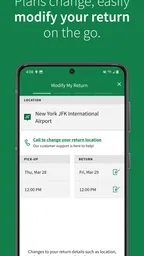
If your schedule changes after arranging the rental, revisit the booking through the appropriate Enterprise channel and check what options are available for that reservation. Don’t assume that changing a search in the app automatically changes an existing booking. That distinction matters: searching is exploratory, while an existing reservation is a specific commitment with its own details.
When the app may not be the problem
Not every disappointing result is a technical fault. A search can be working normally and still fail to match a traveler’s preferred branch, timing, or vehicle needs. Availability and convenience depend on the particular trip and location, so I would compare a second nearby Enterprise location or adjust a flexible part of the schedule before concluding that the app is broken.
Likewise, an app cannot make an unfamiliar pickup area feel simple. If you need a car immediately after a long flight, consider how you will get from your arrival point to the selected branch and whether the timing leaves enough breathing room. For a traveler who would rather avoid that extra coordination, a different transport option for the first leg may be easier, with the rental starting later when it suits the itinerary.
Enterprise is also not the best fit for everyone simply because it has a dedicated app. If you want to compare several rental companies side by side in one place, a broader travel or car-rental comparison service may be more convenient. If you do not know which provider you want, this app’s company-specific focus is a limitation rather than an advantage. Conversely, when you have already chosen Enterprise, using its own app keeps the search centered on that provider instead of making you sift through unrelated offers.
For occasional renters, the app’s value is mainly convenience: it gives you a direct way to handle an Enterprise rental search without turning the task into a bigger travel-planning project. Frequent renters may appreciate having a familiar route for arranging trips, but should still check each reservation’s details rather than treating a previous booking as a template for every journey. Different branches and schedules can change what makes sense.
Who will get the most from it
I’d recommend it to someone who already plans to rent from Enterprise and wants to arrange a car while away from a computer. A realistic example is a traveler whose return trip has changed: they know the city and approximate dates, but need to check a branch that fits the new route. The app is useful for bringing that search into one place, while the traveler remains responsible for confirming that the pickup and return plan works in real life.
It may be less useful for people who rent only after comparing every provider, those who need a travel planner that combines flights and lodging, or anyone whose schedule is too uncertain to choose a pickup plan. In those cases, a comparison tool or direct help from a rental provider may be a better starting point. The right choice depends less on the app itself than on whether Enterprise is already part of your shortlist.
As a Travel & Local app, it keeps a narrow job in view. EAN Services, LLC is the developer, and the app is free to install. It has an average rating of 4.5 from around 52,000 ratings, with roughly 19,000 written reviews and over 5 million installs. Those figures suggest it has found a substantial audience, but they do not remove the need to verify your own reservation details.
The app is rated for Everyone and was released on October 2, 2015. That history makes it a familiar, established option in its category, while the current version indicates that the product continues to have a maintained release. I would still judge it by the practical question that matters most: does a company-specific rental app suit the way you plan trips?
My practical verdict
My view is that Enterprise Car Rental is most useful when the provider decision is already made and the remaining job is to organize a rental around a real itinerary. Its focused approach can save effort, but it does not remove the need to double-check dates, location, and booking status. The most reliable workflow is to prepare the trip details, search carefully, review the resulting plan, and confirm the reservation before relying on it.
I would use it for a straightforward Enterprise rental or to revisit a search when travel plans shift. I would not rely on it as a universal rental comparison service, nor expect it to solve uncertainty about where or when I need a car. If those trade-offs match your situation, it is a practical tool to keep available. If your priority is choosing among many companies or avoiding rental logistics altogether, another option will likely serve you better.
What we like
- A broad branch network makes it easier to find a nearby pickup location.
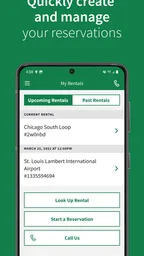
- Customers can manage reservations without calling a rental branch.
- The app provides access to rental details while away from home.
- Booking options help travelers arrange a car before reaching their destination.
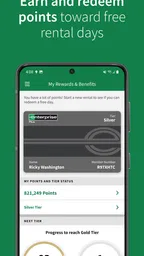
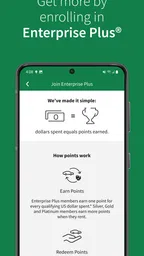
- Enterprise Plus members can check account details through the app.
What could be better
- Some reservations may require follow-up with the branch to confirm details.
- Available cars and vehicle types can vary by pickup location.
- Changes to a booking may be limited close to the pickup time.
- The app may not show every local offer or rental promotion.
- Users without an Enterprise account may miss member-focused features.





