


Avis Car Rental review
 Analysis by Appsdrops
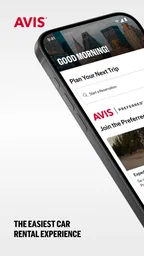
I would think of Avis Car Rental as a companion for arranging a car rental, rather than a general travel-planning app. Its focus is deliberately narrow: helping you deal with Avis rentals for airport trips and local journeys. That can be useful when you already know you want an Avis vehicle and would rather handle the rental through the company’s own app than start from a broad comparison service.
On a first visit, the simplest goal is not to explore every corner of the app. It is to find a rental that fits your trip, review the choices carefully, and get to a confirmed reservation. I like that as a practical way to judge a rental app: does it help me move from “I need a car” to a clear next step without making me guess what I have selected?
What to expect from an Avis-focused rental app
Avis Car Rental is a free Travel & Local app from Avis Budget Car Rental LLC. It has been available since March 12, 2012, and its current version is 22.34. The app is rated for Everyone and requires Android 7.0 or later. Its long presence and reach—more than a million installs, a 4.6 average from about 45,000 ratings, and roughly 7,500 written reviews—suggest that it is a well-established option, though popularity alone cannot tell you whether it suits a particular trip.
The key distinction is that this is not a neutral rental marketplace. Its value is in handling Avis-related rental tasks, while a comparison app is usually better when your first question is which company offers the best fit. If you have already chosen Avis, going straight to its app can reduce the mental clutter of comparing providers you do not intend to use. If you are still weighing companies, I would compare them before committing here.
For a first-time user, the meaningful result is a reservation whose pickup location, dates, and vehicle choice match the actual journey. That sounds basic, but rental plans can go wrong through small mismatches: choosing an airport location when you need a neighborhood branch, entering a return time that does not match your flight, or selecting a vehicle that will not fit the people and luggage travelling with you. I would treat the app as a place to make those choices deliberately, not as a shortcut around checking them.
Start with the trip, not the car
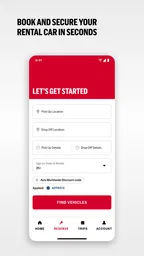
Before opening the booking flow, decide where you will collect the car, when you will pick it up, and when you realistically expect to return it. For an airport arrival, use the airport location only if that is where you intend to collect the vehicle; a nearby local branch may be more convenient for a trip that begins elsewhere. This small bit of planning makes the first search more useful and lowers the chance of selecting a rental that looks right but starts in the wrong place.
I also recommend thinking about the journey before settling on a vehicle. A compact car may be sensible for city streets and limited parking, while a larger group or several suitcases can make a roomier option more practical. The app can help you work through a rental choice, but it cannot decide what your passengers and luggage need. If you are uncertain, make that uncertainty part of the comparison rather than picking the first appealing option.
Make the first booking carefully
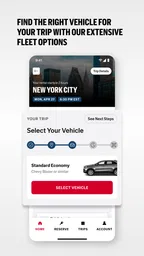
Once your pickup location and timing are clear, enter them consistently and review the results with the trip in mind. On the selection screen, pay attention to the details attached to each choice rather than relying only on the vehicle name or image. A useful habit is to pause before proceeding and read the reservation summary from top to bottom: pickup point, dates, times, and vehicle. That final check is often more valuable than rushing through a booking to reach confirmation.
If the app asks you to sign in or provide information during the process, use details you can verify and take your time. I would avoid making a reservation while distracted, especially if you are entering dates around a flight or an event. A booking that begins on the wrong day can be much more troublesome than spending another minute checking it. Keep any confirmation details somewhere you can find them later, particularly if you will be travelling with limited time or connectivity.
A realistic first use is a weekend trip where you arrive by train, collect a car at a local Avis location, and return it before heading home. You can set the trip around the actual arrival and departure times, compare the available choices for the group and bags, and confirm that the pickup point makes sense for your route. In that situation, the app is doing a focused job: helping you arrange the Avis portion of the journey without requiring you to build a broader itinerary inside it.
Where first-time renters can get confused
The most common source of confusion is assuming that “airport rental” and “rental near the airport” mean the same thing. They may not be interchangeable for your travel plans, so check the location name and pickup instructions shown during the process. If someone else is meeting you or you are arriving at a different terminal or station, make sure the chosen collection point still works for the person who will actually get the car.
Another easy mistake is treating the displayed vehicle category as a promise of one exact model. Rental choices are best evaluated by the category and practical fit presented in the app, not by imagining that a particular pictured car is guaranteed. If a specific feature is essential—such as room for several large bags—consider whether the choice clearly meets that need and contact Avis through an appropriate official channel if you need certainty before booking.
Timing deserves the same care. A flight delay, a late arrival, or a return journey that takes longer than expected can affect whether your chosen pickup and return times are sensible. I would build a realistic margin into the schedule where possible and read the terms attached to the reservation before confirming. The app can organize the booking, but it cannot remove the need to account for the real-world journey.
Also separate the act of arranging a rental from the questions that depend on your own circumstances. Before committing, check the booking details and any conditions relevant to the trip, including what you need to bring and who is allowed to collect or drive the car. These are precisely the kinds of details I would not leave to memory on travel day. Saving or noting the confirmation information gives you a useful reference if plans change.
How it compares with other ways to rent
Compared with a broad rental comparison app, Avis Car Rental is a more direct route when you have already settled on Avis. You avoid sorting through offers from providers you are not considering, and the experience stays centered on that company’s rentals. The trade-off is equally clear: it is not the best starting point if your main aim is to compare multiple rental brands, locations, or offers side by side. In that case, a comparison service can help you establish the alternatives first.
Compared with arranging everything at a counter, an app-based approach can be more convenient for planning ahead and reviewing your choices before travel. But digital booking is not automatically the best route for everyone. If your dates or pickup location are uncertain, or you need a person to clarify a detail before you commit, speaking with Avis may be more reassuring than trying to resolve the question through a screen. I see the app as a useful option, not a reason to avoid asking for help when the decision is unclear.
There is also a difference between renting frequently and renting once in a while. Regular Avis customers may appreciate having a familiar company-focused tool for repeat planning. An occasional renter may need to spend more time reading the choices and checking the reservation, simply because the language and process are less familiar. The app can make the steps available, but experience still matters when judging whether a location, schedule, or vehicle is right for you.
Who will get the most from it
I would recommend trying it if you already prefer Avis, need a car for an airport or local trip, and are comfortable making a reservation on your phone. It is also a reasonable fit for someone who likes to settle travel arrangements in advance and wants the rental details in one company-specific place. Because the app is free, you can consider it without paying to install it; the rental itself is a separate decision, so check the terms and total shown for your own trip before confirming.
I would look elsewhere first if you have not chosen a rental company, if you need a broad cross-provider comparison, or if your plans are changing so quickly that a firm pickup and return schedule is hard to set. It may also be less comfortable for someone who wants extensive personal assistance before making any commitment. In those cases, a comparison tool or direct conversation with the rental provider may be a better first step, followed by the Avis app only if Avis becomes your preferred option.
One practical tip for a smoother first attempt is to do the search when you have your travel details in front of you, not while rushing between errands. A second is to check the pickup location independently against your arrival plan rather than assuming the nearest-looking result is the right one. A third is to take a final pause before confirming and compare the reservation summary with your original plan. These simple checks address the places where a rental can become inconvenient without requiring special knowledge of the app.
My next step after installing
I would begin by opening Avis Car Rental and working toward one clear task: see whether an Avis location and vehicle option suit the trip I actually have. I would keep my dates and pickup point ready, inspect the available choices, and avoid confirming until the summary matches my plan. If the app presents a detail I do not understand, I would resolve it before booking rather than relying on an assumption that might be difficult to fix later.
My overall view is that Avis Car Rental works best as a focused booking companion for people who have already decided Avis is in the running. It is less useful as a general guide to every rental company, and it cannot replace careful attention to location, timing, and reservation conditions. For a first-time user, though, a calm, step-by-step search and a deliberate final review make the path to a successful rental feel manageable. That is the point at which I would be comfortable recommending it to a friend: not as a guarantee that every trip will be effortless, but as a sensible place to arrange an Avis rental when the company and the plan fit.
What we like
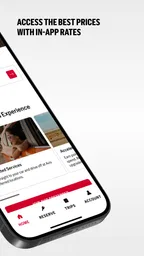
- Compare vehicle options and rates before booking.
- Manage reservations from your phone.
- Find nearby Avis locations while traveling.
- Choose add-ons during the booking process.
- Access rental details in one place.
What could be better
- Prices and vehicle availability vary by location.
- Some bookings may require a credit card.
- Extra fees can increase the final rental cost.
- App features may differ by country.
- Changing a reservation may depend on its terms.





